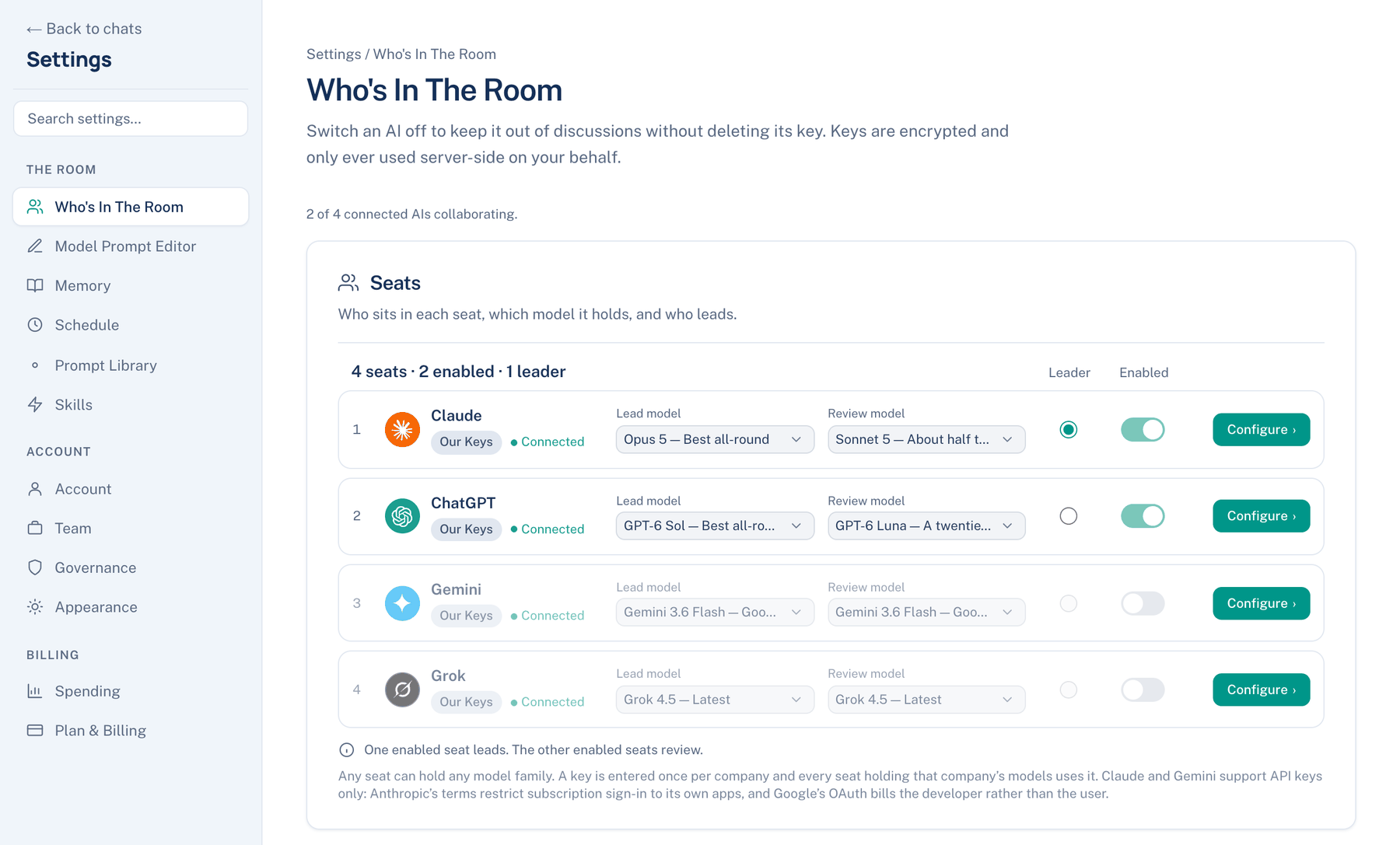
Settings on the web opens over whatever page you are on, at letthemchat.com/settings. A rail on the left lists the sections in three groups, with Search settings… at the top. While you type, every section that matches is drawn at once.
The order
| Group | Sections |
|---|---|
| The room | Who's In The Room, Model Prompt Editor, Memory, Schedule, Prompt Library, Skills |
| Account | Account, Team, Governance, Appearance |
| Billing | Spending, Plan & Billing |
Room settings are stored on the account, so a change here reaches the Mac and the iPhone on their next sync. Appearance is the exception: it applies to this browser, apart from a few reading switches that say they are shared.
Where the web differs from the Mac
- No Plugins. An MCP server runs on the machine that hosts it, so you add one on the Mac, under The room → Plugins.
- No This Mac group. The Mac's General, Workspace, Storage and Appearance cover the folder, the sandbox, guardrails and disk. The web has none of those.
- Appearance sits under Account. Its cards, in order: Theme (Match system, Light, Dark; default Light), Language, Display, Sending, Reading, Sidebar, Help menu, Notifications and Keyboard Shortcuts. The Mac names its themes Daylight, Paper and Dark.
- No Activity page. The Mac's Account → Activity has no web counterpart.
- Some connections are made only here. Telegram, Discord and GitHub for the Mac app's runs are set up under Account → Connected; the Mac shows a Set up on the web link for each. A team's Slack and Microsoft Teams links live under Team → Integrations.
- Show what leaves before sending, under Appearance → Sending, shows each message as the providers will receive it, masked where your team masks personal data, before it goes. Default: off.
- Opened over a discussion, Who's In The Room edits that discussion's seats and leader rather than the account's. A seat the discussion runs on a Mac reads "Its models are chosen in the Mac app."
Who sees what
Every signed-in person sees every section. Some cards inside depend on plan or role:
| Card | Who sees it |
|---|---|
| Account → Connected → API keys, New key | Pro and Team plans; Free sees a line saying so |
| Team → Integrations | Team owners and admins |
| Governance, editing | Team owners and admins; members and auditors read it |
| Appearance → Help menu | Only where a community Slack link is offered |
Keyboard
⌘⇧O (Ctrl+Shift+O) starts a discussion, ⌘K searches your discussions, and ⌘F finds in the one you are reading; a second ⌘F gives you the browser's own find. Esc closes menus and the Settings panel. ⌘N and ⌘, belong to the browser, so they work only in the Mac app.
When not to use the web. Anything that needs your repository, a terminal or a sandbox. Hand it to a Mac with Run on my Mac instead, and watch it from the browser.