Evidence & Accountability
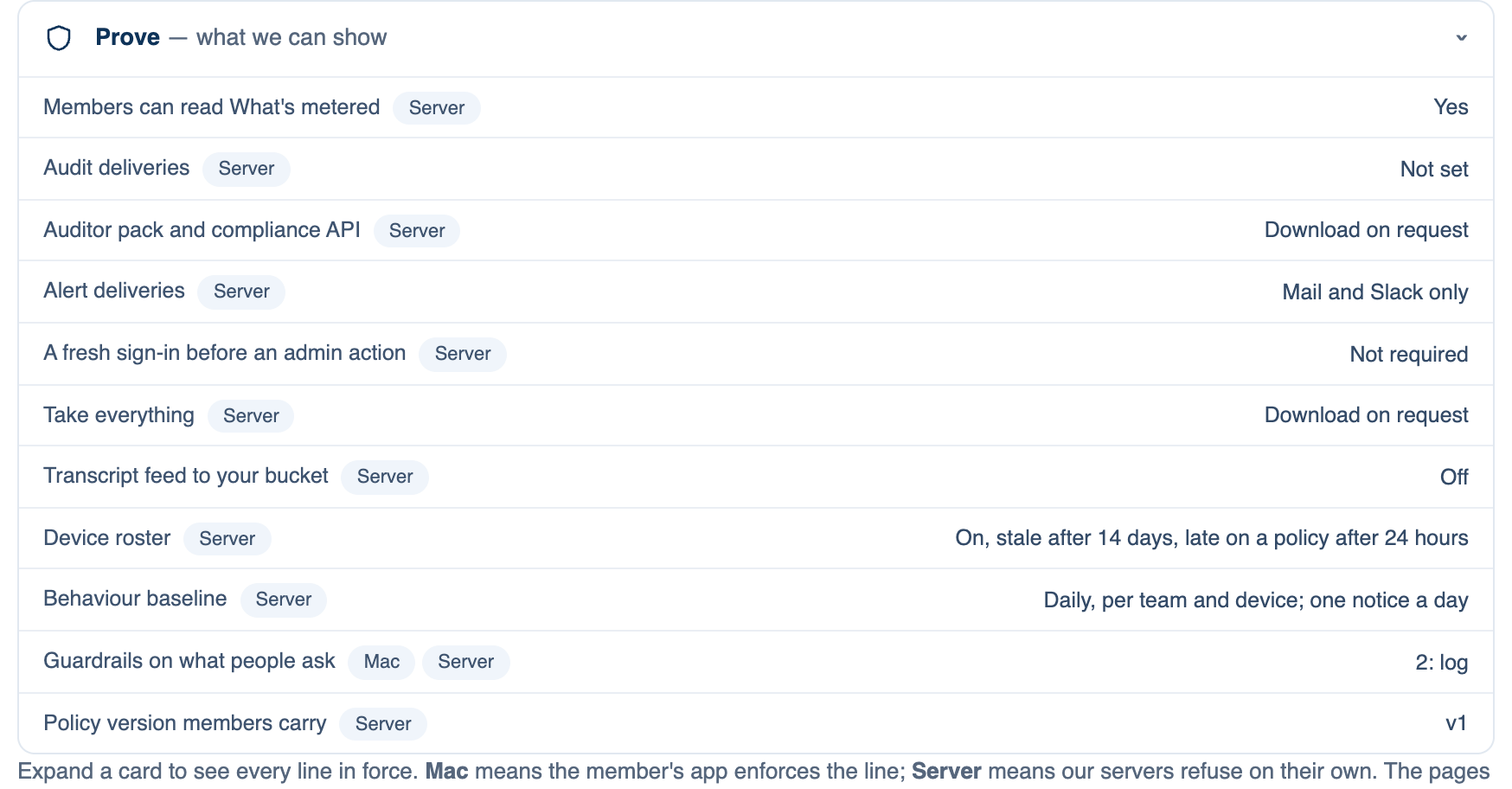
The last card of part 3 is read-only. It lists the lines that decide what the team can prove, each with its current value and chip, and links to Team → Audit & Logs and Advanced, where most of them are set. The lines: Members can read What's metered, Audit deliveries, Auditor pack and compliance API, Alert deliveries, A fresh sign-in before an admin action, Take everything, Transcript feed to your bucket, Device roster, Behaviour baseline, Guardrails on what people ask, Policy version members carry, and Pause everything.
Where to find it. Mac: Settings → Account → Governance → 3 · Sharing, Review & Evidence. Web: Settings → Governance (part 3). iPhone: Settings → Governance → Rules → 3 of 3. Everyone on the team reads it.
What's metered
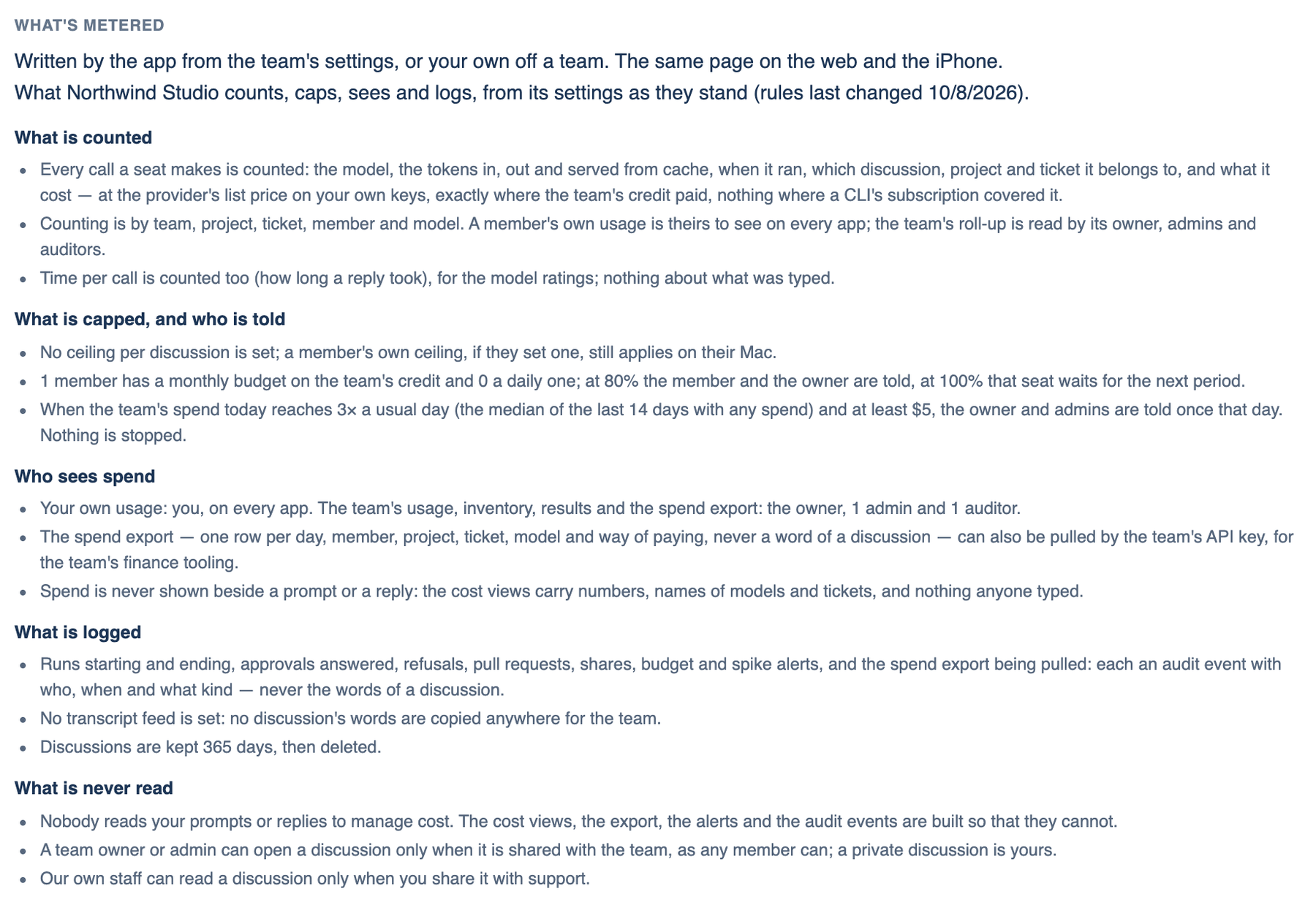
A page the app writes from the team's settings, in five groups: what is counted, what is capped and who is told, who sees spend, what is logged, and what is never read. It changes when the settings change, so nobody has to keep it up to date. Off a team, it describes your own account.
Where to find it. Mac: Settings → Account → Governance, and Settings → Billing → Spending. Web: Settings → Governance, and Settings → Spending. iPhone: Settings → Governance → What's metered. A member cannot read it when the owner turns off "Members can read What's metered".
Where the record goes
Set by owners and admins under Team → Audit & Logs on the web:
- Audit deliveries. Every team event as a signed POST to your https address, signed with HMAC so you can check it came from us. Also an OpenTelemetry logs endpoint and an S3-compatible bucket.
- Alert deliveries. Budget stops, failed schedules and spend spikes to a second address.
- Transcript feed. Transcripts written hourly to your bucket. Members are told the feed is on.
- Take everything. The team export: discussions, run records, audit and files with a manifest. Keys are left out.
- Auditor pack and compliance API. Thirty days of audit exports, the policy, inventory and members as one download, and a team API key that reads events and discussions.
What owners, admins and auditors can look at
On the Team page under Inventory & Results: the inventory of who ran which model on whose credit, Results with the model scoreboard, rates and objectives, and Show devices with the device roster, the rollout line and the behaviour baseline, which you can export.
When not to use it. A transcript feed copies every word to a bucket you run. Treat that bucket like the discussions themselves.
Further reading. NIST SP 800-53 Rev. 5, AU family, NIST, 2020. NIST SP 800-92, NIST, 2006. Standard Webhooks, Standard Webhooks community. RFC 2104, HMAC, IETF, 1997. ISO/IEC 42001:2023, ISO/IEC, 2023 (paywalled).