Web only, under Settings → Team. On iPhone, Team → Manage on the web links here.
Access & Security
Owner or admin.
Verified Domain. Type your company domain and press Claim. Add the TXT record shown to your DNS and press Verify now. Governance → "People on the team's verified domain" decides whether new accounts on it are ignored, join automatically, or wait for you to press Admit. Forget domain removes it.
Company sign-in. Appears once the domain is verified. Copy the redirect URI into your identity provider, then fill in Issuer URL, Client ID and Client secret and press Save. Any OpenID Connect provider works. After you have signed in through it once, Require it for your domain makes it the only way in for those addresses. Remove turns it off.
Directory Provisioning, SCIM 2.0. Enable shows a base URL and a token, once. Paste both into Okta, Entra or Google Workspace and they add and remove members for you. New token replaces it; Turn off stops it.
Project Access. For each team project: a stricter profile (The team's policy, Careful or Locked), a priority (High is served first when credit or slots are short), and Members per project, one address per line. The member list takes effect when Governance turns on "Members see only the projects they are on".
Tokens and App Connections. Each member's app grants, with Revoke. Revoking is audited.
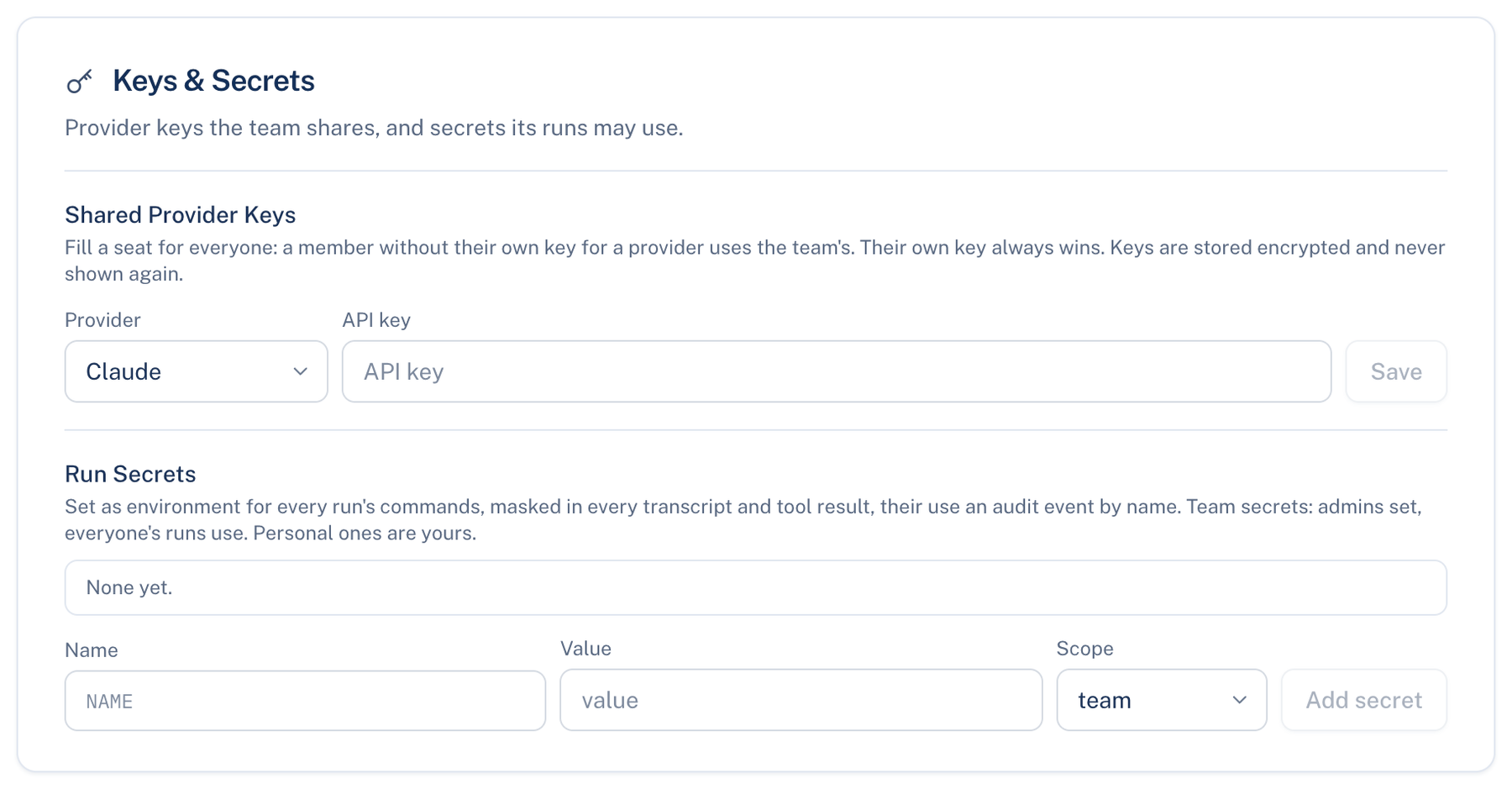
Keys & Secrets
Shared Provider Keys (owner or admin). Pick Provider (Claude, ChatGPT, Gemini or Grok), paste the API key, Save. A member without a key of their own uses the team's; their own key always wins. Keys are never shown again. Remove deletes one.
Run Secrets (everyone). Set as environment variables for every run, masked in transcripts, with each use audited by name. Type a Name and Value, choose a Scope, press Add secret. Team scope is offered to admins only; everyone else saves personal secrets, and can remove only their own.
When not to use it. A run secret reaches every command a seat runs. Put a read-only or scoped token there, never an owner credential.
Integrations
Owner or admin. Where the team can start a discussion besides the apps.
Slack. Add to Slack installs the bot in your workspace. Mentioning it starts a discussion, the thread follows it, and approval cards can be answered there. Daily digest is on by default. Disconnect removes it. Shows "Not offered on this server" where the server has no Slack app.
Microsoft Teams. Get a link code gives a code valid for 15 minutes; send /link with it to the bot. Shows "Not configured" where the server has none.
Further reading.
- OpenID Connect Core 1.0 — OpenID Foundation, 2014.
- RFC 8693 OAuth 2.0 Token Exchange — IETF, 2020.