Four chat apps and iMessage can reach your room. They follow the same rules, so you only need to learn them once.
- A message to the bot starts a discussion, and the agreed answer comes back where you asked, with a link to the full discussion.
- The same chat (a thread, a DM, a channel) continues the same discussion until you send /new.
- Start with "on my Mac" (or "on my PC", "on my computer") and the request goes to your desktop app as a run request, as Run on my Mac does from the phone. The result comes back to the chat when the Mac finishes.
- The message that starts a discussion is copied into it, so anyone who can read the discussion can read that message.
- A team that requires every discussion to belong to a team project refuses a new one from a chat, because a chat has no project to file it in.
| App | Who connects it | Where |
|---|---|---|
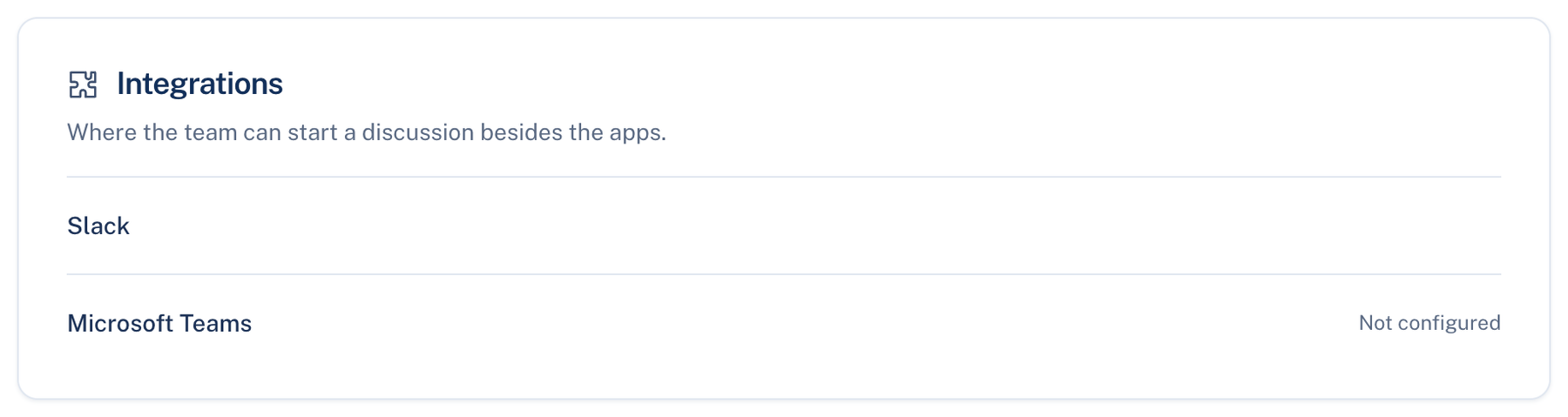
| Slack | A team owner or admin | Web: Settings → Team → Integrations |
| Microsoft Teams | Each person links their own Teams user | Web: Settings → Team → Integrations |
| Telegram | You, with your own bot | Web: Settings → Account → Connected |
| Discord | You, with your own bot | Web: Settings → Account → Connected |
| iMessage | You, on one Mac | Mac: Settings → This Mac → General → iMessage |
If a card says "Not offered on this server", the server you sign in to has not enabled that app. There is nothing to fix on your side.
Slack
Mention @LetThemChat in a channel, or message the bot directly. The thread mirrors the discussion and the agreed answer is posted in it. When a Mac run needs permission (may I run this, may I push), the question appears in the thread as a card, and only the person whose discussion it is can answer it.
Where to find it. Web: Settings → Team → Integrations → Slack. Owners and admins only; one Slack workspace per team. Daily digest default: on.
How to use it.
- Press Add to Slack and approve the install in Slack.
- In a channel, write @LetThemChat and your request. In a DM to the bot, write the request alone.
- If your Slack email is not your account's, the bot replies with a link. Open it, check the Slack user and workspace it names, and press Link this Slack account.
What changes. Daily digest on: once a day, when something happened, the team's activity goes to Slack; nothing is posted on a quiet day. Disconnect stops replies in threads already open.
When not to use it. In a channel with people outside the team. They can read the thread, and their messages there can end up in the discussion.
Microsoft Teams
Message the bot in a personal chat, or mention it in a channel, where the message becomes a discussion in its thread. Your tenant's administrator adds the LetThemChat app from Teams admin first.
How to use it.
- In Settings → Team → Integrations → Microsoft Teams, press Get a link code. It works once, for 15 minutes.
- Send it to the bot as /link CODE.
- Message the bot. /new starts a fresh discussion.
When not to use it. If you are a member rather than an owner or admin: the Integrations card is shown only to owners and admins, so today only they can get a link code.
Further reading. Verifying requests from Slack, Slack developer docs. RFC 8628 OAuth 2.0 Device Authorization Grant, IETF, 2019, the show-a-code, enter-it-elsewhere pattern the link codes follow.