Prompt injection is text a model reads that tries to give it orders: a line in a README, a comment in an issue, a paragraph on a web page. No defence removes it. These reduce what it can reach and make it visible.
A project's instruction files
Ask before using a project's instruction files is on by default (Mac: Settings → Workspace → Where it works). CLAUDE.md and AGENTS.md from a folder you did not write are read into prompts only after you answer Always here, or allow them for that discussion. Until then the folder's CLI hooks, MCP servers and permission files are not loaded either. Trusted folders are listed under Folders whose instruction files are read, each with a remove button.
Outside content is data
Fetched pages, MCP results and similar text arrive marked as data. If a passage reads like orders to an AI, you are told once that the room treated it as content to judge and nothing was done because of it. That is recorded, not blocked.
| Setting | Default | What it does |
|---|---|---|
| Read fetched pages through their own pass | On | A cheap model reads a page from outside the workspace's own hosts with your question. The lead gets the answer and quoted extracts, never the page. Mac only. |
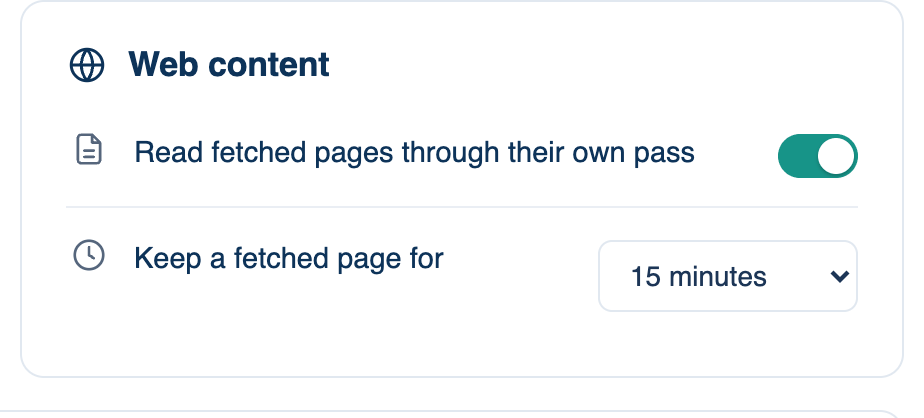
| Keep a fetched page for | 15 minutes | A page read again inside this time comes from the app's own copy. Mac: Privacy & Security → Web content. Web and iPhone: Settings → Who's In The Room → Web content. |
| Warden seat on this Mac | Off | Mac: Privacy & Security → Local oversight. A cheap model checks each of the lead's non-reading calls against what you asked, and can only stop the run with a sentence. If it cannot answer, the run carries on. Not used in headless runs. A team can require it. |
Fetch tools cannot reach your own machine or network. Every redirect is checked, and a private, loopback or cloud metadata address needs your approval or a dev server the room started. The server's fetches refuse private addresses outright.
Short-lived GitHub tokens
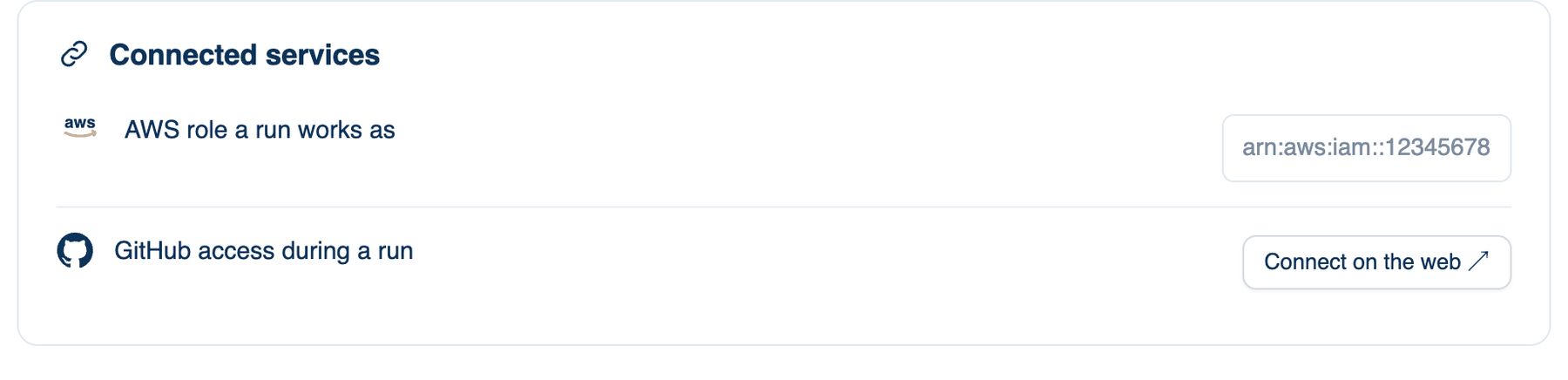
With GitHub connected (Mac: Settings → Workspace → Connected services → GitHub access during a run, set up on the web), each run in a GitHub repository gets its own token in your name, for the repositories you installed the app on, expiring in eight hours. It goes to the lead and seats it directs, never to reviewers, and never to a background task that outlives the run. Without the connection, a seat that needs gh asks to borrow this Mac's sign-in first.
An AWS role works the same way: name one and each run assumes it with a session name for the discussion, credentials that end within the hour, and your own AWS variables kept out. If the role cannot be assumed, the run gets no AWS credentials at all.
Pinned MCP tools
When you approve an MCP server, its tool definitions are pinned. If they change later, the server stays connected but offers nothing until you approve the change, and you are told which tools were added, changed or removed. Only the lead calls MCP tools, and every call passes the same approval checks as a command. A team can limit which servers are allowed.
Further reading. Not what you've signed up for — Greshake et al., 2023. RFC 9700, OAuth 2.0 Security Best Current Practice — IETF, 2025. RFC 6749, OAuth 2.0 — IETF, 2012.