Modes & permissions
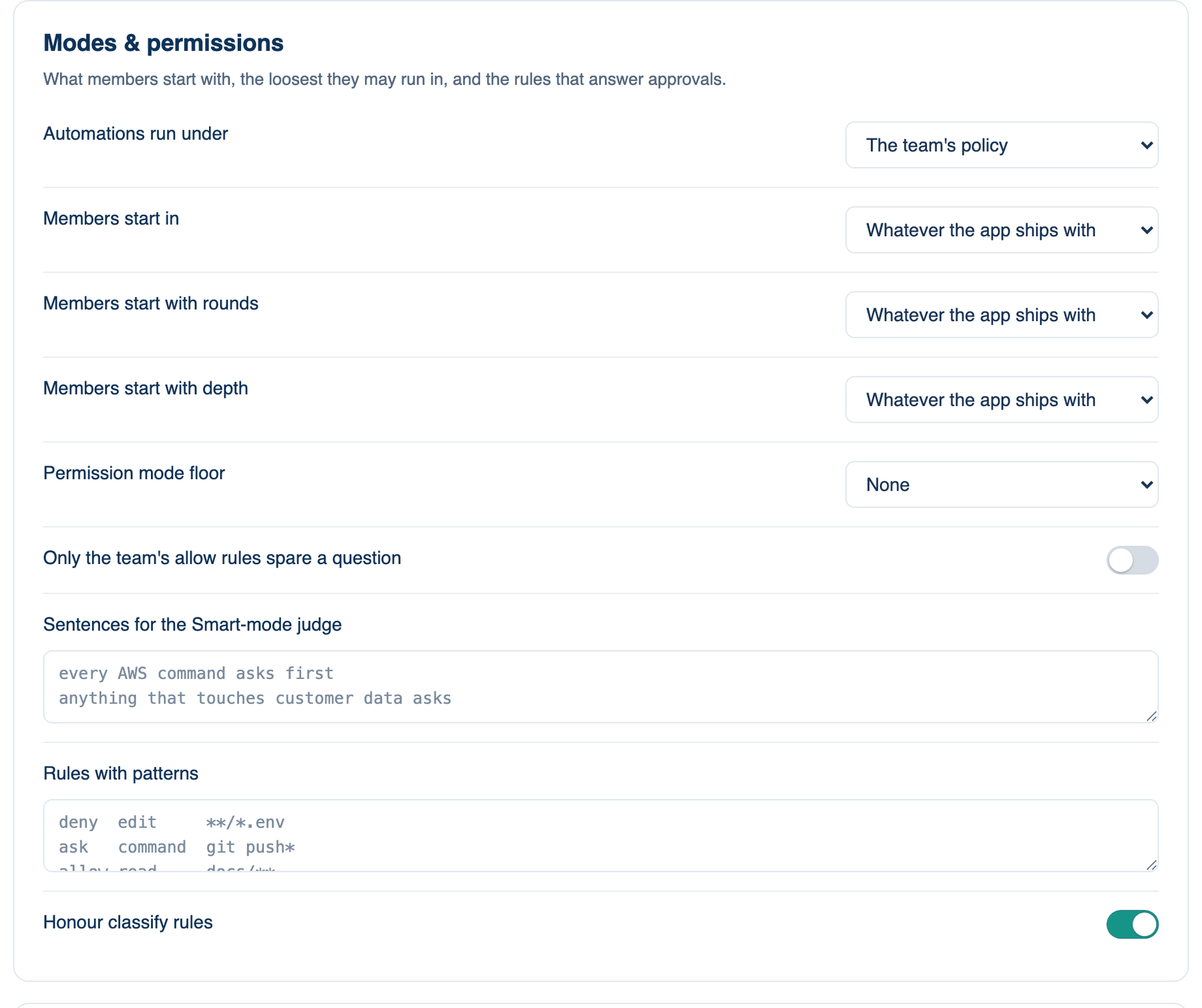
The second card of part 2. Three of these lines are starting settings, the rest are rules. A starting setting is applied once on each member's Mac, when they join or when the team changes it, and only if they have not chosen something themselves. After that it is theirs. A rule applies to every run.
Where to find it. Mac: Settings → Account → Governance → 2 · Tools & Execution. Web: Settings → Governance (part 2). iPhone: Settings → Governance → Rules → 2 of 3. Owner or admin edits.
The policies, top to bottom
| Policy | Default | What it does | When to turn it on |
|---|---|---|---|
| Automations run under | The team's policy | Binds every scheduled automation to Careful or Locked, whatever the team's own profile. Tighten-only. | When scheduled runs happen with nobody watching. |
| Members start in | Whatever the app ships with | The permission mode a member starts with: Manual, Accept edits, Smart, Auto or Plan. A starting setting. | When new members should not start in Auto. |
| Members start with rounds | Whatever the app ships with | 1 to 5 rounds to start with. A starting setting; a minimum is set under Review requirements. | When you want a shared habit, not a rule. |
| Members start with depth | Whatever the app ships with | Chosen by the room, or Chosen by hand. A starting setting. | When cost matters more than depth for new members. |
| Permission mode floor | None | The loosest mode a member may run in: Smart, Accept edits or Manual. A run in a looser mode is refused and says why. | When Auto should not be available on company code. |
| Only the team's allow rules spare a question | off | A member's own allow rules and remembered allows no longer skip a question. The team's rules still do. | When you need every allowed action to trace back to a team rule. |
| Sentences for the Smart-mode judge | none | Plain sentences, one per line, that the Smart judge applies on every Mac, such as "every AWS command asks first". The verdict quotes the sentence it used. It widens what asks; it does not deny. | When Smart mode should know your house rules. |
| Rules with patterns | none | One per line: allow, ask or deny, then command, edit, read or url, then a pattern. The last matching line wins; on a Mac the stricter of team and member applies. A "classify read" or "classify url" line keeps what is read out of every model's context. | When some paths or commands should never be touched. |
| Honour classify rules | off | Turns classify lines on. The seat learns the size and shape of classified data, can pass it on unchanged into a file and run a program over it, but never reads it, and a classified file is never published. Off, classify lines are comments. | When datasets must not enter a model's context. |
When not to use it. A floor of Manual makes every edit and command ask. On a team that runs long builds, that means people waiting on prompts all day.
Further reading. Regulation (EU) 2024/1689, Article 14 Human oversight, European Parliament and Council, 2024. OWASP LLM06:2025 Excessive Agency, OWASP GenAI Security Project.