Every turn re-reads the whole discussion, so a long one costs more each time and eventually will not fit. The Context card decides when the room folds what came before. Its settings follow your account.
Where to find it. Mac: Settings → The room → Who's In The Room → Context. Web: Settings → Who's In The Room → Context. iPhone: Settings → The Room → Who's In The Room → Context.
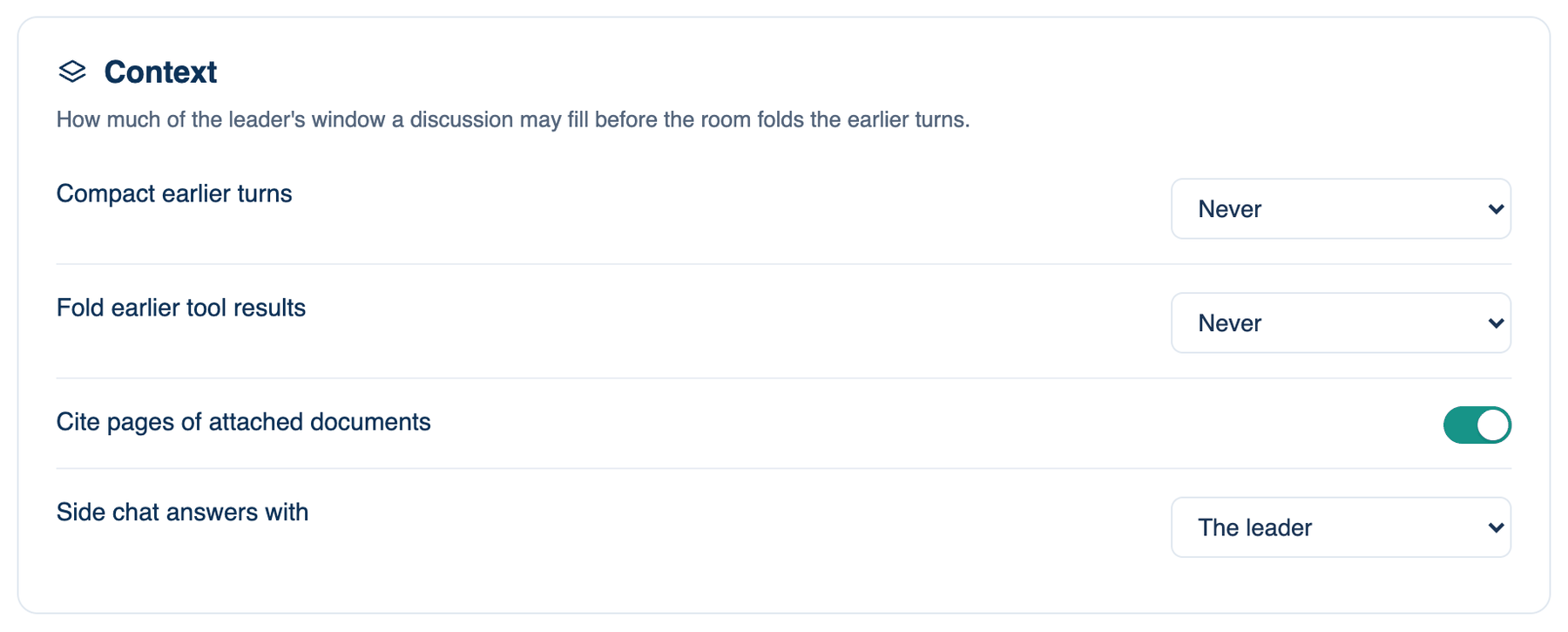
Compact earlier turns
Past this share of the leader's context window, the room folds the earlier turns into one note before the next turn: who said what, with the latest answer kept whole. Nothing is deleted. The folded turns stay in the transcript under a marker.
Where to find it. Context → Compact earlier turns. Choices: Never, or at 60, 70, 80 or 90% of the window. Default: at 80%. The meter beside the composer shows where you are, and Compact Earlier Turns in the composer's + menu does it by hand.
When to use it. Lower it for long working sessions on a model with a small window, or to keep a long discussion cheap.
When not to use it. A summary loses detail. Pick Never for a discussion where exact wording from early on matters, and accept that it costs more and may run out of room.
Further reading. Lost in the Middle: How Language Models Use Long Contexts — Liu et al., 2023.
Fold earlier tool results
A seat working with tools re-reads every result of the turn on every step, so a long build grows with each file it reads and each test log. Past this share of the window, results from earlier steps in that turn are cut to their first lines. The last few steps stay whole, and the seat's own words are never touched. Every result is also capped before the seat reads it.
Where to find it. Context → Fold earlier tool results. Choices: Never, or at 30, 40, 50, 60 or 80%. Default: at 50%.
When to use it. Leave it on for builds and test runs. Lower it if long tool turns are what your bill is made of.
When not to use it. A seat that needs to look back at an early log in full may have to read it again. The transcript keeps its own full record either way.
Further reading. MemGPT: Towards LLMs as Operating Systems — Packer et al., 2023.
Keep the leader's model while it's cheaper
A short question usually goes to the lead's cheaper model. Deep in a discussion that can cost more: the cheaper model reads everything again at full price, while the lead's own model, having spoken a moment ago, reads it from its cache at a fraction of that. With this on, the room stays on the lead's model only when the published prices say it costs less.
Where to find it. Web and iPhone: Context → Keep the leader's model while it's cheaper. Mac: Settings → Billing → Spending → Brakes. Default: on.
Further reading. Prompt Cache: Modular Attention Reuse for Low-Latency Inference — Gim et al., 2023.