Projects & spending
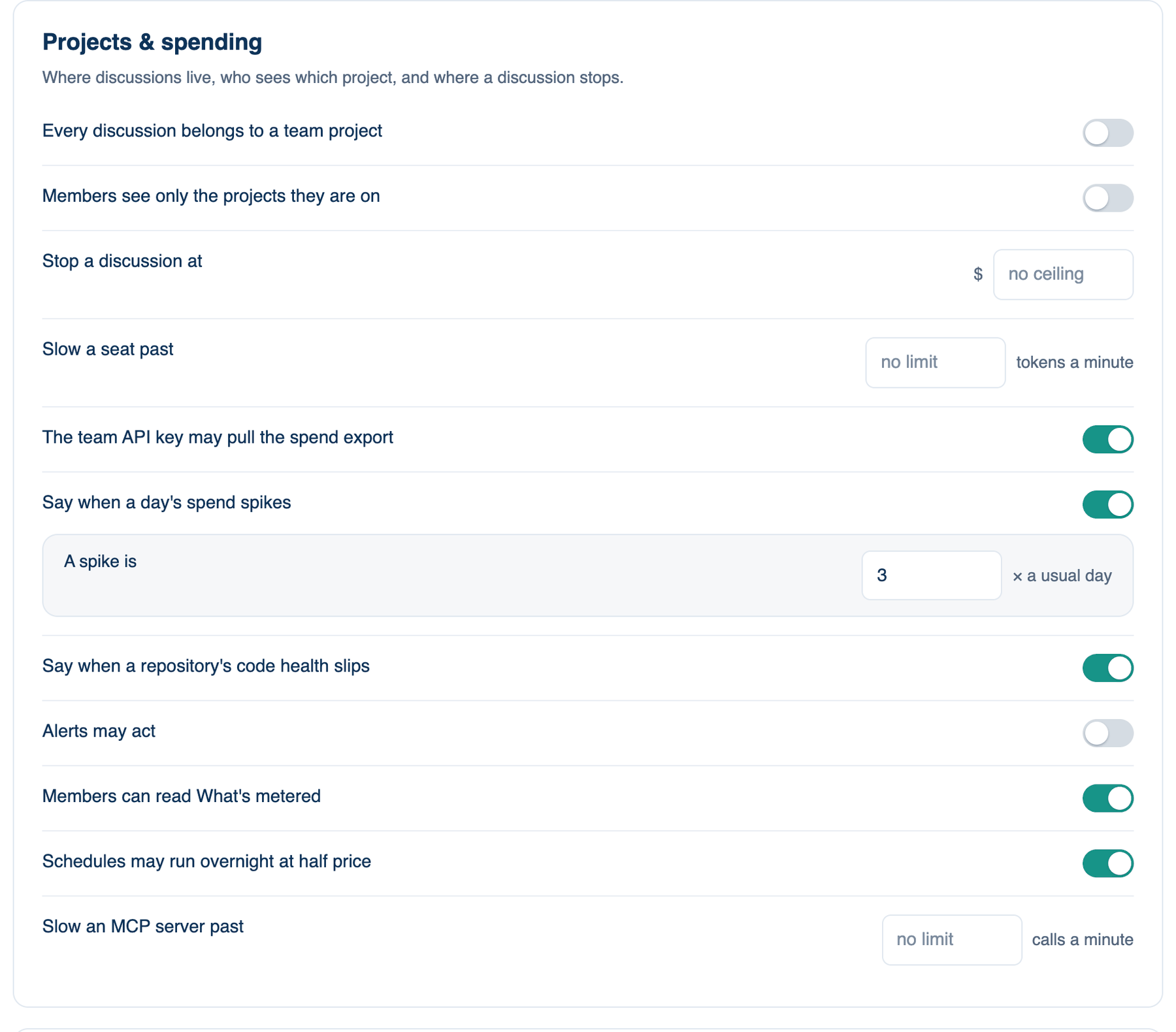
The second card of part 1. It decides where discussions live, who sees which project, and where a discussion stops.
Where to find it. Mac: Settings → Account → Governance → 1 · Policy, Access & Data. Web: Settings → Governance (part 1). iPhone: Settings → Governance → Rules → 1 of 3. Owner or admin edits.
The policies, top to bottom
| Policy | Default | What it does | When to turn it on |
|---|---|---|---|
| Every discussion belongs to a team project | off | A discussion can only start inside a project shared with the team, on every app and for everyone including the owner. Private discussions stay readable; moving one into a team project lets it continue. The web asks you to confirm. | When every dollar needs a project, a ticket and an owner. |
| Members see only the projects they are on | off | A project with a member list is seen and run only by those members. A project with no list is everyone's. Lists are set per project under Team → Access & Security. | When client work must stay with the people on that client. |
| Stop a discussion at | no ceiling | A dollar ceiling per discussion, on every app. It stops between turns, never mid-answer. On a Mac the lower of this and the member's own ceiling applies. | Always worth a number. |
| Slow a seat past | no limit | Tokens a minute for one seat. Past it the seat waits between turns and the transcript says why; it is never stopped. Mac. | When a shared key hits its rate limit. |
| The team API key may pull the spend export | on | Lets a finance tool fetch the spend export with the team's API key. Owners, admins and auditors can download it either way. | When finance pulls bills automatically. |
| Say when a day's spend spikes | on | Once a day, when today is a multiple of a usual day (the median of the last 14 days with spend) and at least five dollars: a mail to owner and admins, a Slack post where connected, and an audit event naming who and which model. Nothing is stopped. | Leave on. |
| A spike is | 3 × a usual day | The multiple, 2 to 20. | Raise it if launch weeks trip it. |
| Say when a repository's code health slips | off | Once a week, when four weeks of commits show a third of changed lines in code under a month old, or a quarter of changed files agent-written, owners and admins are told. Counts only, never a path. | When agents write much of a codebase. |
| Alerts may act | off | A schedule that failed three times in a row is paused, and on a spike day the leads run on their cheaper model until midnight UTC. Both can be undone in the app. Off, alerts only recommend. | When nobody is around at night to read an alert. |
| Members can read What's metered | on | The page that says what is counted, capped, seen, logged and never read. Owners, admins and auditors read it either way. | Leave on; metering people can read beats monitoring they discover. |
| Schedules may run overnight at half price | on | Lets a schedule use the provider's batch endpoint: one seat, no tools, no reviewers, the answer within a day, every token at half price. Not usable under zero data retention, since providers keep batch results for 29 days. | Turn off if batch retention is a problem for you. |
| Slow an MCP server past | no limit | Calls a minute to one MCP server. Past it the run waits before the next call. Mac. | When a shared server falls over. |
Further reading. FinOps Framework, FinOps Foundation.