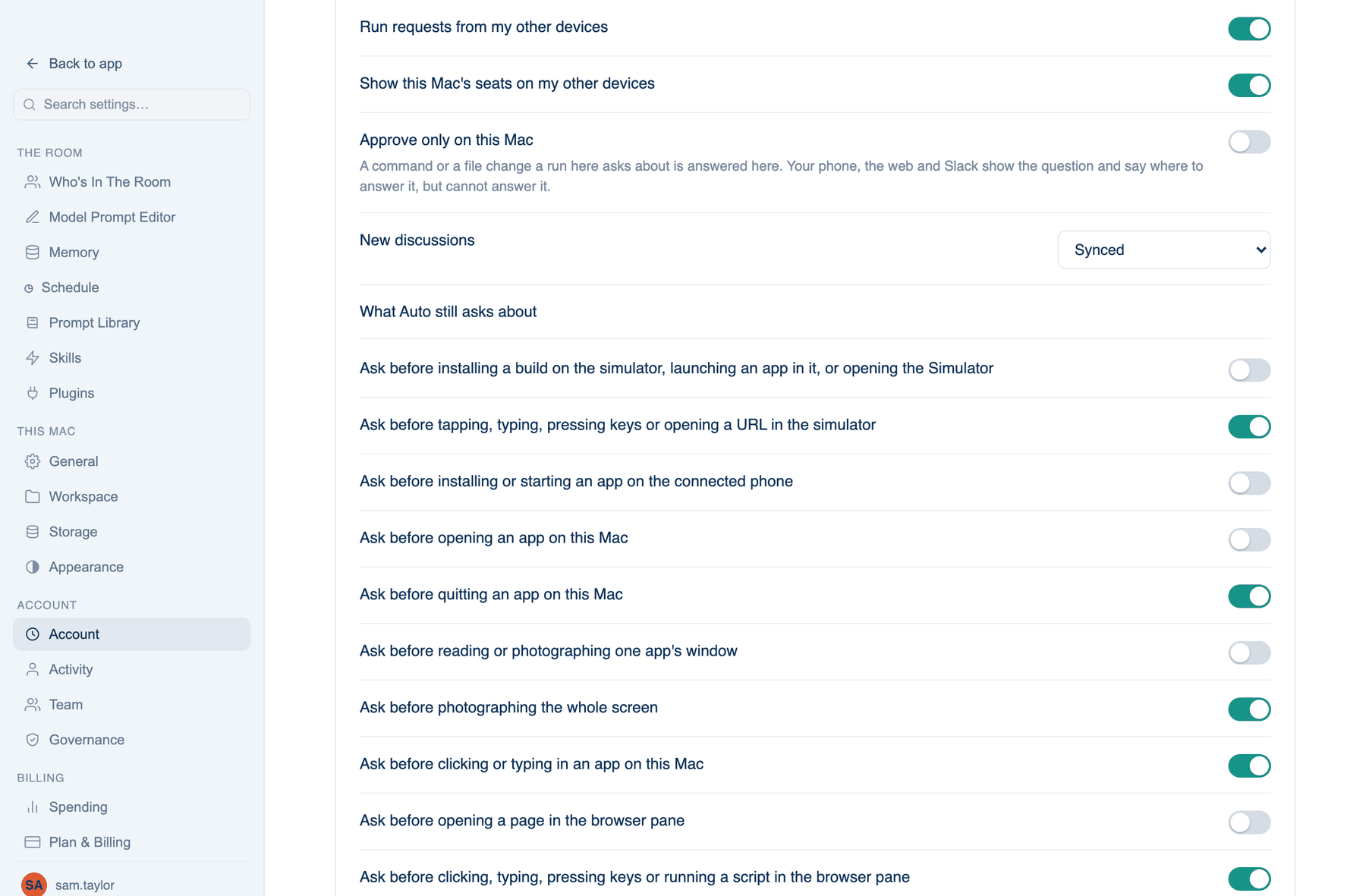
Mac only. These rows sit in Settings → Account → Account → Sign-in & Security, after Trusted devices. They decide what this Mac offers your other devices. The thirteen "Ask before…" switches in the same card are covered on the permission modes page.
Sharing this Mac with your other devices
| Setting | Default | What it does | Change it when |
|---|---|---|---|
| Run requests from my other devices | On | Your phone and the web may start a discussion that runs here, with this Mac's seats and permission mode. Off, it still syncs but never picks one up | The Mac holds work you do not want started remotely |
| Show this Mac's seats on my other devices | On | When a discussion is set to run here, the phone and web show these seats. Only the choices travel, never a key, a command or an endpoint | You would rather the seat list stayed on the Mac |
| Pull request switches from my other devices | On | The phone and the web may turn on fixing, merge when ready and archiving for a discussion's pull requests here. Each goes through the same rules as the PR menu on this Mac. Off, a switch turned elsewhere waits until this is on again | You want those switches turned only in front of this Mac |
| Approve only on this Mac | Off | A question a run here asks is answered here. The phone, web and Slack show it and say where to answer | You want every approval in front of the screen doing the work. A team can force it on |
| New discussions | Synced | Synced: on your account. Private live view: nothing stored on our servers, a paired phone can follow it end-to-end encrypted. Keep on this Mac: nothing leaves but what each seat sends its own AI | You work on code that must not leave the machine. A team can rule out the less private options |
| GitHub for seats | Ask me | When a seat's gh command needs your GitHub sign-in: Ask me, Always allow or Never | You connected the GitHub app (each run then has its own token), or never want your sign-in used |
Private discussions do not use Our Keys or the Free Key, because those are reached through our servers. Each discussion can change its own level under ⋯ → Privacy.
Phones for private discussions
A paired iPhone can list, watch and write to this Mac's Private live view discussions. Messages are sealed with keys made on each device, so our servers carry them without being able to read them.
How to use it.
- Press Pair a phone. A code appears.
- On the iPhone: Settings → Account → Private discussions → Pair with a Mac, and scan it.
- Check the six digits match on both screens. Up to ten phones.
Preview on my phone
Off by default. When on, Background tasks offers to show a local app you are building on your phone: scan the code and it opens over your Wi-Fi with a one-time code. Nothing goes through our servers. A phone preview lasts 5, 15 (default), 30 minutes or an hour, and also ends after ten idle minutes or when the app quits. My own tunnel address takes the https address of a tunnel you run to this Mac, for use away from your Wi-Fi; the app shows it as a code and never connects to it. A team can turn previews off.
Reset the app, keep my work
A clean start when something is stuck. Reset… removes settings, seats, keys, models, this Mac's account sign-in, the Claude Code or Codex sign-ins added in the app, and the window's caches, then restarts. Every discussion, folder, memory, skill and automation stays, and so does the workspace. The terminal's own CLI sign-ins and the Keychain are not touched. You will need to re-enter provider keys afterwards.