A to M
| Word | Meaning |
|---|---|
| Agreed answer | The lead's final reply after every reviewer agreed. Its turn carries the Agreed answer chip. |
| Approval card | A request that appears when the room wants to do something the permission mode does not cover. Answer Allow, Always or Deny, from any of your devices. |
| Brake | Anything that stops a discussion before it agrees: the round limit, a spending ceiling or a turn ceiling. The ceilings are in Settings → Spending → Brakes. The round limit is in Settings → Who's In The Room. |
| Ceiling | A dollar limit on a discussion or a single turn. The run stops after the current turn. If your team sets one too, the lower applies. |
| Depth | How hard the room works on a message: Quick, Compare, Consensus or Deep. With Auto on, which is the default, each question picks its own. |
| Discussion | One conversation with the room, with its transcript, Summary and workspace. Also called a session. |
| Dissent | What a reviewer still disputed when the room stopped. It is kept in the answer under "Where they disagreed". |
| Free Key | A way for a seat to run free models: through our free key, your own free provider account, or a model on this computer via Ollama. |
| Guardrail | A named rule the Mac app enforces, such as a tool-call cap. Each one is switched on or off under Settings → Workspace → Guardrails. |
| Guest | A model you invite with @guest to give one answer without taking a seat. |
| Keep going | A button that continues a stopped discussion. After a ceiling stop, it allows one more ceiling's worth of spending. |
| Lead (leader) | The seat that answers first. On the Mac it is the only seat that writes files or makes commits. |
N to Z
| Word | Meaning |
|---|---|
| Permission mode | How much the room may do on your Mac without asking: Manual, Accept edits, Smart, Plan, Auto (the default) or Bypass. |
| Project | A group of related discussions in the sidebar. Its discussions can share a folder and a lead. |
| Receipt, Summary | The card at the end of each run: what ran, what passed, what changed, what was found and what it cost. The Summary panel holds the full version. |
| Reviewer | A seat that checks the lead's work. On the Mac it can run read-only commands but cannot write. |
| Room | The seats working together on your question: one lead and the reviewers. |
| Round | One pass in which the lead works and every reviewer replies. |
| Run on my Mac | Starting a discussion on the web or the iPhone and running it on your Mac, with the Mac's seats and checkout. |
| Sandbox | The operating system's confinement around every command and CLI seat on the Mac. Writes stay in the workspace; the rest of the home folder and the network are closed. |
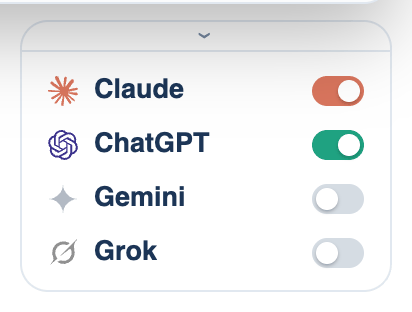
| Seat | A place in the room. There are four; each holds one model and runs one way. A seat switched off costs nothing. |
| Seat dock | The seat tiles under the Mac composer. Click one to switch that seat on or off. |
| Ticket | A tracked piece of work with a key such as ABC-12, shown on the board and in Issues. |
| Warden | An optional cheap seat on the Mac that watches the lead's tool calls. It can stop a run but cannot change anything. |
| Workspace | The folder a discussion works in. On the Mac the default is Documents/LetThemBuild. |
| Worktree | A separate checkout of your repository, on its own branch, made for a single discussion. It is on by default. |