The iPhone app is LetThemChat, signed in to the same account as the web and the Mac. Sign in opens the web sign-in in a system sheet, so a browser where you are already signed in carries over. Plans and credit are bought in Safari, never in the app; the app shows billing read-only.
Opening Settings
Open the drawer (the ☰ at the top left of a discussion, or a swipe in from the left edge) and tap the gear. Settings opens as a sheet with Done and a Search settings field that matches your words in any order. Opened from inside a discussion, Who's In The Room edits that discussion's seats and leader rather than the account's.
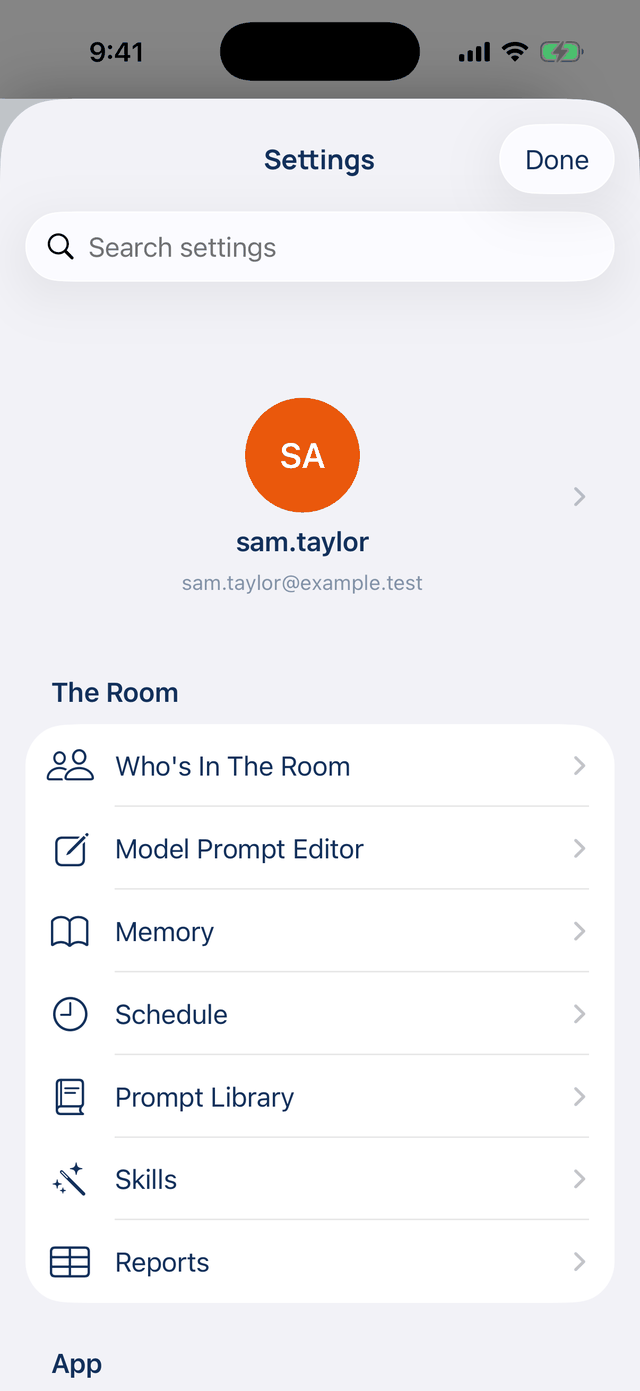
The order on the phone
| Section | Rows |
|---|---|
| (top) | Your name and email, which opens Account |
| The Room | Who's In The Room, Model Prompt Editor, Memory, Schedule, Prompt Library, Skills, Reports |
| App | Appearance, Notifications, Privacy & Lock, Voice, Haptic feedback, Reopen where you left off |
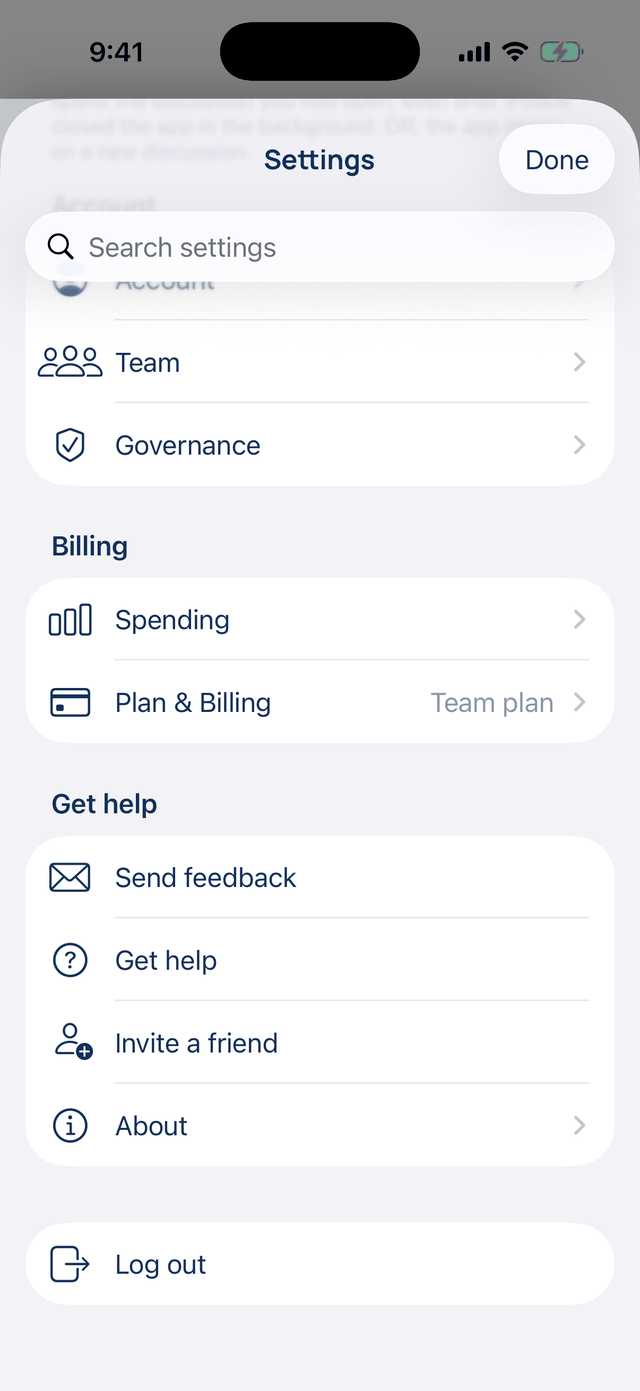
| Account | Account, Team, Governance |
| Billing | Spending, Plan & Billing |
| Get help | Send feedback, Get help, Invite a friend, Join the Slack community (when offered), About |
| (bottom) | Log out |
The room pages match the web and the Mac. Reports is the phone's own: every report page you made, with how many rows are closed. Tap one to open it in Safari.
The App group
These settings stay on this iPhone, except the reading switches inside Appearance, which are shared with the web and the Mac.
| Setting | Default | What it does | Change it when |
|---|---|---|---|
| Appearance | Light theme | Show sources under answers, Pull-request previews, Check live status before answering; Theme (Match system, Light, Dark); Shared into LetThemChat (a new discussion or the open one); Show Artifacts in the sidebar | You want dark mode, or shared items to join what you are reading |
| Notifications | All on | When a discussion finishes, When your Mac needs an answer, Show notices in the corner, Show the run tree in a discussion's details | Banners interrupt you more than they help |
| Privacy & Lock | Off | Require Face ID (or Touch ID, or the passcode) whenever you return to the app | Other people pick up your phone |
| Voice | Natural voice, 1.0× | Read aloud with Natural voice (on our server, charged to your credit) or This device's voice (free, offline); a voice per seat; speed from 0.6× to 1.6× | You listen offline, or want it faster |
| Haptic feedback | On | Taps you can feel on confirmations | You find them distracting |
| Reopen where you left off | On | Coming back opens the discussion you had open, even after iOS closed the app | You want a blank discussion each time |
The lock does not encrypt anything on the server, and the web and the Mac still open the same discussions. With it on, a notification never shows a discussion's title.
Account on the phone
Account holds Profile (your name), Sign-in & Security (Active sessions, Trusted devices, Standing credentials, Private discussions, Sign out, Log out of all devices), Your Data, Privacy with Share usage analytics, and Connected, which has GitHub Reviews and API Keys. Telegram, Discord and GitHub for the Mac's runs are set up on the web. Delete account… is at the foot; a team you own has to be handed over or dissolved first.
When not to use the phone. Connecting Telegram, Discord or Slack, or editing team governance: those pages are on the web.