Who's In The Room is the first page of Settings on every app. It starts with the seats table, then the cards that decide how a discussion between those seats runs. This page covers the table itself.
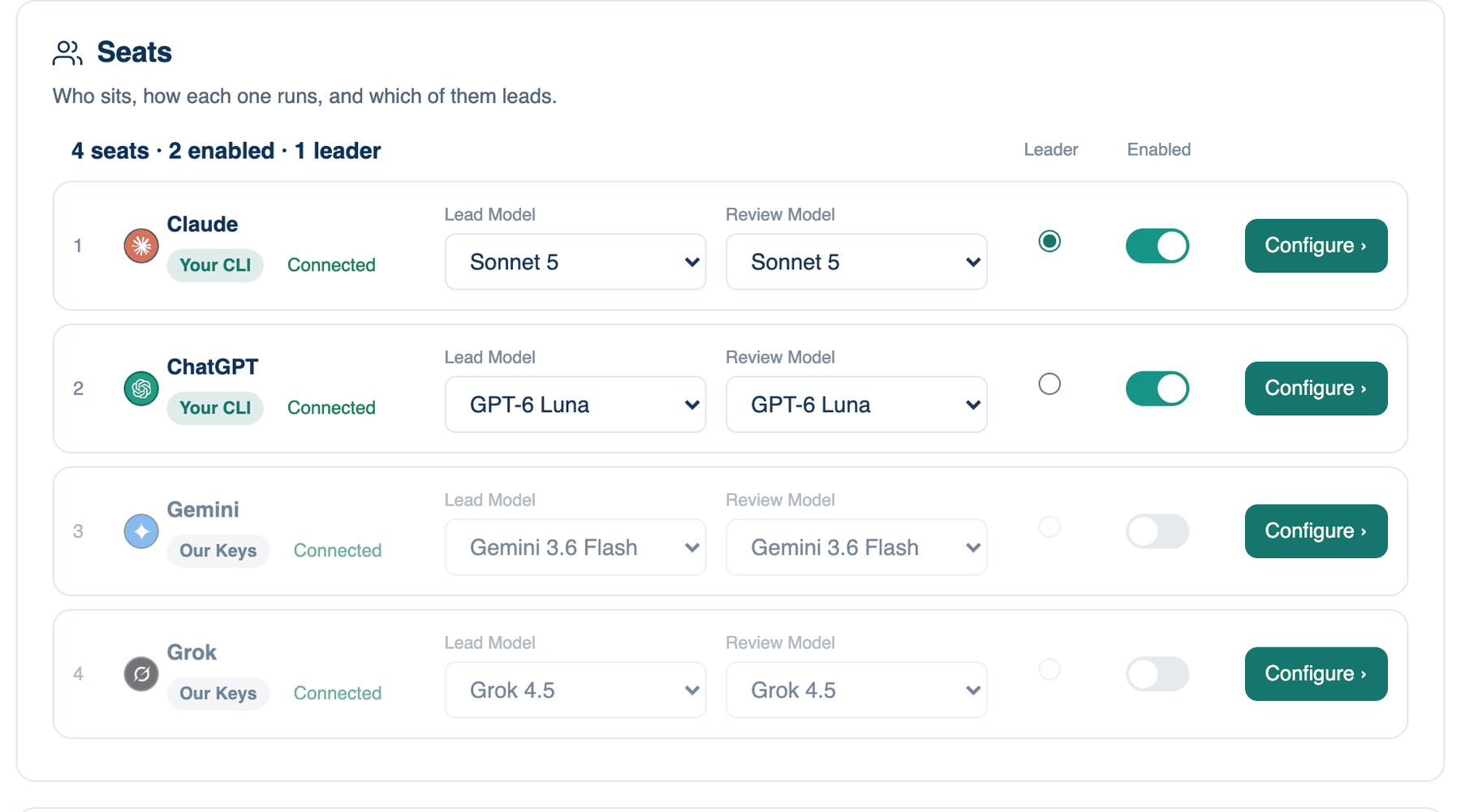
The seats table
There are four rows, Seat 1 to Seat 4, under a line that counts them ("4 seats · 3 enabled · 1 leader"). Each row shows the model the seat holds with its maker's mark, a badge for how it runs (Our Keys, Free Key, Your CLI, Your API Key, Custom, ACP Agent, A2A Agent or Your Cloud) and a dot for its state: Connected, Not connected, Last test failed, or Held by your team.
Where to find it. Mac: Settings → The room → Who's In The Room → Seats. Web: Settings → Who's In The Room → Seats. iPhone: Settings → The Room → Who's In The Room. Default: Claude, ChatGPT, Gemini and Grok in Seats 1 to 4. Every change saves as you make it; there is no Save button.
Any model in any seat
A seat is a numbered slot, not a vendor. Choose another provider in the seat's Configure panel and the seat takes that maker's line: its menus then list only that family, and the row is named after the model it now holds. Two seats can hold the same family, for example a strong Claude model leading and a cheaper Claude model reviewing from Seat 3.
Each row has two menus. Lead Model is used when this seat leads, Review Model when it reviews. Reviewing is the lighter job, so the reviewer is usually a cheaper model. On the web, picking a lead also moves the reviewer to the same maker one version lower, which you can change back. A seat that runs through an endpoint, an agent or a cloud account shows its model as plain text here, and you set it in Configure.
When not to use it. Filling all four seats with one family gives you four similar opinions. Mixing makers is what makes a reviewer likely to catch something the lead missed.
Switching a seat on or off
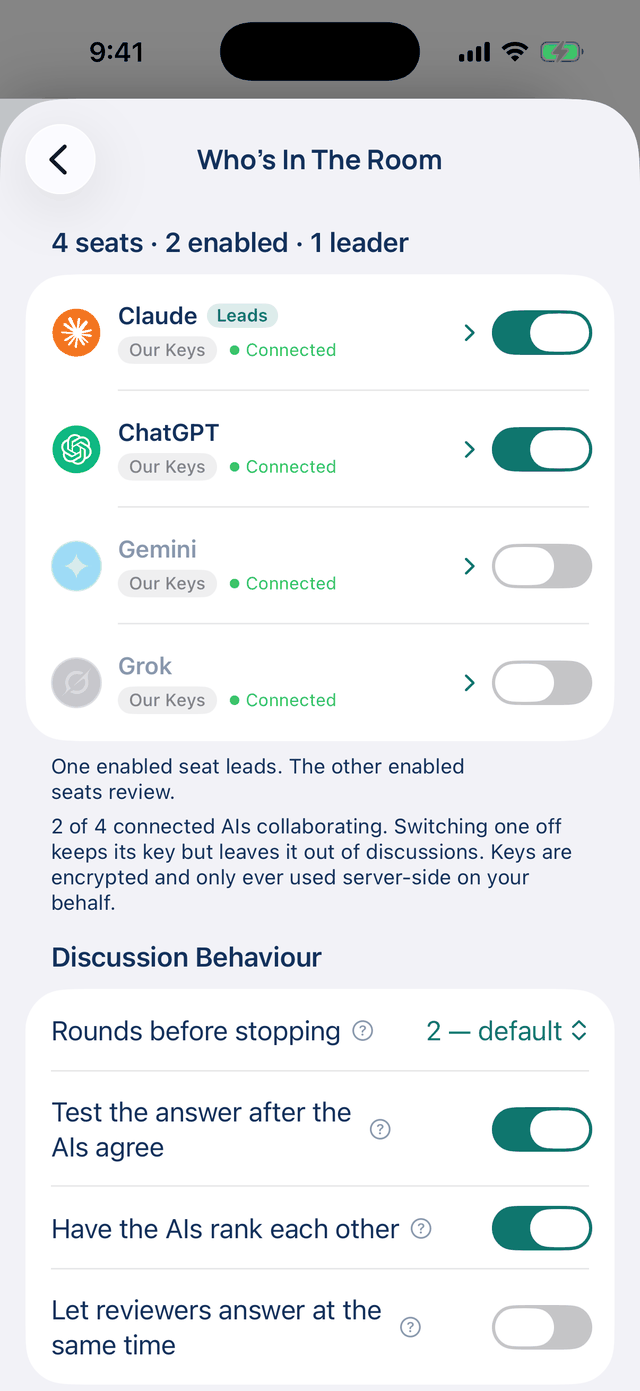
The Enabled switch keeps a seat out of discussions without losing its key, model or connection. A seat that is off is never asked and costs nothing. The switch stays greyed until the seat is set up, and while your team holds it. If every seat is off, an amber line says discussions cannot run. On the iPhone the switch appears on the row once the seat is connected.
Who leads
Choose the seat in the Leader column. The lead answers first; on the Mac it is also the only seat that edits files, and the others review. Only a seat that is connected and switched on can lead, and an outside A2A agent never leads. On the iPhone, open the seat and tap Leads the room; the leading row carries a Leads tag. The leader is shared by your Mac, the web and your iPhone.
When to use it. Lead with the model you trust most for the work you do most. Change it per discussion when a question suits another model better.
When not to use it. An expensive lead on a room you mostly use for short questions pays for its first answer every time. A cheaper lead with a strong reviewer often gets you the same result.
What changes. If the chosen lead is switched off, a warning under Discussion Behaviour says so and the next seat starts instead.
Further reading. Improving Factuality and Reasoning in Language Models through Multiagent Debate — Du et al., 2023.