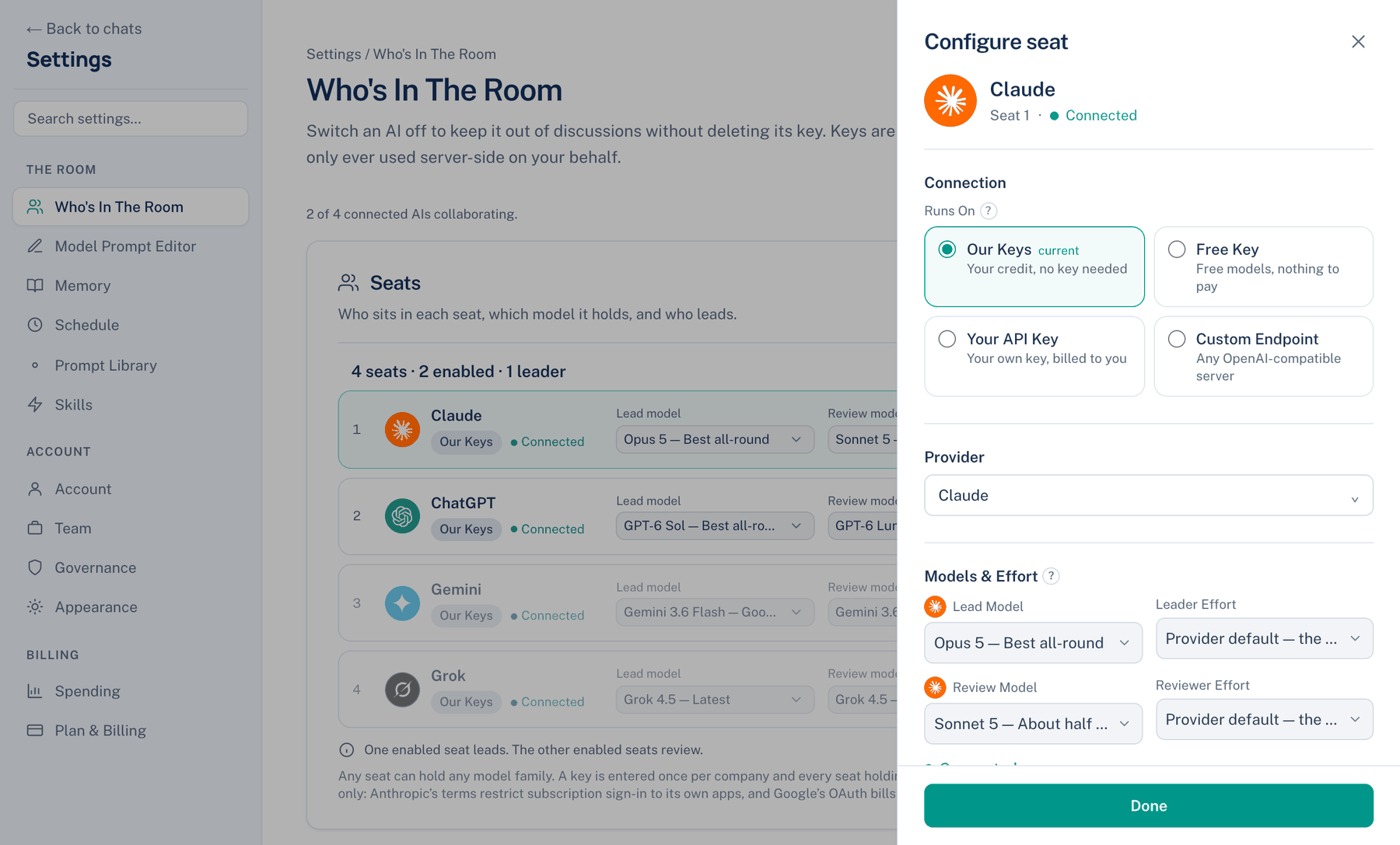
These three ways bring your own account to a seat. Each is open on the Free plan for one 14-day trial, then needs Pro or Team.
Your CLI
The seat runs through a coding CLI you already pay for: Claude Code, Codex, Gemini CLI or Grok Build. It leads or reviews on that subscription, so its turns cost nothing extra here; Spending shows them without a money figure rather than as zero.
Where to find it. Mac only: Configure seat → Runs On → Your CLI. The card says whether the CLI is installed and signed in. If it is not on the machine, choosing the card installs it. Signing in is yours to do, in the Terminal pane.
How to use it.
- Open Configure on the seat and choose Your CLI.
- If the card says the CLI is not signed in, run its sign-in in the Terminal pane, then press Test.
- Pick the lead and review models the CLI offers.
When to use it. You already pay for a plan with generous limits and want the room to use it. Claude Code and Codex seats can hold several accounts and move to the next when one hits its limit; see the Configure panel page.
When not to use it. A family with no CLI cannot use this way; the card says so, or offers to move the seat to a line that has one. On the Mac, a CLI seat's effort is set by the CLI, not here.
Your API Key
Your own key from the provider; you pay them directly. One key per provider serves every seat holding that provider's models.
Where to find it. Configure seat → Runs On → Your API Key, on Mac, web and iPhone. Paste the key into the field under the cards; it saves when you leave the field or press Return, and the seat is tested at once.
What changes. On the Mac the key stays encrypted on this computer and calls go straight to the provider. On the web the key is encrypted on our server and used only for your turns. On the web and iPhone, ChatGPT and Grok seats can also sign in with the account you already have (Connect with ChatGPT, Connect Grok account) instead of a key.
When not to use it. When you want the whole catalogue on one bill: a key reaches only its own provider.
Custom
Any OpenAI-compatible endpoint: a router, DeepSeek, Together, Azure, or a local server such as LM Studio. Your key, your endpoint, nothing through us, and Our Keys credit does not apply.
Where to find it. Configure seat → Runs On → Custom, on Mac, web and iPhone. Fill in the endpoint address, which must start with https:// on the web, then its key and the model id.
When to use it. A provider we do not list, a company gateway, or a model running on your own hardware.
When not to use it. When you need cost figures you can trust: an endpoint reports usage its own way.