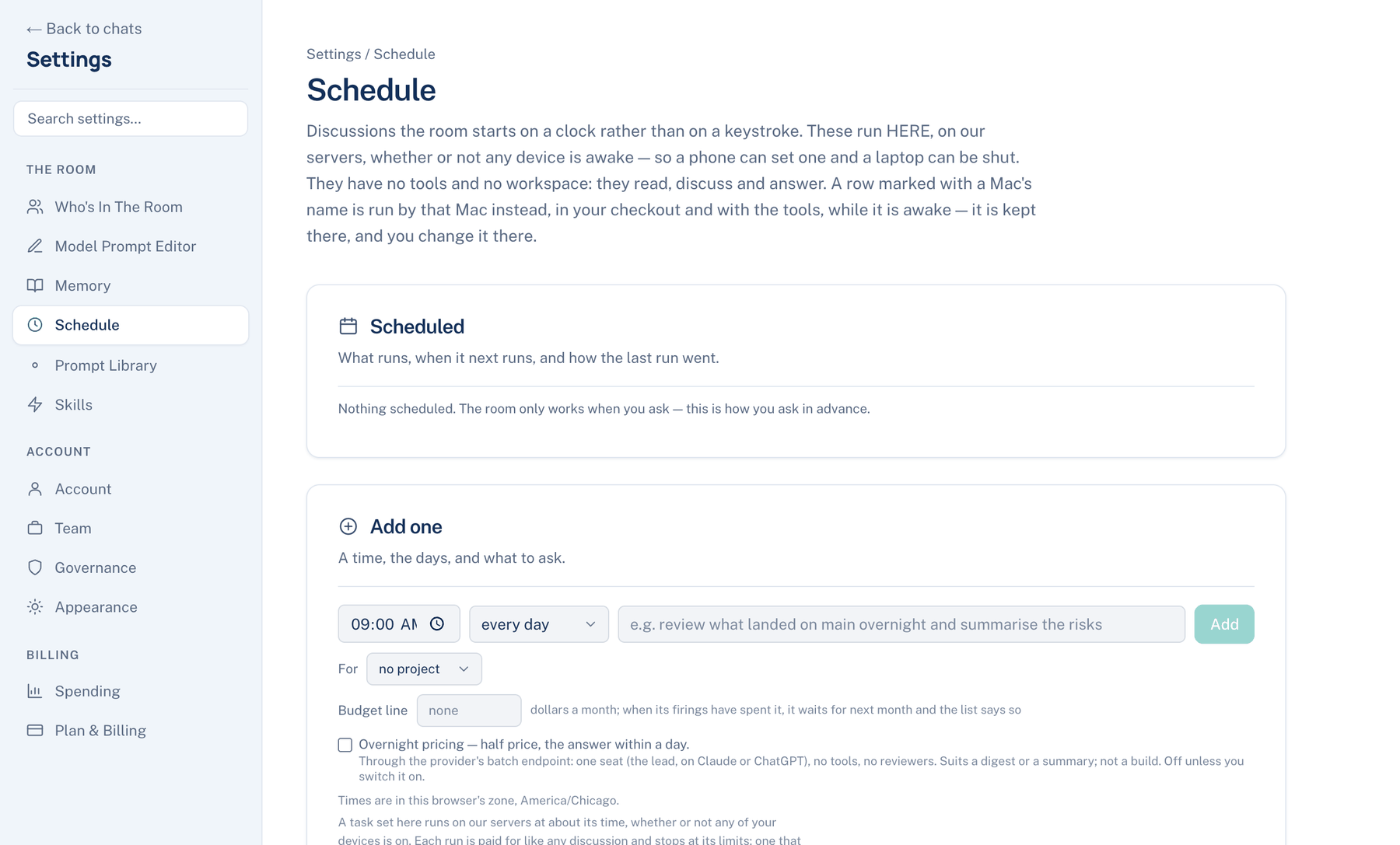
A schedule made on the web or the iPhone runs on our servers, whether or not any of your devices is awake. It has no tools and no workspace: it reads, discusses and answers. A row marked with a Mac's name belongs to that Mac; the web and iPhone show it, say to change it on that Mac, and offer no buttons for it.
Scheduled
Where to find it. Web: Settings → Schedule → Scheduled. iPhone: Settings → The Room → Schedule, or the drawer.
Each row shows when it runs, "paused" or when it next runs, the time zone if it differs from yours, "on our servers" or the Mac's name, the prompt and its project. Under it is the last run: ran, failed, stopped, running now or queued overnight, how long ago, what it cost, how much of its budget line is spent this month, and an open link to the discussion. A run that could not start for lack of credit shows as failed, with why.
On the web each server row has Pause or Resume, Delete (discussions it started stay), Trigger… and Overnight…. On the iPhone, tap a row to edit it, swipe right to pause or resume, and swipe left to delete. Triggers are made on the web only.
Add one
Web: the Add one card. iPhone: + at the top, which opens New schedule.
| Field | Default | What it does |
|---|---|---|
| Time and Days | 09:00, every day (iPhone: Mon–Fri chips) | In your browser's or phone's time zone |
| What to ask (iPhone: Ask the room) | Empty | Up to 4,000 characters |
| Run | At the time above | Or after another server schedule ends; offered when one exists. Tick even when that one fails or is stopped to run it regardless |
| For | No project | Files its discussions under a project; offered when you have projects (web) |
| Budget line | None | Dollars a month. Once this month's runs have spent it, the schedule waits for next month |
| Overnight pricing | Off | Half price, with the answer within a day |
The Mac's ceiling per run is not offered here; the budget line is the brake instead.
Overnight pricing sends the run through the provider's batch service. It uses one seat (the lead, on Claude or ChatGPT), no tools and no reviewers. Use it for a digest you read the next morning, not for a review that needs a second opinion. Overnight… on a row switches it on or off later.
Triggers
A trigger starts a server schedule from outside, such as a CI job, a monitoring alert or a deploy hook, with one HTTP POST.
How to use it.
- On the web, press Trigger… on a server row, then Make a trigger.
- Copy the Address and the Token at once. The token is shown this once; only its fingerprint is kept. A sample command shows the request: a POST to the address with the token as a Bearer authorization header and a JSON body.
- Paste a sample of what your service sends and press Test it now. The schedule must not be paused.
- Make a new token stops the old one working at once. Turn off refuses every request from then on.
What changes. One triggered run at a time, and at most one every five minutes. Each is paid for like any discussion, and the clock's own runs carry on. The request body reaches the room as outside material, never as your words, so instructions hidden in it are treated as data.
When not to use it. Anything that holds the token can spend your credit up to those limits. Keep it in your CI's secret store, not in a repository.
Further reading. Not what you've signed up for: indirect prompt injection — Greshake et al., 2023. FinOps Framework — FinOps Foundation.