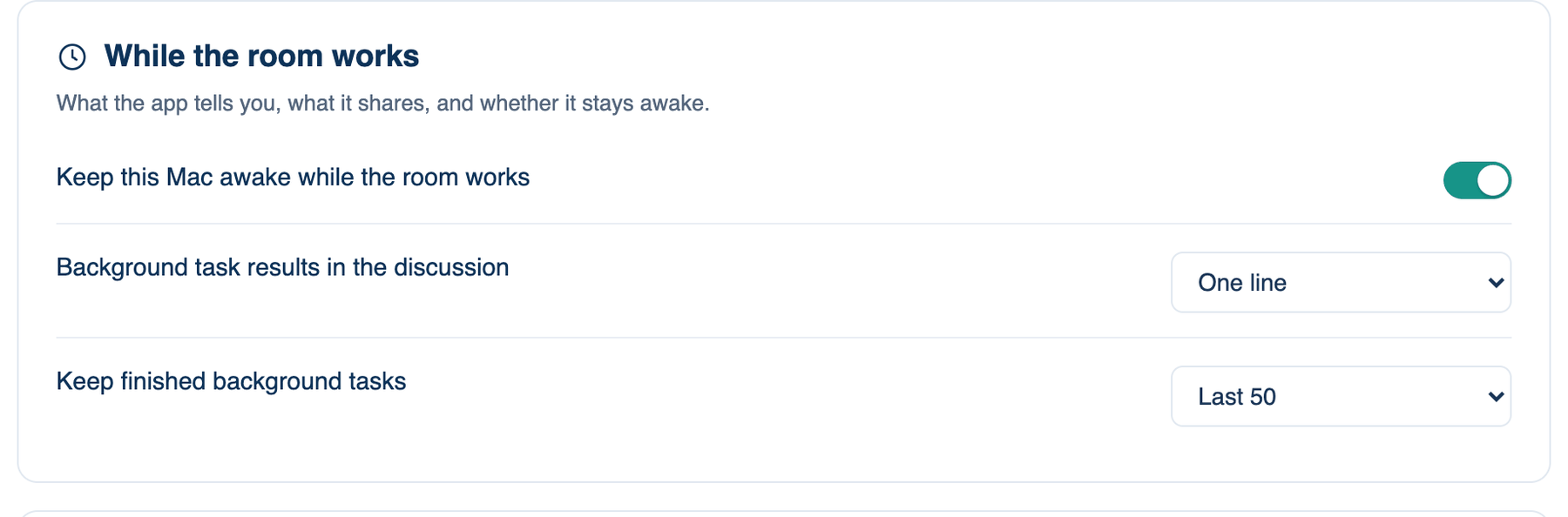
The second group on Settings → This Mac → General is While the room works. It covers what happens on this Mac while a run is going, and after a command a seat started in the background finishes.
Keep this Mac awake while the room works
Holds off system sleep for the length of a run, so a forty-minute build does not stop halfway because you walked away.
Where to find it. Mac only: Settings → This Mac → General → While the room works. Default: on.
How to use it.
- Tick or clear Keep this Mac awake while the room works.
- Nothing else to do. The hold starts when a run starts and ends when it ends.
When to use it. Long builds, test suites and unattended list runs.
When not to use it. On battery, if you would rather the Mac slept than finished.
What changes. On: the Mac stays awake during runs. The screen may still sleep, and closing the lid still suspends the Mac; that is macOS's decision, not the app's. Off: the Mac sleeps on its usual schedule and a run pauses with it.
Background tasks
A seat can start a command that keeps running, such as a dev server or a long test job, and carry on with other work. These are listed under Background tasks in the workbench.
| Setting | Default | What it does | Change it when |
|---|---|---|---|
| Background task results in the discussion | One line | When a background command finishes, the discussion carries on with its result. One line keeps the transcript short, with the output a click away. The whole message puts all of it in the transcript. | You want to read every result in place without clicking. |
| Keep finished background tasks | Last 50 | How many finished tasks, with their last lines, stay under Background tasks after the app quits. Choices: Until the app quits, Last 20, Last 50, Last 100, Last 200. Clear in the list removes them. | You want a longer trail, or none kept between launches. |
The web app and the iPhone have no equivalent. Their runs happen on our server, or on a Mac through Run on my Mac, where this Mac's settings apply.
Further reading. Pro Git, Chacon and Straub, 2014, if the background job is a build or test you started from a branch.