Each plugin is an MCP server: a program that speaks the Model Context Protocol and offers tools. Your Mac either runs it as a command or connects to it by address. From the next session its tools are in the lead's toolset, and every call goes through the same approval as any other tool.
Where to find it. Mac only: Settings → The room → Plugins, the Plugins shortcut in the sidebar, or Connectors in the composer's + menu. Plugins live on this Mac and are not part of account sync. The web and the iPhone have none.
What they do not do, stated plainly. Plugins give tools only, not an MCP server's resources or prompts. Only the lead gets them; a reviewer with write access to your tracker would no longer be an independent reviewer. A lead that runs through its own CLI cannot load them, and the page says so in amber and names a seat that can: one on a key, Our Keys or a custom endpoint.
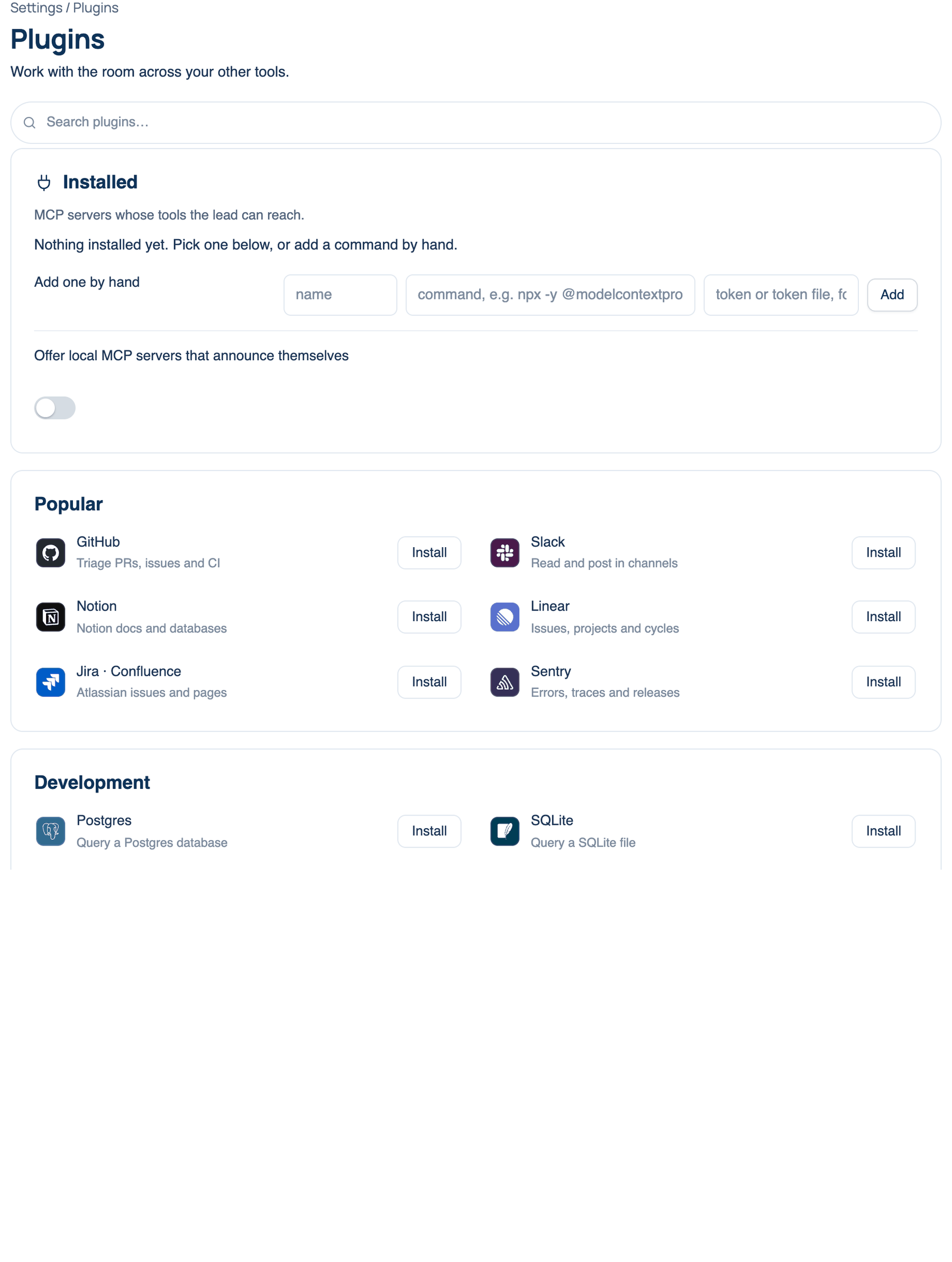
Search and the catalogue
Search plugins… filters the catalogue below. The catalogue is a set of shortcuts for servers people ask for most:
| Group | Entries |
|---|---|
| Popular | GitHub, Slack, Notion, Linear, Jira · Confluence, Sentry |
| Development | Postgres, SQLite, Filesystem, Playwright, GitLab, Context7 |
| Data & services | Stripe, Brave Search, Figma |
Install adds an entry at once when it needs nothing from you. When its command needs a token or a path, Install fills the Add one by hand box instead, with the part you must supply in angle brackets. An entry you already have shows Installed.
Installed
How to use it.
- Find the server in the list. Each shows its command or address, and whether a token goes with it.
- Remove takes it out.
- Open "rename its tools" under a server to give any tool a name of your own (letters, numbers, - and _). Servers name tools for their own API, which can tell the lead little. Blank keeps the server's name, and the server always sees its own.
Add one by hand takes a name, a command (for example npx -y @modelcontextprotocol/server-github) or an address ending in /mcp, and for an address an optional token or token file. The token is sent as a Bearer authorization header to that server and nowhere else. A path starting with / or ~/ is a file read on every request, for a token something else keeps fresh. Press Add.
| Setting | Default | What it does | Change it when |
|---|---|---|---|
| Offer local MCP servers that announce themselves | On | When a background task or a seat prints the address of a local MCP server, a notice names it and where to add it. Never attached on its own | The notices get in the way |
When to use it. The lead needs live data from a system it cannot otherwise reach: open issues, a staging database, a real browser.
When not to use it. A command server runs as a program on your Mac with your permissions, unless the sandbox holds it. Install only servers you would run yourself, with tokens scoped to what the task needs. Each server's tool list is also sent with every turn, so three large servers cost tokens on every round.
Further reading. Model Context Protocol specification — MCP project.