In force now shows what protects you; the Guardrails list shows what could. Switch a row on and it holds in every discussion on this Mac. What your team requires applies whatever you set here.
Where to find it. Mac only: Settings → Workspace → Guardrails. A row already on is marked. Rows that take a value or a pattern open a small field when you switch them on.
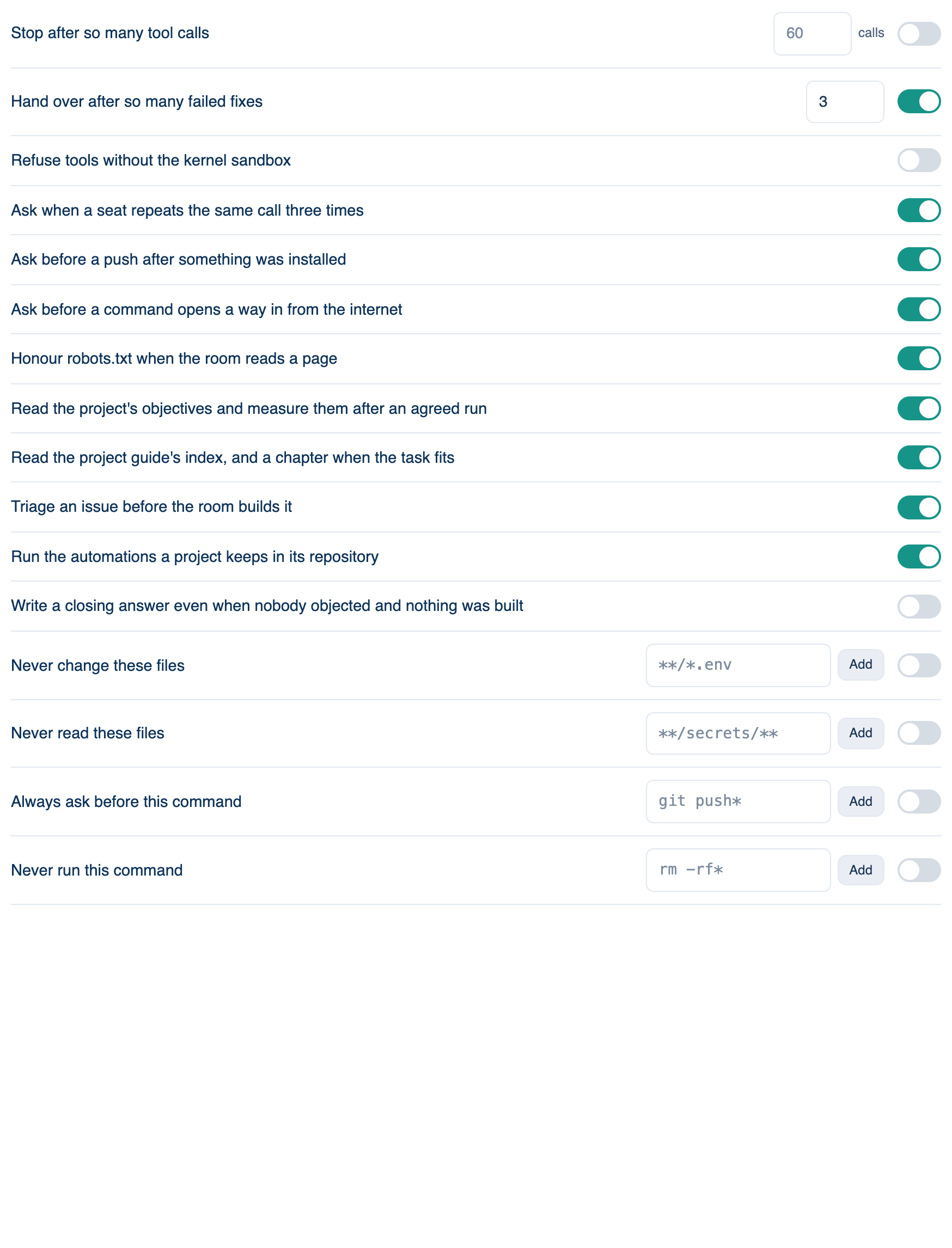
Limits and asks
| Guardrail | Default | What it does |
|---|---|---|
| Stop a discussion after it has spent | Off | A hard stop at a dollar figure across the whole discussion. Same as the ceiling under Spending → Brakes. |
| Stop one turn after it has spent | Off | The same, for one question. |
| Stop after so many tool calls | Off | Refuses the next call once a discussion reaches the count. |
| Hand over after so many failed fixes | 3 | An edit then a failing check is one try. At the limit the seat stops and shows what it tried. |
| Refuse tools without the kernel sandbox | Off | Fail closed: no sandbox, no commands and no CLI seats. |
| Ask when a seat repeats the same call three times | On | Asks on the third identical call, then every third after. |
| Ask before a push after something was installed | On | A dependency added and a push straight after asks first. |
| Ask before a command opens a way in from the internet | On | Tunnels, servers on every interface, firewall openings. Asked every time, never remembered. |
| Honour robots.txt when the room reads a page | On | A path closed to bots is not fetched; the seat is told why. |
Project files the room reads
| Guardrail | Default | What it does |
|---|---|---|
| Read the project's objectives and measure them after an agreed run | On | Reads .letthemchat/objectives.md; the receipt says which held. |
| Read the project guide's index, and a chapter when the task fits | On | Reads .letthemchat/guide/index.md. |
| Triage an issue before the room builds it | On | One cheap call files an issue as ready, needs a spec, needs a person, or parked. |
| Run the automations a project keeps in its repository | On | Reads .letthemchat/automations.json. |
| Write a closing answer even when nobody objected and nothing was built | Off | Synced with the web and iPhone. |
Rules and checks
| Guardrail | Writes | What it does |
|---|---|---|
| Never change these files | deny edit | A pattern nothing may write to. |
| Never read these files | deny read | Secrets a seat should not see. |
| Always ask before this command | ask command | Asks whatever the mode says. |
| Never run this command | deny command | Refused in every mode. |
| Let these commands run without asking | allow command | Spares the question only; the sandbox and dangerous list still apply. |
| Run this after every write | a hook | Your formatter or linter, output handed to the lead. |
| A rule in your own words | a prompt hook | A sentence a model judges before each command. If no model answers, work continues. |
| Let a model decide the rest | Smart mode | Edits go through; the rest is judged. |
| Read every commit I make | a review | Reviews each commit in its own discussion, with an optional dollar cap. |
| Keep every discussion out of my checkout | worktrees | Each discussion works in its own git worktree. On by default. |
Pattern rows add a line to your rules rather than replacing what you wrote. You can read and edit those lines under Rules you already have → Advanced.
Further reading. OWASP Top 10 for LLM Applications 2025 — OWASP.