Monthly budgets
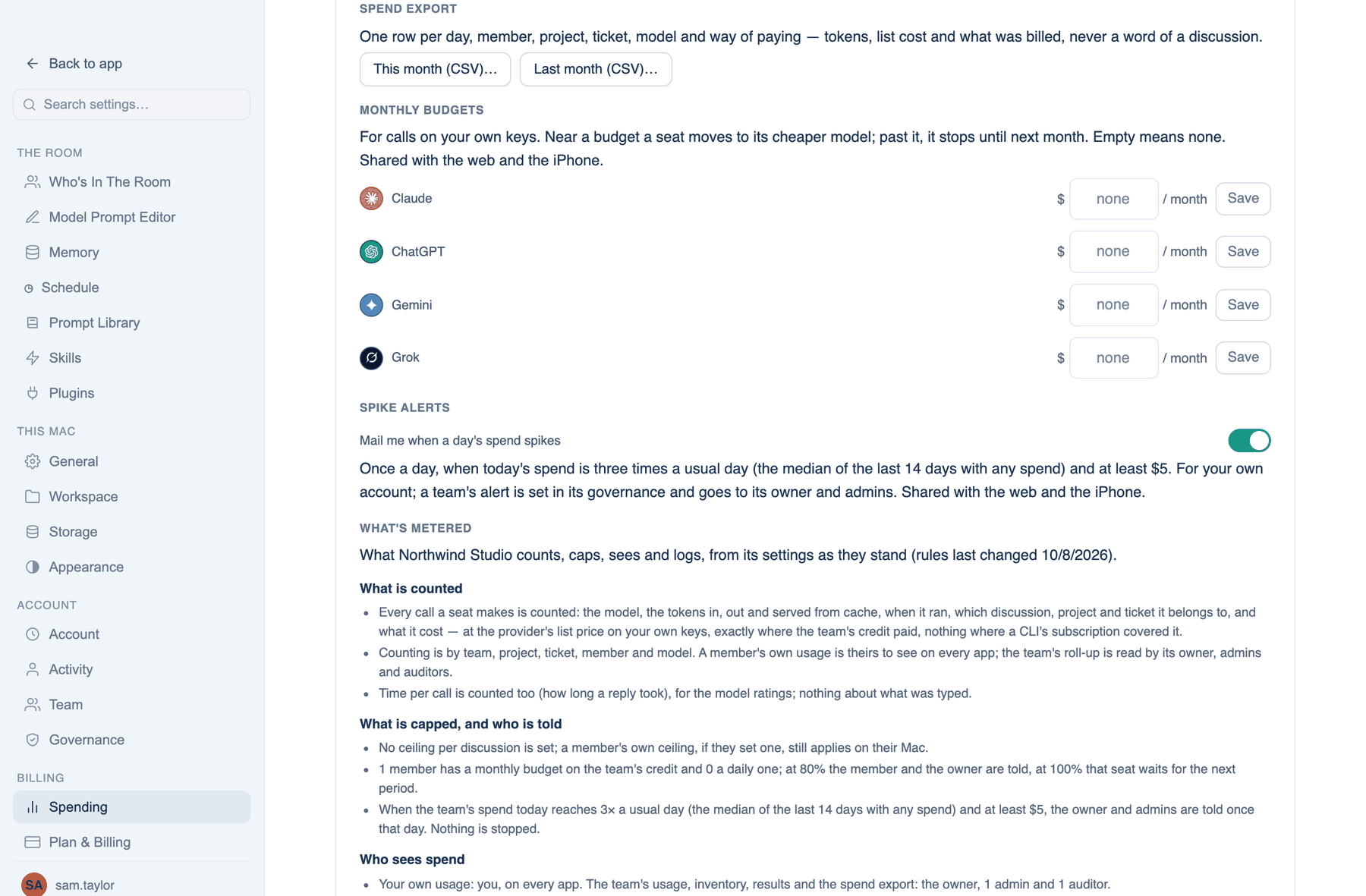
A dollar budget per provider per month, for calls on your own keys. Near a budget a seat moves to its cheaper model; past it, the seat stops until next month.
Where to find it. Mac: Settings → Billing → Spending → Monthly budgets. Web: Settings → Spending → By AI, the Budget field on each provider card. iPhone: Settings → Spending → Monthly budgets. Your own view only, not the team view. Default: none.
How to use it.
- Type a figure beside a provider and press Save. Empty clears it.
- The web card shows a bar that turns amber past 70% and red past 90%, and At this pace says when it runs out.
Team members' daily and monthly limits on the team's credit are separate; the owner sets them on the Team page.
Spike alerts
Mail me when a day's spend spikes: once a day, when today's spend is three times a usual day (the median of the last 14 days with any spend) and at least five dollars. On by default, shared across the apps. This is your own account's alert; a team's goes to its owner and admins and is set in Governance.
Spend export
This month (CSV) and Last month (CSV): one row per day, member, project, ticket, model and way of paying, with tokens, list cost and what was billed. Never a word of a discussion. The column names follow the FinOps open cost format, so a finance tool can read it. On a team, the team view exports the whole team, and the iPhone adds a JSON file.
Overnight pricing
A schedule can run through the provider's batch endpoint at half the price: one seat, the lead on Claude or ChatGPT, no tools, no reviewers, the answer within a day. It suits a morning digest, not a build. Switch it on per schedule with Overnight… in the web's Schedule list or the overnight box when you add one. A team can forbid it, and it is unavailable under zero data retention.
What the provider actually billed
Web only. Anthropic and OpenAI report what they billed; xAI and Google do not. Under Settings → Spending → What the provider actually billed, paste an admin key from that provider and press Connect. The card then shows this month's bill beside the app's estimate, marked when they differ by more than 15%. Remove key takes it away.
When not to use it. An admin key reads your organisation's billing. If you are not comfortable holding one here, compare the CSV export with the provider's console by hand.
Further reading. FinOps Framework, FinOps Foundation.