The Review Policy card decides what the room does with what the reviewers found, and narrows what each reviewer looks for. Its settings follow your account, though most of them only act on discussions run on your Mac.
Where to find it. Mac: Settings → The room → Who's In The Room → Review Policy. Web: Settings → Who's In The Room → Review Policy. iPhone: Settings → The Room → Who's In The Room → Review Policy.
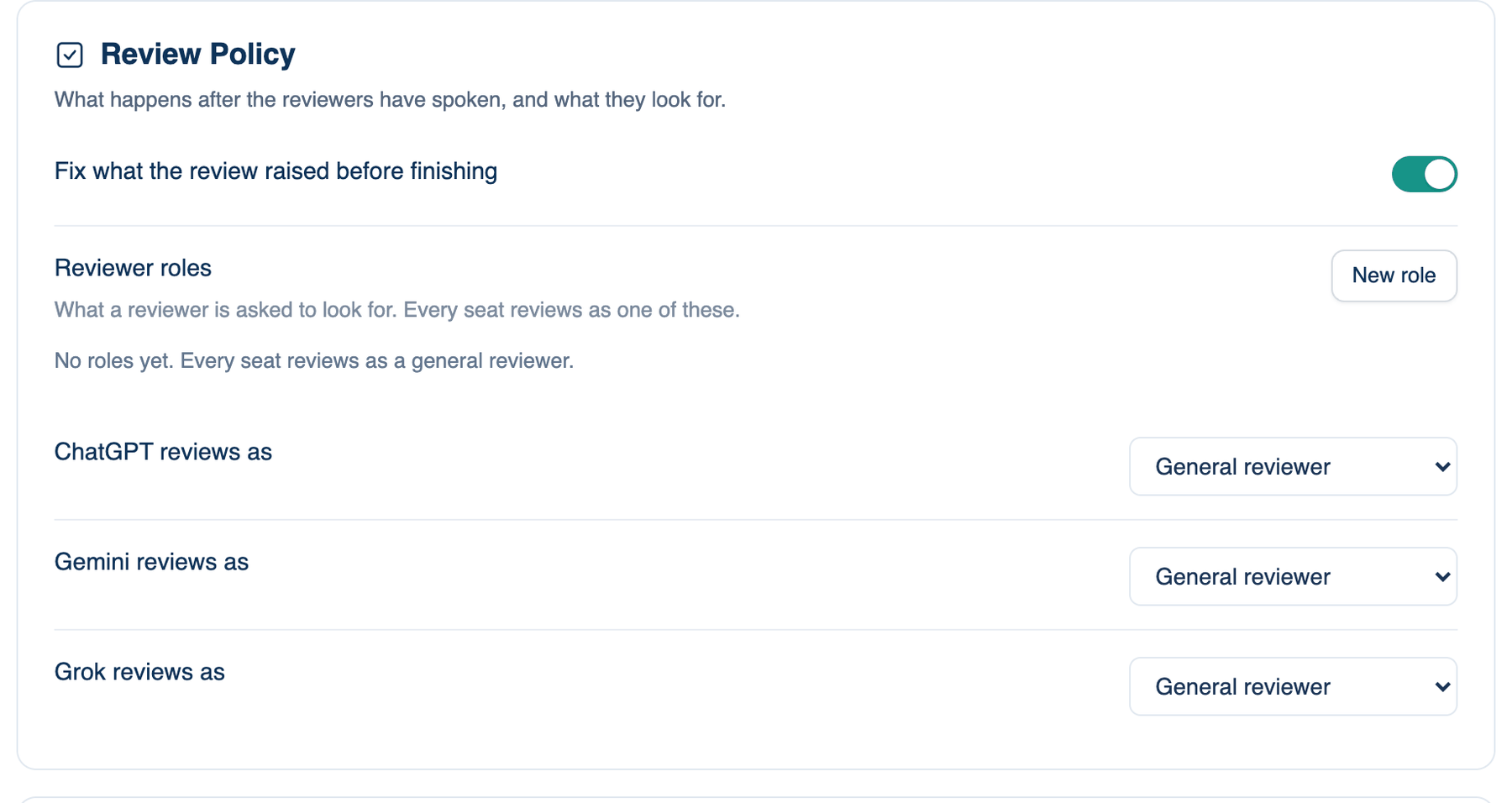
Fix what the review raised before finishing
A reviewer often names a defect in passing, a file, a line and what is wrong, and then the room agrees and stops with it still there. With this on, a discussion that changed files and still has points open runs one more pass: the room is handed the list, checks each point against the code, fixes what is real and says what it declined and why.
Where to find it. Review Policy → Fix what the review raised before finishing. Default: on.
When to use it. Code work where you would rather the room clear its own findings than leave them in the Summary for you.
When not to use it. It costs one more round. It never runs twice for the same question, never in Plan mode, and never when the question asked for nothing to change.
What changes. Off: open points stay in the Summary's Found row for you to deal with.
Further reading. Chain-of-Verification Reduces Hallucination in Large Language Models — Dhuliawala et al., 2023.
Reviewer roles
A role is a name and a short brief of what to look for, such as "Security: look for injection, secrets in code and missing auth checks". A role narrows what a seat looks for; it never lowers the bar.
Where to find it. Review Policy → New role. Each role in the list has Edit and Delete. Default: no roles, so every seat reviews as a general reviewer.
How to use it.
- Press New role. Give it a name and say what it looks for.
- The per-seat menus appear under the list once one role exists.
Seat reviews as
One menu per seat, named after the model it holds: "Gemini reviews as". Choose General reviewer or one of your roles. The role applies whenever that seat reviews; a seat that leads ignores it.
When to use it. Splitting the work: one seat on security, one on tests, one general.
When not to use it. With only one reviewer on, a narrow role means nobody checks the rest.
Further reading. ChatEval: Towards Better LLM-based Evaluators through Multi-Agent Debate — Chan et al., 2023, on why giving reviewers different roles matters.