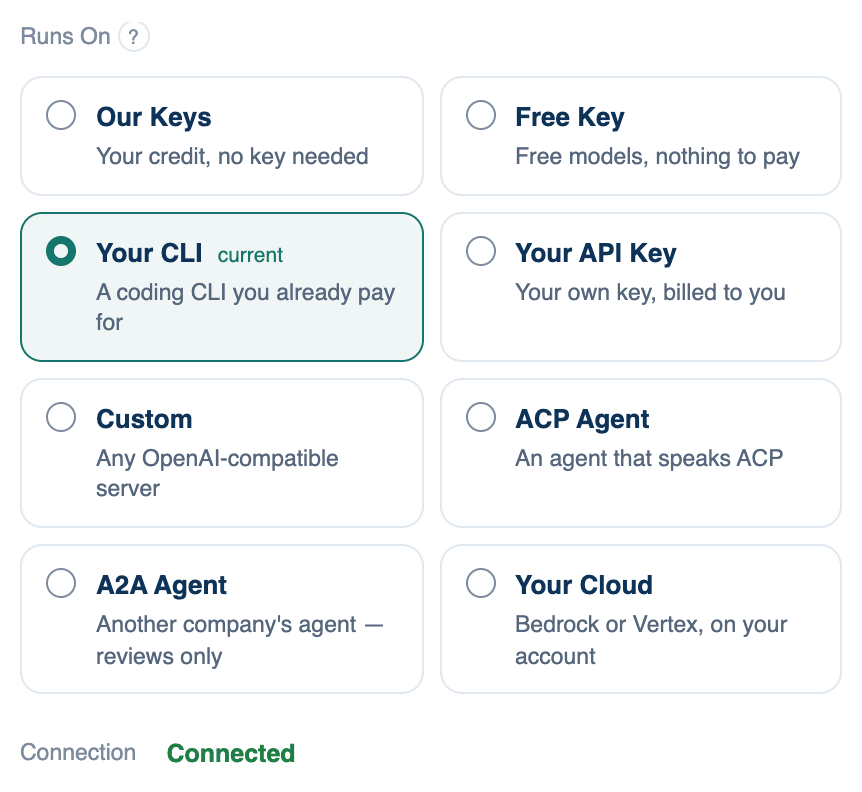
These ways put something other than a plain model in a seat. All three are set up on the Mac, need Pro or Team after the Free plan's one 14-day trial, and are shown on the web and iPhone when a discussion runs on that Mac.
ACP Agent
Any coding agent that speaks the Agent Client Protocol runs in the seat under its own sign-in. Pick it from a list grouped as "Ready on this Mac", "Downloads when chosen" and "Install it first", or choose Another agent — type its command. The Lead and Review menus then list the models that agent says it offers right now; an agent that offers no choice says it chooses.
Where to find it. Mac: Configure seat → Runs On → ACP Agent.
When to use it. You already use an agent with its own tools and accounts and want it to lead or review alongside the others.
When not to use it. If the agent needs a sign-in, the Lead menu says "Sign in to the agent first" and offers Open in terminal. Its effort and speed are its own business; the room cannot set them.
Further reading. Agent Client Protocol — ACP project.
A2A Agent
Somebody else's agent takes the seat, reached at the address of its agent card, often ending in /.well-known/agent-card.json. It is sent the discussion and sends prose back. It runs nothing on your Mac and sees no files, its answer appears as a quotation from it, and it never leads.
Where to find it. Mac: Configure seat → Runs On → A2A Agent. Fill in Address of Its Agent Card, Token It Asked For if any, and Name in the Room, then press Test to read the card. The panel then lists what the agent says it can do and what it takes and returns.
When to use it. A company's own reviewer that knows its own systems, such as a compliance agent.
When not to use it. A card that says it takes pictures, not text, may not be able to read its turn; the panel warns you. Your team can forbid outside agents, and the card then says so and stays locked.
Further reading. Agent2Agent (A2A) Protocol Specification — A2A project.
Your Cloud
The seat runs on your company's Amazon Bedrock or Google Vertex AI account. There is no key field: calls are signed with what this Mac is already signed in as, AWS credentials from your shell or the AWS CLI, Google from application-default credentials.
Where to find it. Mac: Configure seat → Runs On → Your Cloud. Fill in Which Cloud, Region, Google Project (Vertex only), Model ID as your account names it, and Name in the Room.
When to use it. When a security review has approved your cloud account and not a vendor key.
When not to use it. The model id must be one your account has enabled in that region; a wrong one fails at Test, not before.