A discussion is a lead writing, reviewers checking, and the lead revising until they agree. The transcript keeps all of it, but it is drawn so the answer is the first thing you read.
Turn labels
Every turn wears the same label on the Mac, the web and the iPhone.
| Label | Who | Meaning |
|---|---|---|
| Draft | Lead | Its first answer in this exchange |
| Revised | Lead | It answered again after reviews |
| Agrees | Reviewer | No objection to what is on the table |
| Objection | Reviewer | It raised something that has to be dealt with |
| Agreed answer | Lead | The closing answer, written after the room agreed |
A guest asked once with @guest, and a seat you asked directly with @name, wear no label.
The agreed answer comes last
When the room agrees, the lead writes one closing answer that folds in what the reviews changed. It sits at the end of the exchange. Drafts, reviews and the lead's first reply fold to one line each above it; click a line to open it. Plain agreements fold into a single line under the answer. On the web, hover the agreed answer to save it as .md, .html, .pdf or .docx.
If a seat never agreed, the answer ends with a block headed Where they disagreed, in the seat's own terms. The room does not hide a dissent to make the answer look settled.
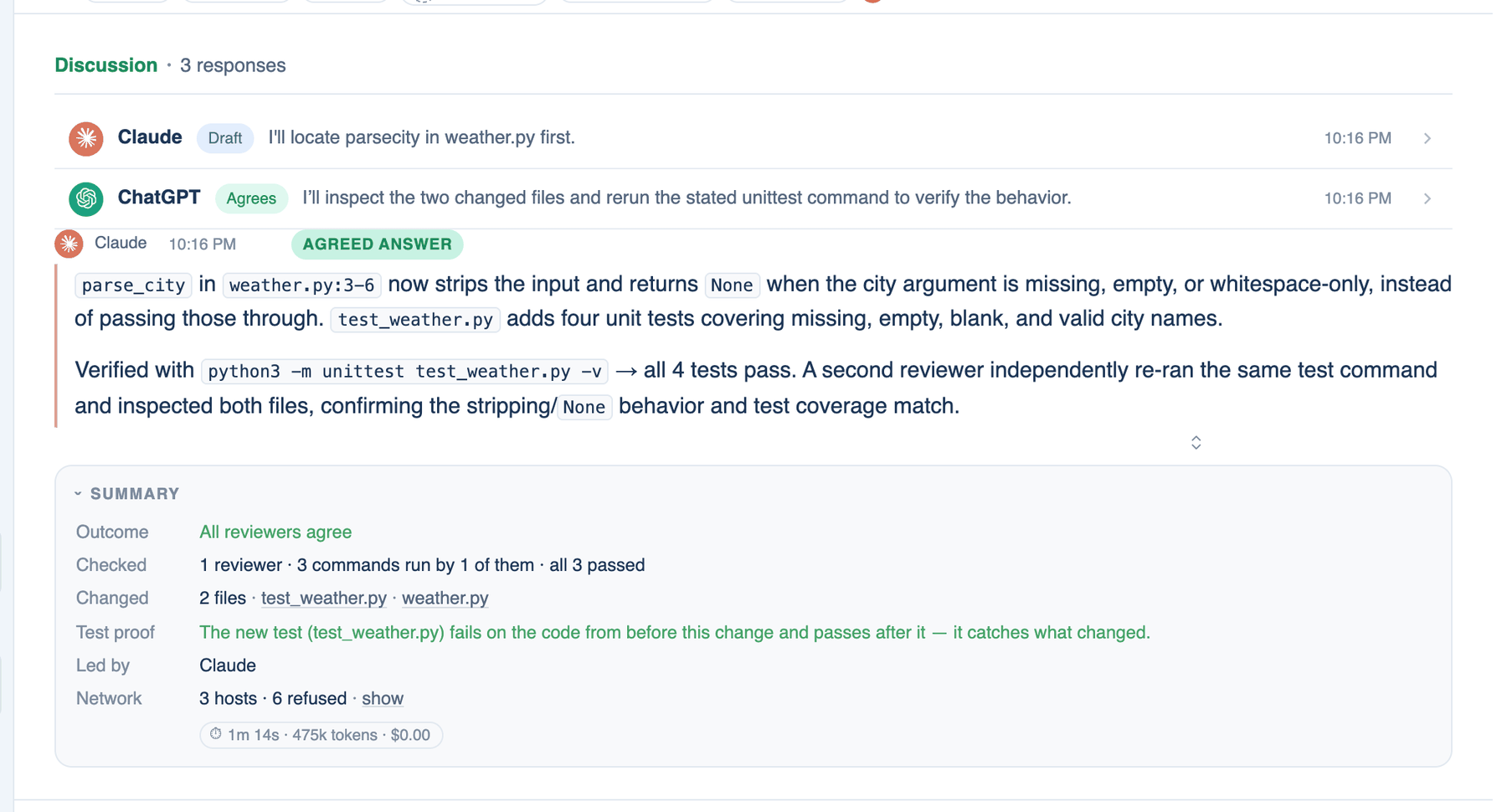
Verdicts and evidence
A reviewer can run its own commands before it answers. Its verdict carries what it ran and the exit codes, open under the text. A review that ran nothing says so, and an agreement from a seat whose own check failed is shown as a disagreement. Seats that work inside their own command-line tool show as reviewed in their CLI, because their commands cannot be seen from here.
Folded tool results
Commands and tool calls appear inside the reply as one-line steps that expand. In a long tool-using turn, earlier results are cut to their first lines once a step would fill half the model's window, so the model keeps reading the recent ones whole. Change the point in Settings → Who's In The Room → Context → Fold earlier tool results at.
Sources and page citations
An answer that read web pages shows a Sources chip with up to three site marks; click it for the list. An answer drawn from an attached PDF cites the page, for example report.pdf p.3, and clicking the citation opens the file at that page. Both can be switched off: Show sources under answers in Appearance, Cite pages of attached documents in Context.
Further reading. Enabling Large Language Models to Generate Text with Citations, Gao, Yen, Yu and Chen, 2023. Lost in the Middle, Liu et al., 2023.