Production & shipping
The third card of part 3. It says what counts as production and what a push or publish must pass.
Where to find it. Mac: Settings → Account → Governance → 3 · Sharing, Review & Evidence. Web: Settings → Governance (part 3). iPhone: Settings → Governance → Rules → 3 of 3. Owner or admin edits.
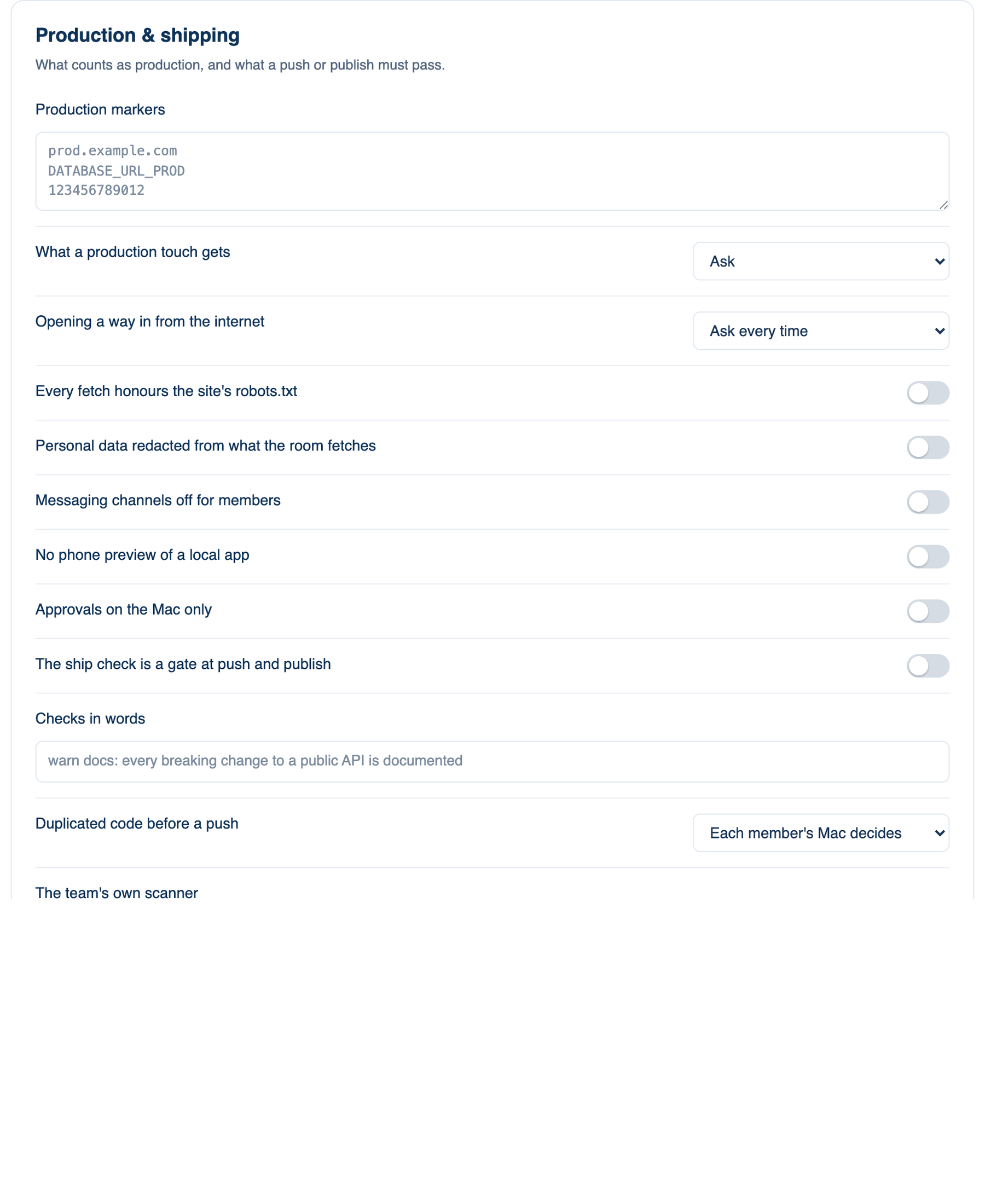
| Policy | Default | What it does | When to turn it on |
|---|---|---|---|
| Production markers | none | Hosts, URL patterns, variable names and account ids that mean production. A command or URL touching one asks or is refused. | Always worth filling in. |
| What a production touch gets | Ask | Ask, or Deny with the marker named. | Deny when production changes go through a pipeline. |
| Opening a way in from the internet | Ask every time | A tunnel, a server on every interface, or an opened firewall rule. Ask every time is never remembered. Deny refuses; Left to each member uses their switch. | Deny on company laptops. |
| Every fetch honours the site's robots.txt | off | A page closed to bots is not fetched. Off, each member's switch decides. | When your legal team asks. |
| Personal data redacted from what the room fetches | off | Emails, phone and card numbers and national ids in fetched pages become placeholders before a seat reads them. | When seats research customers. |
| Messaging channels off for members | off | A member's Telegram bot, Slack direct message or Discord bot cannot start or continue a team discussion. | When work must start where the team can see it. |
| No phone preview of a local app | off | A member cannot show their local app on a phone from their Mac. | When the dev server holds real data. |
| Approvals on the Mac only | off | Questions a Mac asks are answered on that Mac; the phone, web and Slack only show them. | When approvals need someone at the keyboard. |
| The ship check is a gate at push and publish | off | Push and publish refuse while a finding stands. An admin waives one by id, which is audited. | For repositories that deploy on push. |
| Checks in words | none | One per line: warn or stop, a name, a colon, then a sentence judged against the change. Start as warn. | When review keeps catching the same mistake. |
| Duplicated code before a push | Each member's Mac decides | Off for everyone, Pointed out, or Held by the gate. Six or more repeated lines count. | When agents copy rather than reuse. |
| The team's own scanner | none | A command run in the sandbox with the diff on its input; it prints SARIF and its findings show beside ours. | When you already run a scanner in CI. |
| Licences a new dependency may carry | no check | SPDX ids; an install with another licence asks first. | When legal keeps an approved list. |
| Waived findings | none | Finding ids an admin waived. | Filled as you waive. |
| Public repositories | Allowed | Warn or Deny before a push or pull request to a public repository. | Deny for closed-source teams. |
| Public repositories allowed anyway | none | Full names, one per line. | For your open-source repositories. |
Prompt guardrails
One line, Guardrails on what people ask, applied before a seat sees a message. One rule per line: log, warn or block, then credentials, customerData, "text" with a sentence, or "service" with your own https address, a Bedrock guardrail id or an Azure endpoint. Under block, a service that does not answer counts as a refusal. Start with log and watch before you block.
Further reading. OWASP Top 10 for LLM Applications 2025, OWASP GenAI Security Project.