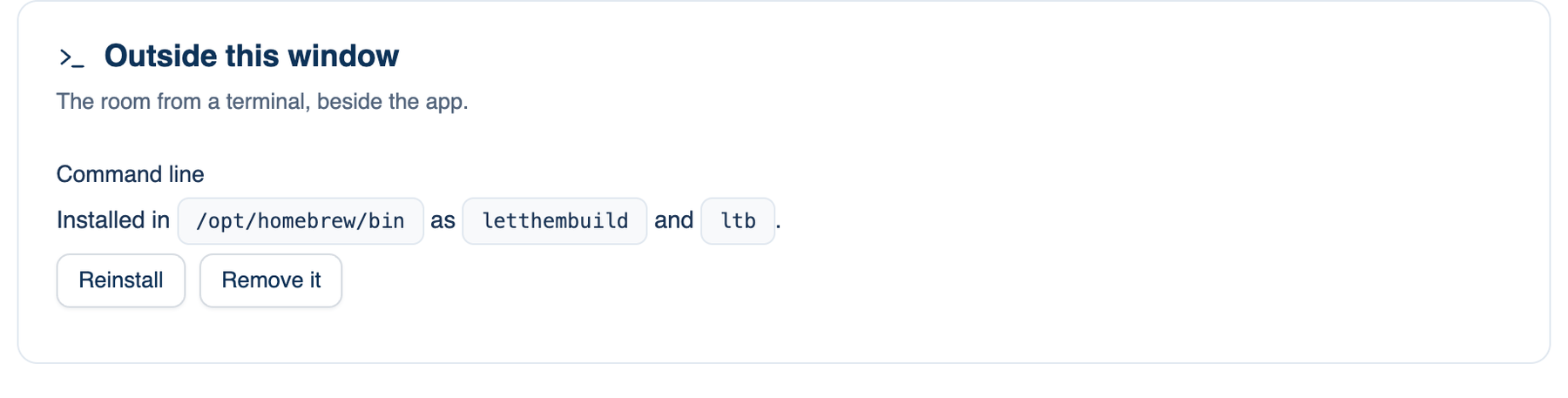
The last group on Settings → This Mac → Workspace is Outside this window: the room from a terminal, beside the app. The editor extension builds on the same command.
Command line
Installs the ltb command (also spelled letthembuild) so you can run the room from whatever checkout you are standing in.
Where to find it. Desktop only: Settings → This Mac → Workspace → Outside this window → Command line. Default: not installed. The status line says where it is installed, or where it would go.
How to use it.
- Click Install the command…. If a folder on your PATH is writable, it goes there and a notice shows an example. If not, the button copies one sudo command to paste in Terminal, which asks for your administrator password.
- In any repository, run
ltb review "check the auth flow for races". - Reinstall and Remove it appear once it is installed. A copy installed by Homebrew is removed with Homebrew, and the app tells you the command.
When to use it. Scripts and CI, where the exit code is the answer: 0 when the reviewers agreed, 1 when they did not, 2 when the run itself failed.
When not to use it. When you need to watch the run, answer approvals as they come, or read diffs. The app window does that better.
What changes. The command uses the seats, keys and models configured in the app, so a seat on a subscription costs nothing extra. It holds no keys of its own.
| Command | What it does |
|---|---|
ltb review "…" | The room reviews this checkout |
ltb run "…" | The room does it, in this checkout |
ltb chat "…" | The room answers; no folder, no changes |
ltb doctor | What on this machine would stop the room |
ltb rc | Opens the app here and lists this Mac on your phone |
ltb acp | The room as an agent inside an editor that speaks ACP |
Options: --rounds N (0 means until they agree), --permission with plan, manual, edits, smart, auto or bypass (default auto), --cwd, --json and --quiet.
Editor extension
The LetThemBuild extension for VS Code and editors built on it adds Review my uncommitted changes, Review this file, Review the selection, Ask the room…, Stop the run and Open the full transcript in the app. Findings that name a real file and line become squiggles on those lines.
It runs ltb, so install the command first. Its own settings are letthembuild.permission (default plan, which changes nothing), letthembuild.rounds (default 0) and letthembuild.cliPath, for a command in an unusual place.
Further reading. Agent Client Protocol, ACP project, for ltb acp.