The Summary panel collects what you would otherwise scroll for: how the discussion ended, who agreed, what changed, and what to do with it. It opens only when you ask for it.
Where to find it. Mac: Summary in the title bar's workbench toolbar. Web: Summary in the discussion header. iPhone: the Summary card under each run, and ⋯ → Details for the ticket fields. Default: closed. Settings → Appearance → Display → Keep the Summary open when switching discussions (off) keeps it open as you move between discussions.
What it shows
From the top on the Mac:
- The ticket key and project, and the outcome of the last run.
- Run tree: rounds, then turns, then each tool call and policy check, read from the record. On a failed run it carries a likely cause. Switch it off in Settings → Spending → Show the run as a tree in the Summary panel.
- Project memory: notes the room saved about this repository when the run ended, each with Undo.
- Details, Description, Labels, Sources, People, Dates, Project and Activity.
- Actions: Export discussion, Copy agreed answer, Move to project and more.
The web panel opens with an outcome card and counts: how many reviewers agree, objections resolved and standing, commands run and checks passed. It lists the discussion's pull requests as the Mac last recorded them.
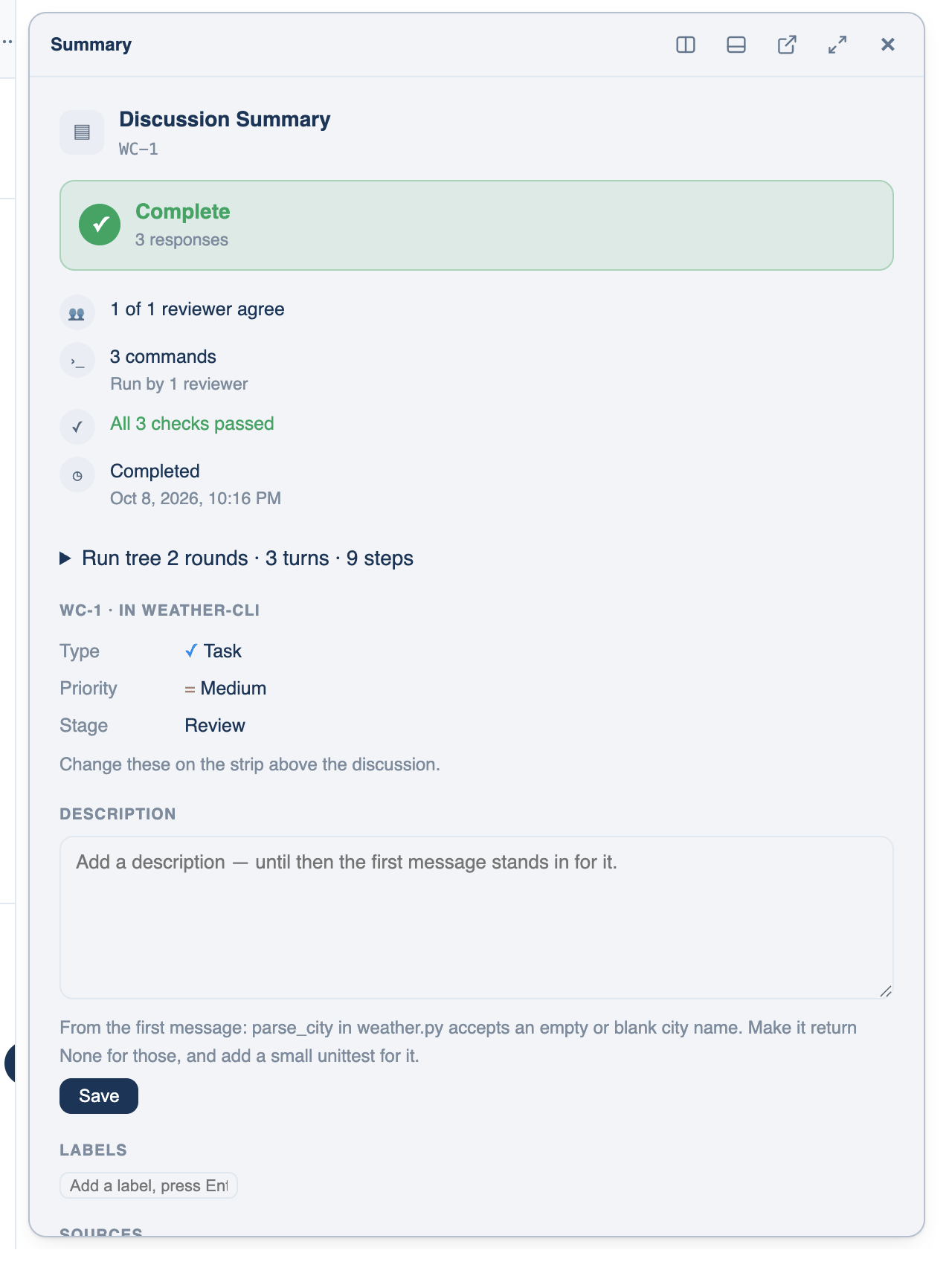
The agreement signal
The outcome line is the headline: All reviewers agree · 3 of 3, 1 of 3 reviewers agree, Answered by one seat alone, Each model answered, or Ended without agreement. It counts reviewers, not seats, so a room of four with one lead shows "of 3".
Changed files and their diffs
The changed files are listed by name. On the Mac, hover a file for its diff, or click it to open the Diff tool at that file. A file the run did not change opens in your editor.
Project memory
At the end of a run in a repository, the room may save up to three notes that later runs there should know: a build quirk, a folder that must not be touched. They are shown in the Summary so you can see and undo them. Turn automatic saving off in Settings → Memory → Save project notes automatically; the room then only suggests notes. Teams that review memories are always asked first.
When not to use it. The Summary describes the last run. For the full argument, read the transcript.