Tools & connections
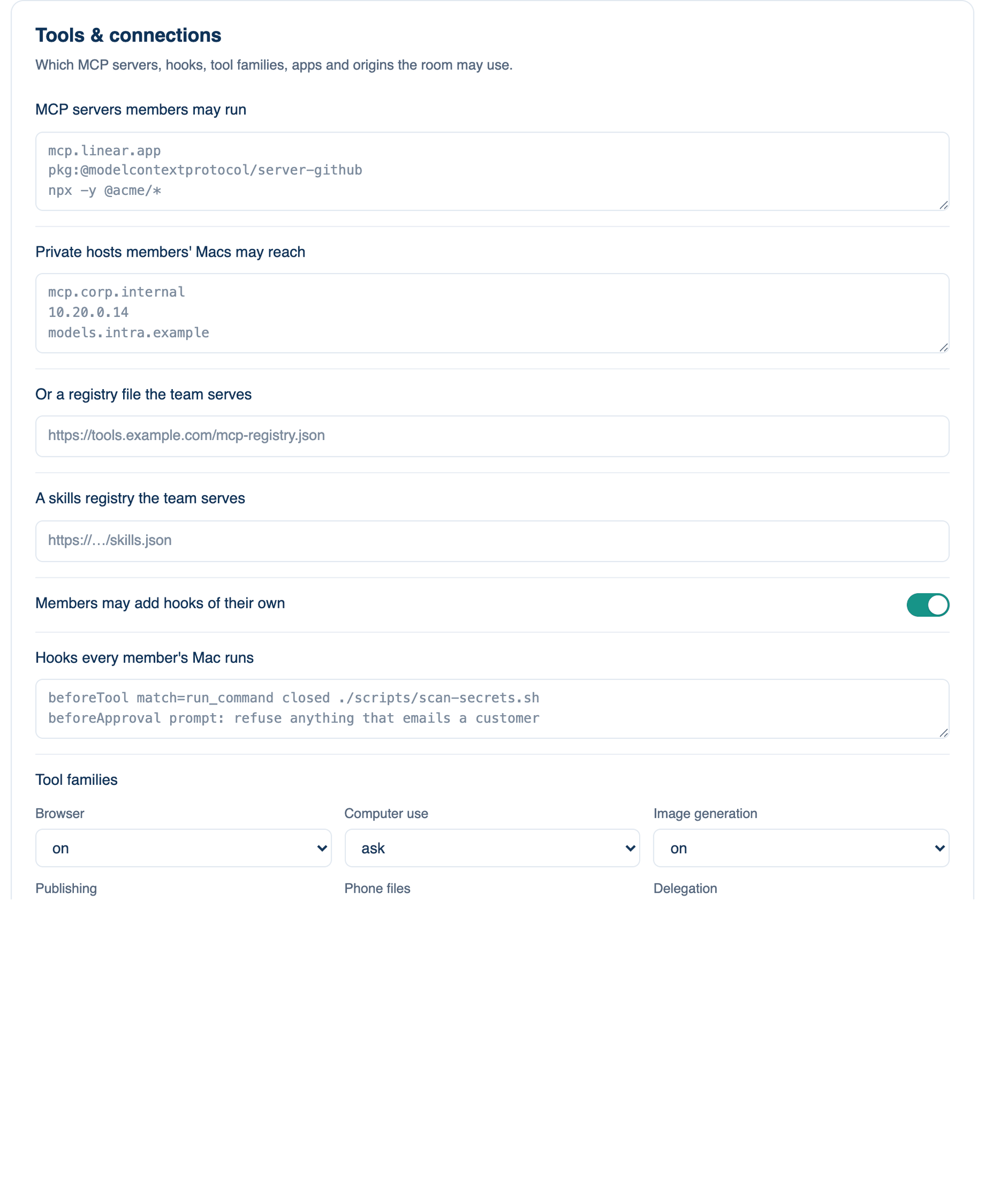
The third card of part 2. It decides which MCP servers, hooks, tool families, apps and web origins the room may use. Whatever you allow here, every MCP server's tools are pinned when someone first approves it, so a server cannot quietly change what a tool does afterwards.
Where to find it. Mac: Settings → Account → Governance → 2 · Tools & Execution. Web: Settings → Governance (part 2). iPhone: Settings → Governance → Rules → 2 of 3. Owner or admin edits.
The policies, top to bottom
| Policy | Default | What it does | When to turn it on |
|---|---|---|---|
| MCP servers members may run | any | Patterns, one per line, matched against a URL server's host, a command server's whole command, or "pkg:" and a package name. Never against the name a member gave a server. | When only reviewed servers should run. |
| Private hosts members' Macs may reach | none | Exact hostnames or IPv4 addresses on your own network. A Mac otherwise refuses an MCP server, an external agent or a sandboxed connection on a private address. Cloud metadata addresses stay refused. | When your MCP servers live inside the company network. |
| Or a registry file the team serves | none | An https address of a file in the MCP registry format. Its servers become the allowlist, fetched at start and daily; a server no longer listed is stopped. | When you already keep an MCP registry. |
| A skills registry the team serves | none | An https address of a JSON list of skills with a sha256 of each. Members install them with a click under Skills; an entry whose hash does not match is never installed. | When the team shares vetted skills. |
| Members may add hooks of their own | on | Off, only the team's hooks run on members' Macs. | When hooks must be reviewed like code. |
| Hooks every member's Mac runs | none | One per line: the event, an optional match on tool names, optionally "closed", then a command or "prompt:" and a sentence. A closed hook that cannot run refuses the action. Events: beforeTool, afterTool, afterWrite, sessionStart, sessionEnd, beforeAsk, beforeApproval, beforeStop. | When a secret scanner should run before every tool. |
| Tool families | each on | One select each for Browser, Computer use, Image generation, Publishing, Phone files and Delegation: on, ask or off. Off is not offered to any seat; ask makes every use ask the person. | When a family is out of scope for your team. |
| Apps the computer-use tools may drive | any | App names or bundle ids, one per line. | When computer use should stay inside Xcode and a browser. |
| Origins the browser tools may act on | any | Origins, one per line. | When the browser should only touch staging. |
| Environment variables unset for commands | token-shaped names | Extra variable names removed from every command's environment. Names that look like tokens are always removed in the sandbox. | When a database address sits in everyone's shell. |
When not to use it. An empty allowlist allows any server. A list with one wrong pattern stops every member's MCP server at once, so test the pattern against one Mac before you save.
Further reading. Model Context Protocol specification, MCP project. OWASP LLM01 Prompt Injection, OWASP GenAI Security Project.