The Sandbox card sits in Settings → Workspace → Privacy & Security. The master switch is in the card's heading and the parts sit under it. Nothing here syncs: it describes this Mac.
Sandbox
The master switch. On, every command a seat runs and every CLI seat process is held to the project by the kernel.
Where to find it. Mac only: Settings → Workspace → Privacy & Security → Sandbox. Default: on. Switching it off asks you to confirm.
When not to use it. Off, commands run with everything your account can reach. If one build tool needs one folder, grant that folder from its card instead.
What changes. Off: the parts disappear and In force now says nothing holds the run.
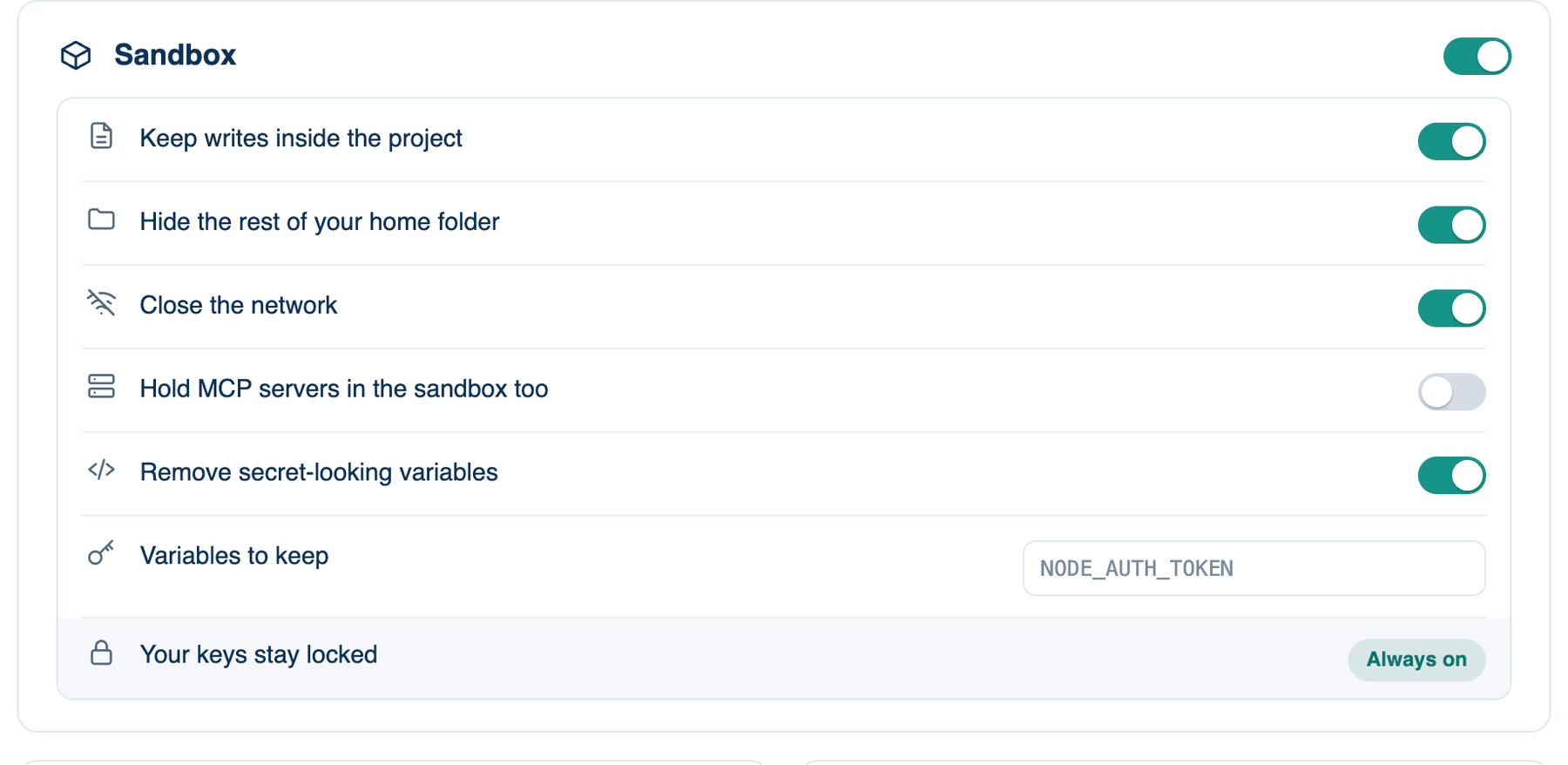
The parts
| Setting | Default | What it does | Change it when |
|---|---|---|---|
| Keep writes inside the project | On | Commands write only to the project, temp folders and build caches. Off, anywhere in your home folder, and the home folder is no longer hidden either. | Rarely. A single folder grant from the card is narrower. |
| Hide the rest of your home folder | On | Commands cannot read your documents, desktop or other projects. | A tool reads a config file in your home folder. Add Another Directory in the composer's + menu is narrower. |
| Close the network | On | Only the hosts on the list are reachable; anything else raises a card. | A trusted project keeps needing a host. Prefer Always allow for that host. |
| Hold MCP servers in the sandbox too | Off | MCP servers get the same limits as commands, except the network, which stays open. | None of your servers reads its own key files (an AWS server reading ~/.aws, say). |
| Remove secret-looking variables | On | Variables whose names contain TOKEN, SECRET, PASSWORD, API_KEY, PRIVATE_KEY, AUTH, CREDENTIAL, ACCESS_KEY or SESSION are taken out before a command runs. | A build fails for want of one variable: name it in Variables to keep instead. |
| Variables to keep | Empty | Up to 50 names the rule above would remove, such as NODE_AUTH_TOKEN. Press Return after each. Your team's list still wins. | A package registry token your build needs. |
| Your keys stay locked | Always on | The credential stores listed on the sandbox page stay unreadable. | It cannot be switched off. |
The network list
Always reachable: the AI providers, the package registries (npm, PyPI, crates, Go, Maven, Gradle, RubyGems, CocoaPods, Homebrew, the main JavaScript CDNs), GitHub, GitLab, Bitbucket, this project's git remotes, and loopback for dev servers. Telemetry hosts are left off on purpose. A private network or cloud metadata address is refused even under a wildcard unless named exactly. Each run's receipt lists the hosts reached and refused.
Two limits. Codex and Gemini CLI ignore the proxy, so their network stays open; the switch says so. On Linux, bubblewrap gets no separate network, so closed means pointed at the proxy, and a tool that ignores proxy settings is not stopped. Only macOS closes it in the kernel.
Swift and Xcode projects
A Swift build starts a sandbox of its own, and sandboxes cannot nest. So a project with Package.swift or an Xcode project at its root asks Run this Swift project outside the sandbox? with Keep the sandbox as the default. The app never decides this for you, since a repository could ship that file only to get out. A yes is listed under What you have allowed and can be taken back.
Team locks
A team owner or admin can lock any part on from Governance; a locked switch shows a lock, and locking the home folder also locks writes. A team can also require the sandbox, which keeps every part except MCP on and fails closed. An organisation can set the same in a managed policy file you cannot edit.
Further reading. App Sandbox — Apple.