A team is one bill and a shared set of rules. Members keep their own discussions and gain the team's projects, keys and policy.
Start a team
Where to find it. Mac: Settings → Account → Team → Start a team. Web: Settings → Team → Create a Team. iPhone: create it on the web. Shown when you are not on a team.
How to use it.
- Type a Team name and press Create team. Creating one is free.
- You are its owner. Inviting people needs the Team plan, at $40 per seat a month, and a seat for each person.
When not to use it. While you own a team nobody can invite you to theirs. If someone is about to invite you, wait for that invitation instead.
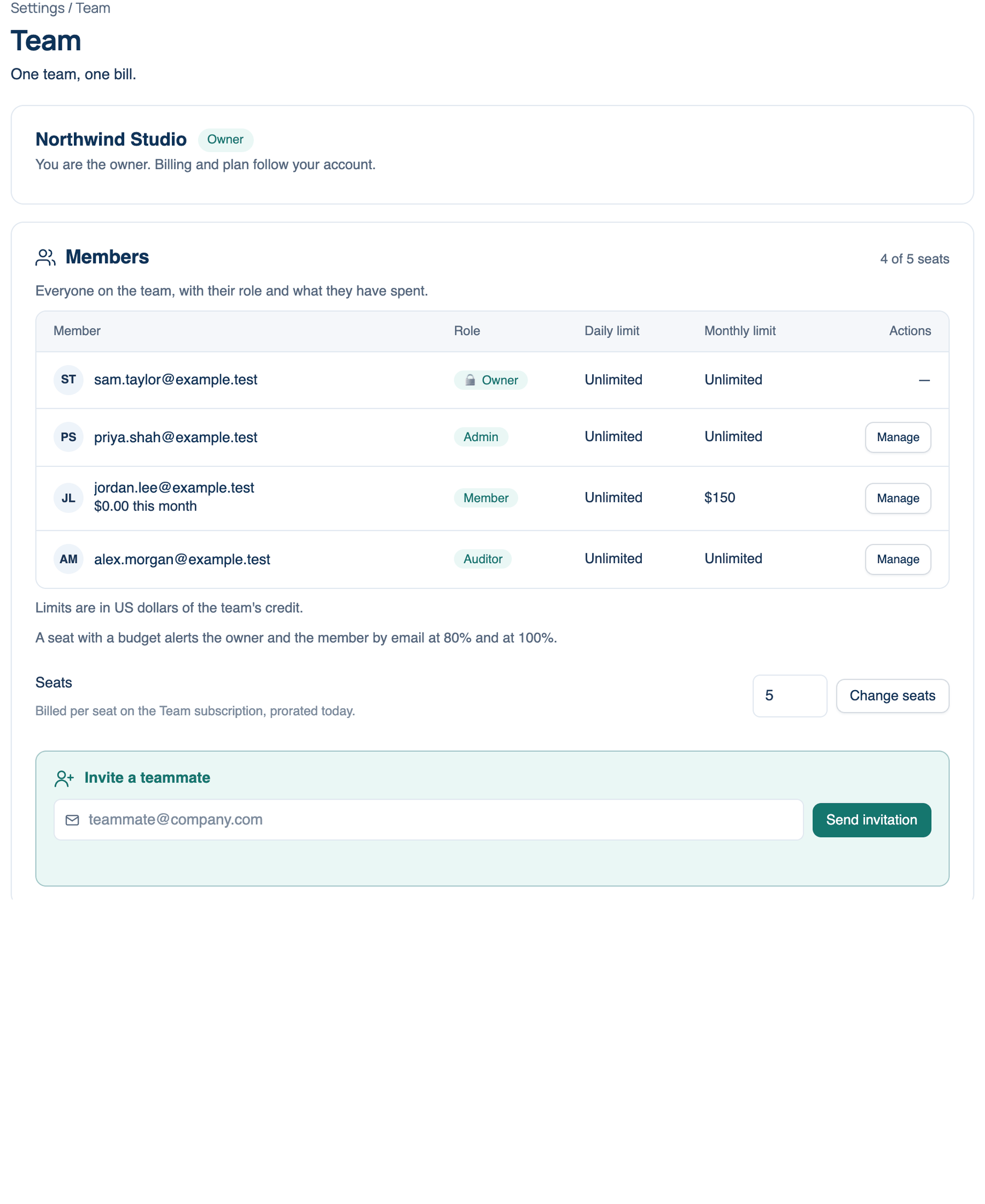
Invite a teammate
Owner or admin only.
Where to find it. Mac: Settings → Account → Team → Invite a teammate. Web: Settings → Team → Members. iPhone: Settings → Account → Team → Invite a teammate….
How to use it.
- Type an email address and press Send invitation.
- The invitation holds a seat, reminds them three days before it lapses, and lapses after two weeks.
- Under Invitations sent, Send again re-sends it and Withdraw frees the seat.
When every seat is taken the button is off and the app says "All seats are in use". The owner adds one with Manage seats (Mac: Change seats), billed per seat and prorated from today.
Answer an invitation
Invitations appear at the top of Team on all three apps, with Join and Decline. Joining puts you on the team's plan and bills your usage on Our Keys to the team's owner. Nothing changes until you join. If you are on a team already you have to leave it first.
What the Team plan shares
- One bill. Our Keys usage by every member is charged to the owner. For the team's first three months it includes $20 of credit per seat a month, pooled on the owner.
- Team projects and the discussions shared into them, which teammates can read and continue.
- Shared provider keys and run secrets, under Keys & Secrets.
- Shared prompts in the Prompt Library, unless the owner turns that off.
- One policy, set under Governance, applied on every member's Mac and on the server.
- The audit record and reports, for owners, admins and auditors.
What stays yours: your personal discussions, your own provider keys (they always win over the team's), and your own settings.
Where each part lives
The Mac shows members, invitations, seats, a few audit links and Leave. Settings that change what other people can do (roles, budgets, keys, sign-in and the audit outputs) are on the web, where the page shows who each change affects. The Mac's Open Team settings ↗ goes there.