Models & data
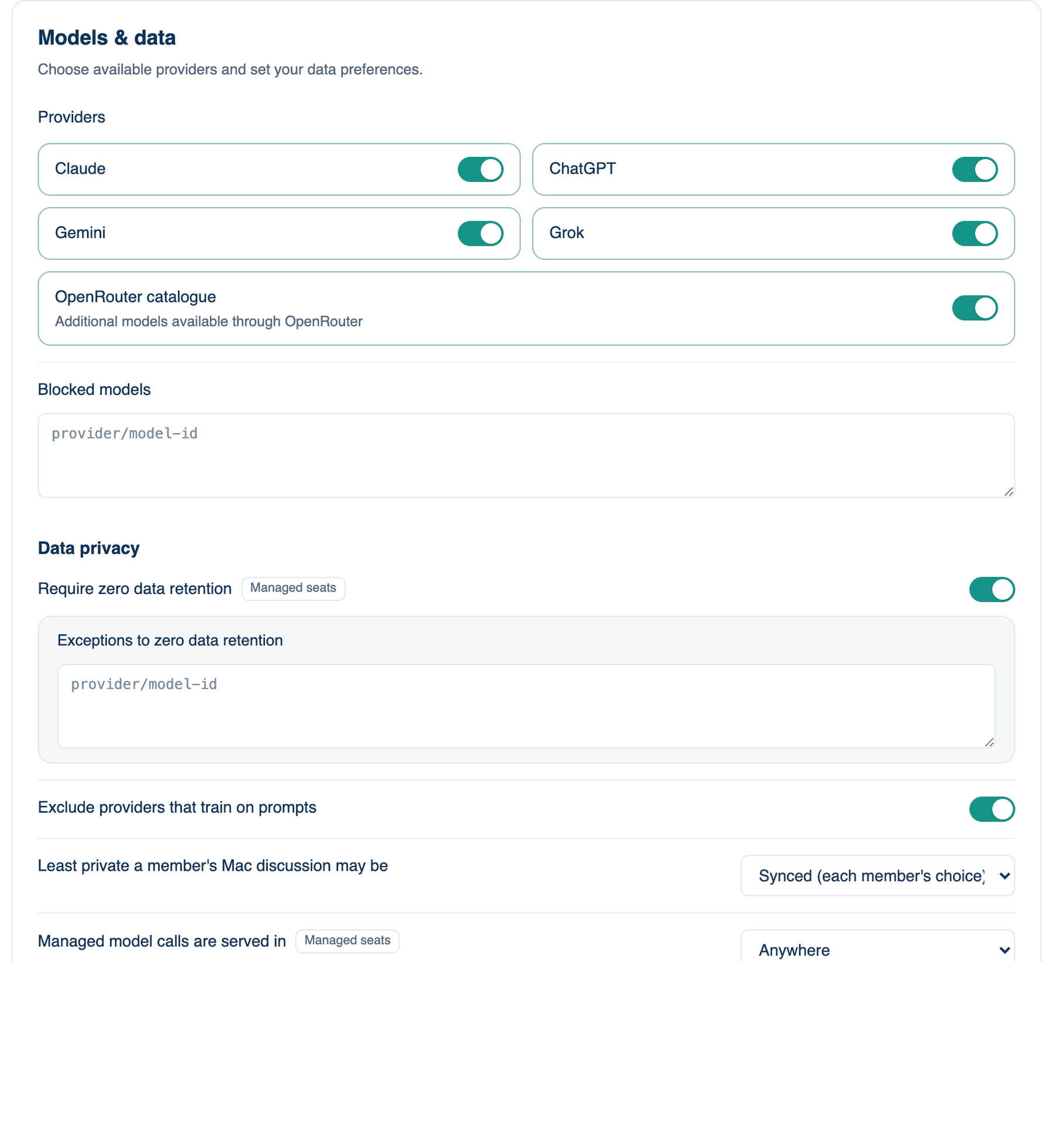
The third card of part 1. Choose which providers are available and set the team's data preferences. The lines under the Data privacy sub-heading change where prompts go and what is kept.
Where to find it. Mac: Settings → Account → Governance → 1 · Policy, Access & Data. Web: Settings → Governance (part 1). iPhone: Settings → Governance → Rules → 1 of 3. Owner or admin edits.
Some lines carry a Managed seats chip. Those reach seats on Our Keys, Free Key and guests, the calls our servers make for you. A seat on a member's own key or CLI talks to its provider directly, and those lines cannot follow it there.
The policies, top to bottom
| Policy | Default | What it does | When to turn it on |
|---|---|---|---|
| Providers | all on | Switch cards for Claude, ChatGPT, Gemini, Grok and the OpenRouter catalogue. A blocked provider is refused by our servers on every seat and hidden from each app's menus. | When a provider is not on your approved vendor list. |
| Blocked models | none | Model IDs, one per line, refused on every seat and left off the menus. | When one model is not approved but its maker is. |
| Require zero data retention | off | On Our Keys, every call goes through the router to an endpoint under a zero-retention agreement. A model with no such endpoint sits the round out. | When contracts say providers may keep nothing. |
| Exceptions to zero data retention | none | Model IDs allowed even though their provider keeps prompts for abuse review. Under zero retention, own-key, CLI and Free Key seats are off unless their model is listed. | When one retaining model is worth the trade. |
| Exclude providers that train on prompts | off | Members cannot seat a free account whose provider learns from what it is sent, and managed calls refuse endpoints that train. Ollama and paid keys are unaffected. | Almost always. |
| Least private a member's Mac discussion may be | Synced (each member's choice) | Synced copies discussions to the account. At least a private live view keeps nothing on our servers; a paired phone watches through end-to-end encrypted messages. Kept on the Mac sends nothing anywhere but to each seat's AI. Above Synced, discussions are off the team board and do not use Our Keys. | When code must never touch a third server. |
| Managed model calls are served in | Anywhere | The EU only sends every managed call to the router's EU address and never to a vendor's own API; a call with no EU route is refused. Where discussions are stored is separate. | When data must be processed in the EU. |
| Mask personal data before a prompt leaves | off | Emails, phone numbers, card numbers and SSNs go to models as placeholders and come back as themselves. Names are not attempted. | When customer data appears in tickets and logs. |
| No product analytics for this team | off | Every app stops sending product analytics for members. Billing and audit events keep flowing. | When your privacy notice promises no analytics. |
When not to use it. Zero data retention and the EU-only route bench some models and refuse others outright. Expect fewer seats to be filled and the occasional refused call.
Further reading. Regulation (EU) 2024/1689, the AI Act, European Parliament and Council, 2024. NIST AI 600-1, Generative AI Profile, NIST, 2024.