The Connected card holds everything outside the apps that acts as you. On the Mac most rows say Set up on the web ↗, because the links are made in a browser.
GitHub
A token for each run that has a GitHub remote, in your name, limited to the repositories you choose. The sandbox keeps your own GitHub sign-in away from seats; this gives each run a short-lived token instead.
Where to find it. Web: Settings → Account → Connected → GitHub for the Mac app's runs. Mac: the same row links to the web. Shown only when the server has a GitHub app configured.
How to use it.
- Press Connect GitHub → and approve at GitHub.
- Press Choose repositories → to limit which repositories it covers.
- Pick When a run ends: Leave the token to expire (default; it lasts about eight hours) or End the token at once.
When not to use it. If seats never push or open pull requests, leave it unconnected. Disconnect removes it.
Pull-request reviews on GitHub
Install the app on a repository and each pull request gets a summary comment, inline comments and a check in the merge box. Reviews run on the server and are paid from your account credit, not from a CLI seat. The app never approves, never runs code and never writes to the repository.
Where to find it. Mac: Settings → Account → Account → Connected. Web: the same card. iPhone: Settings → Account → GitHub Reviews.
| Setting | Default | What it does |
|---|---|---|
| Review pull requests, When a pull request is opened, On every later push, On @mention commands, Reply under a command, Inline comments on the diff, Resolve our threads once fixed, Remember settled findings, Economy | On | When reviews happen and what they post |
| Pull requests from forks | Off | Reviews pull requests from forks too |
| Repository lookups per review | 8 (0–20) | How much surrounding code a review may read |
| Cost limit per review | One dollar (0 = none) | Stops one review spending more |
| Reviews a day | 50 | A daily cap per installation |
| Only these repositories | Empty (all) | owner/name, one per line |
On a busy repository, keep Economy on and lower the cost limit. Unlink and Settled findings are on the web.
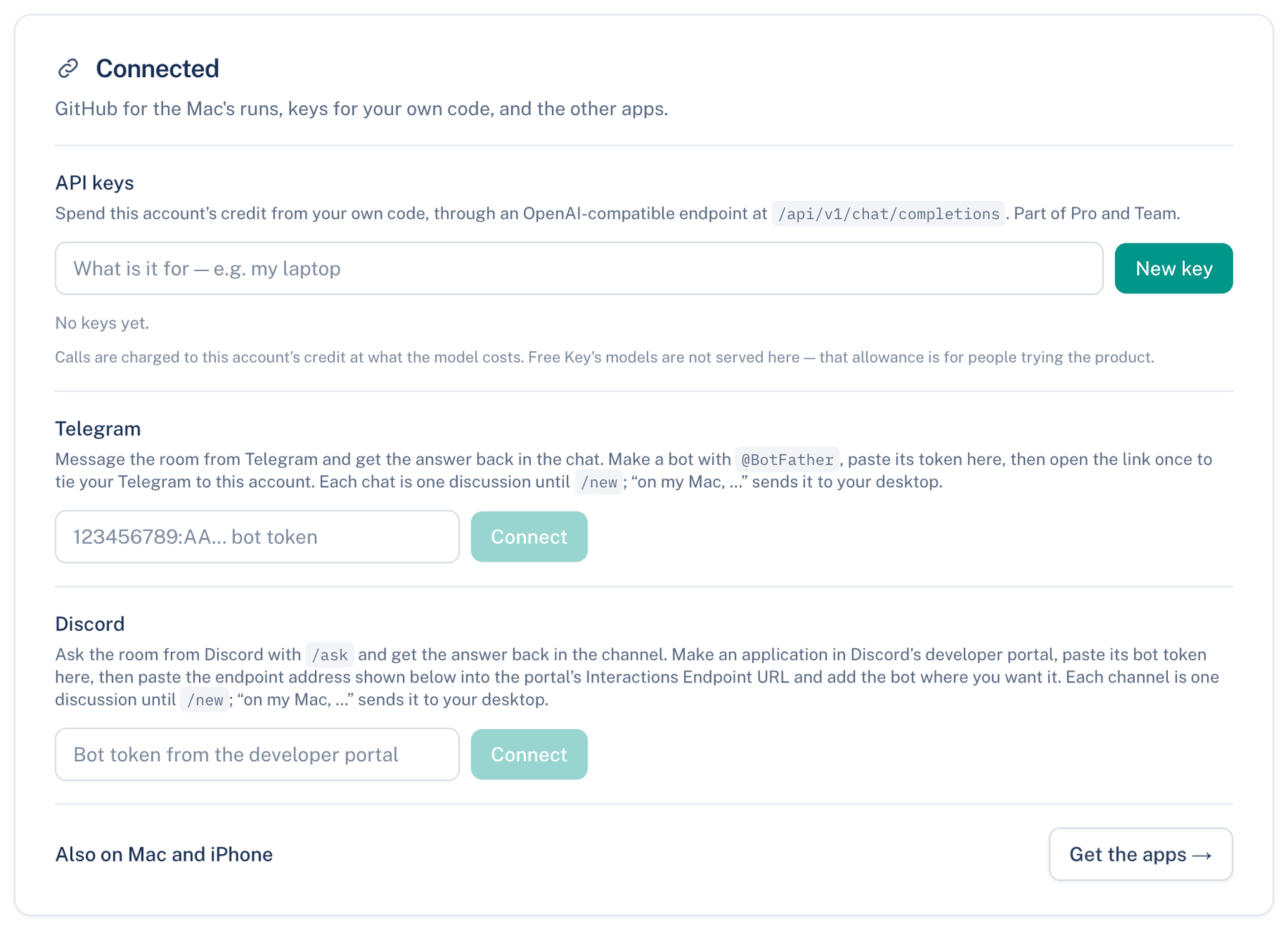
API keys
Spend this account's credit from your own code through an OpenAI-compatible endpoint at /api/v1/chat/completions. Pro and Team only; on Free, existing keys keep working while the plan does.
How to use it.
- Type what the key is for and press New key.
- Copy it now. It is shown once.
- Revoke ends a key. Up to ten live at a time.
Calls are charged at model cost. Free Key models are not served here. On iPhone: Settings → Account → API Keys.
Telegram and Discord
Talk to the room from a Telegram chat or a Discord direct message. Both are set up on the web under Connected. For Telegram, make a bot, paste its token, press Connect, then open the link once. For Discord, paste the bot token, copy the Interactions Endpoint URL into Discord's developer portal, add the bot, and send the /link command shown. Disconnect ends either. Slack and Microsoft Teams are team integrations.
Further reading.
- RFC 6749 OAuth 2.0 — IETF, 2012.
- RFC 9700 OAuth 2.0 Security Best Current Practice — IETF, 2025.