The rest of the Memory page is Mac only, because it works on files in your checkout and on your Mac.
About this project
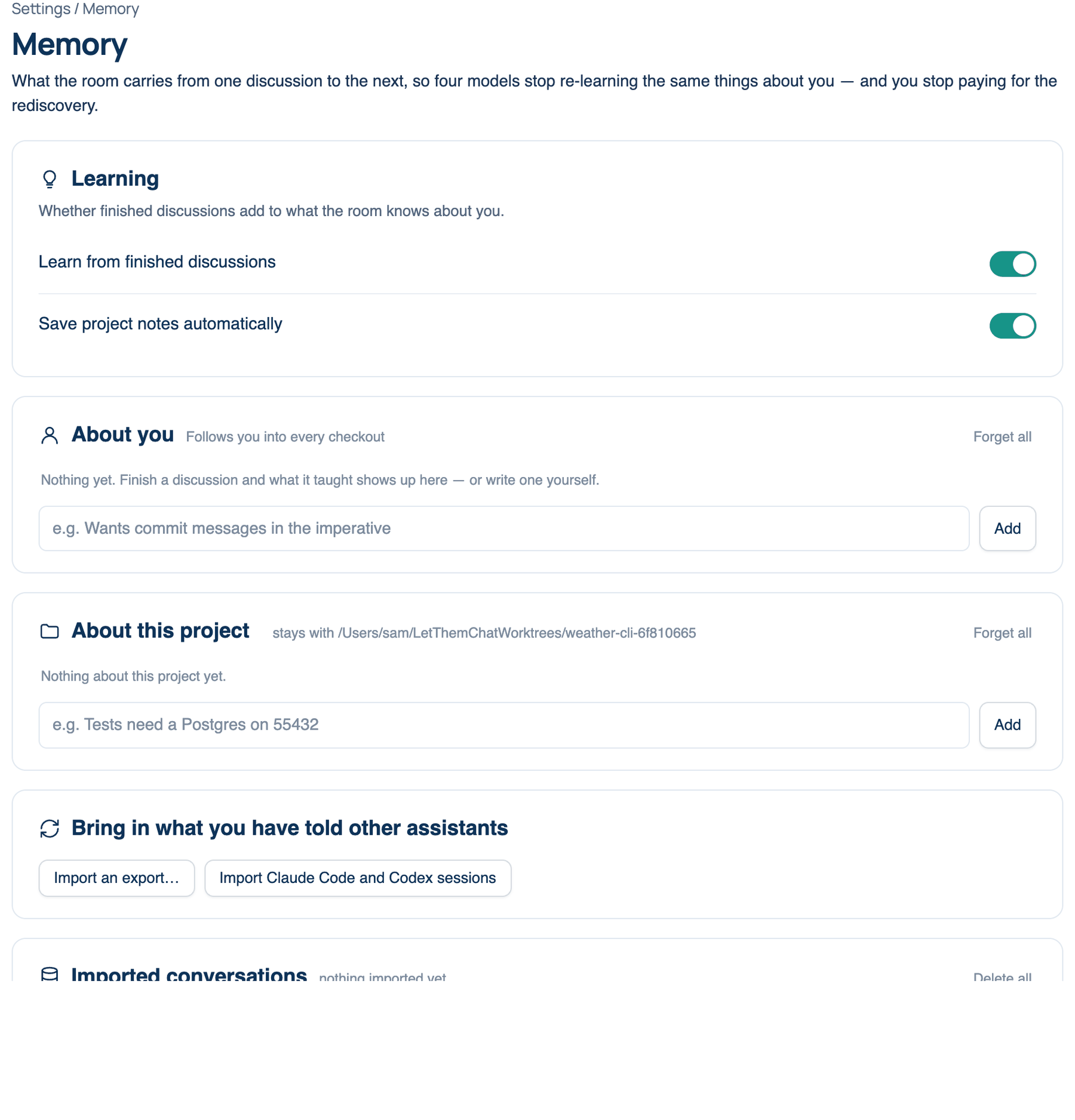
Facts that are true of one checkout and not the next: "Tests need a Postgres on 55432." They are kept in .letthemchat/memory.json inside the checkout, so they travel with the repository and can be committed when the team should share them. The card names the workspace it is showing, or says "no workspace open".
Where to find it. Mac: Settings → The room → Memory → About this project. Default: empty.
How to use it. Open the workspace first; the list follows whichever folder the room works in. Then use the same controls as About you: type a fact and press Add, and use Edit, Keep and Forget on each entry, or Forget all for the whole file.
When not to use it. In a public repository, keep anything you would not commit in About you instead, or leave the file out of version control.
Project memory in the Summary
When the room agrees in a repository, its closing answer can name up to three things the next discussion there should know, each labelled architecture, lesson or term. With Save project notes automatically on (Settings → The room → Memory → Learning, default on), they are written to that project's memory as the run ends, and kept.
At the foot of the run's Summary, a Project memory strip says what happened, for example "2 notes saved to" and the repository's name. View notes opens the list: each note shows its kind, its text, its state (Saved, Not saved or Removed) and an Undo or Save button. Manage project memory opens the settings page. A note that reads like a credential is refused.
Notes are only suggested, never saved on their own, when the switch is off, when Learn from finished discussions is off, or when your team requires memories to be reviewed. The web and the iPhone show the same strip read-only, because the memory file is in the Mac's checkout.
Bring in what you have told other assistants
Import Claude Code and Codex sessions reads the sessions those command-line tools already keep on this Mac (for Claude Code, under ~/.claude/projects), with no export needed. Import an export… takes the .zip a chat app gives you, or the conversations.json inside it. In Claude the export is under Settings → Privacy → Export data; in ChatGPT, under Settings → Data controls → Export data.
Imports are stored on this Mac so you can search and re-read them, and the recent ones are read once for anything worth adding to memory. That read is a model call and costs like one; older conversations are archived without being read. A status line reports what was learned and what was already known. Nothing is sent anywhere your seats do not already send data, and credentials are never written down.
Imported conversations
A count of what you have imported, a Search everything you imported box (type at least two characters), the matching conversations with their lines, and Delete all. Delete all removes the imported copies from this Mac after you confirm; memories already learned from them stay in the lists until you forget them.
Further reading. Retrieval-Augmented Generation for Knowledge-Intensive NLP Tasks — Lewis et al., 2020 (NeurIPS).