Every Always from a card is kept somewhere you can see it. Taking one back means the next run that needs it asks again, as if for the first time.
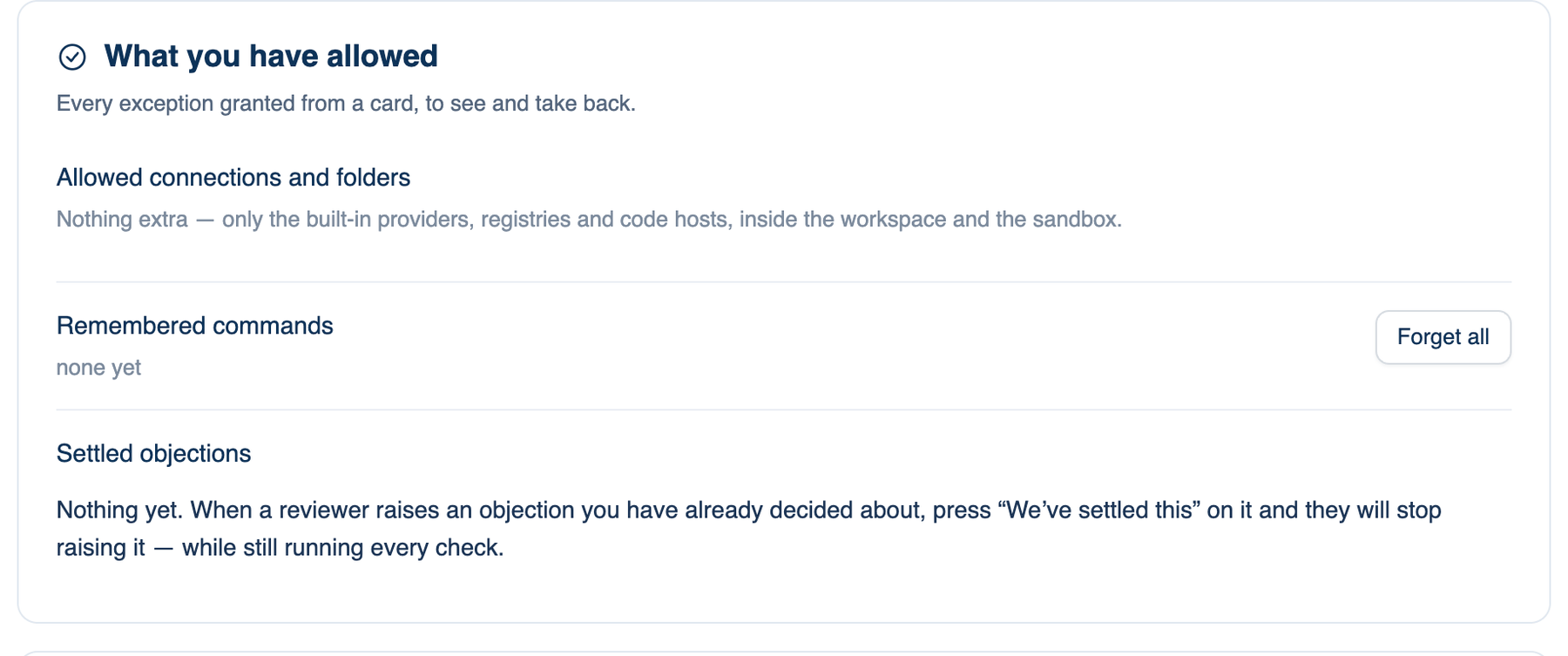
What you have allowed
Where to find it. Mac only: Settings → Workspace → What you have allowed.
- Allowed connections and folders: hosts the network may reach, folders a build may write outside the workspace, and workspaces you chose to run outside the sandbox (a Swift project, for example). Each has a remove button. The built-in providers, registries and code hosts are not listed, because they are always reachable.
- Remembered commands: the commands you answered Always for, kept per workspace, with a count for this one and Forget all.
- Settled objections: objections you told the reviewers to stop raising with We've settled this. They still run every check, and still say so if the thing is actually broken. Each can be put back.
A grant for one discussion only lives with that discussion and ends with it.
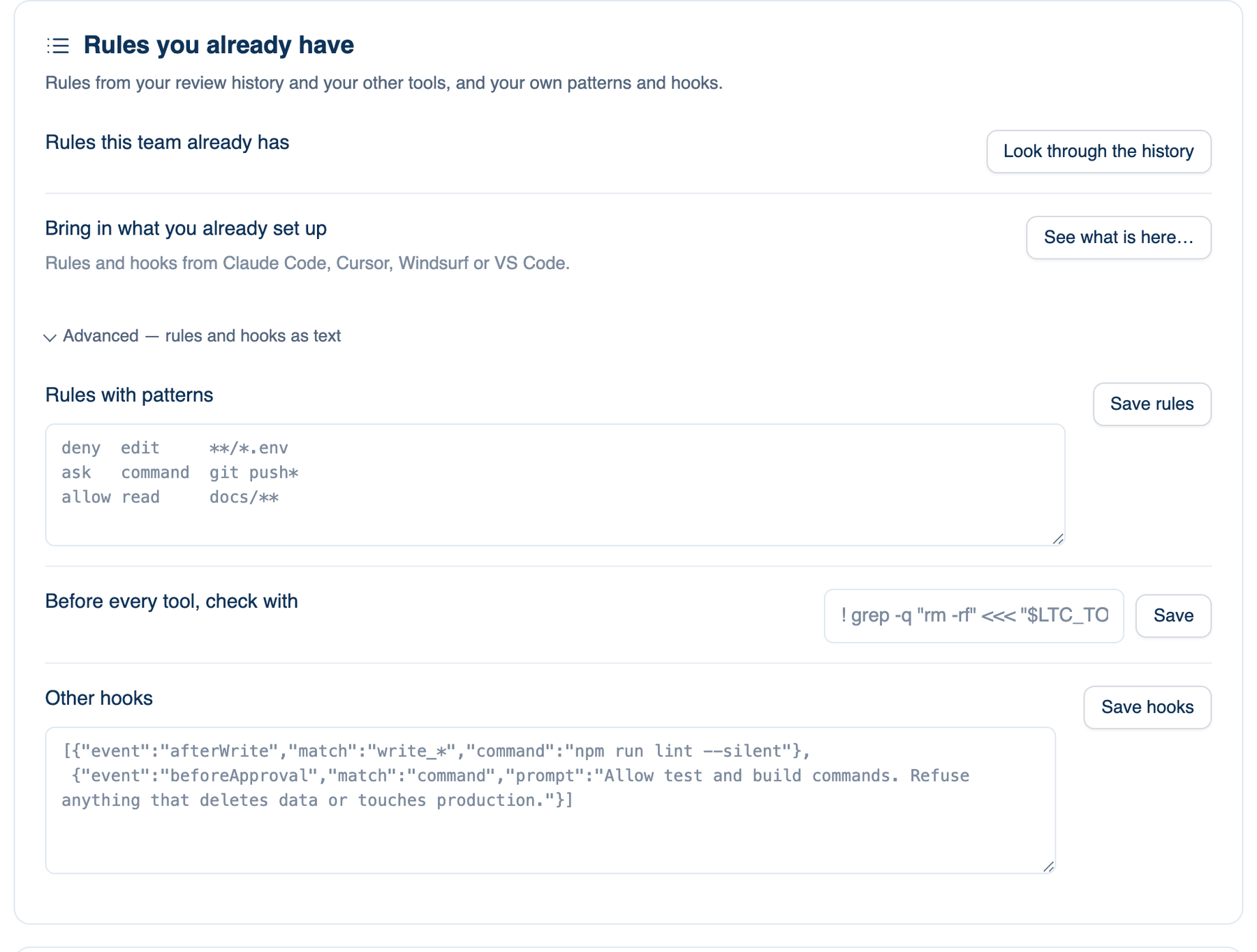
Rules you already have
Rules this team already has. Look through the history reads the repository's pull-request comments and the objections raised here, and proposes what was said more than once, with its sources. Nothing applies until you keep a rule; Write the ones I kept adds them to this repository's AGENTS.md as a diff you can edit or revert.
Bring in what you already set up. See what is here… reads the rules, hooks and MCP settings that Claude Code, Cursor, Windsurf and VS Code keep beside the project and in your home folder, and offers them. Nothing comes in unseen, and anything that would run something is confirmed like a hook you typed.
Advanced: rules and hooks as text
Collapsed by default, for people who write rules by hand. Everything the Guardrails list switches is written here too.
Rules with patterns. One rule per line: allow, ask or deny, then command, edit, read, url, mcp, skill, repo or socket, then a pattern. For example deny edit **/*.env, ask command git push* or allow read docs/**. The last matching line wins. Your rules, your team's and a managed file are each read separately and the strictest answer wins, so neither side can loosen the other. Allow only spares a question; it never passes the sandbox, a hook or the dangerous-command list. Up to 200 lines.
Before every tool, check with. A command run before every command and write. A non-zero exit refuses the call, and what it printed is the reason the model gets. The call is described in $LTC_TOOL_KIND and $LTC_TOOL_DETAIL, never pasted into the command.
Other hooks. JSON for eight events: beforeTool, afterTool, afterWrite, sessionStart, sessionEnd, beforeAsk, beforeApproval and beforeStop. A hook can be a command or a sentence a model judges; a sentence never runs anything.
Further reading. The Protection of Information in Computer Systems — Saltzer and Schroeder, 1975.