Every message has a small row of actions. On the Mac and the web they appear at the bottom right when you hover; on the iPhone, long-press the message or use the buttons under a reply.
Reply actions
| Action | What it does |
|---|---|
| Read aloud | Plays the message. Settings → Appearance → Read Aloud picks the natural voice (billed from your credit) or this device's voice |
| Copy | Copies the message as text |
| Pin this answer | Keeps it on a Pinned strip at the top of the discussion |
| Good answer / Not a good answer | Rates it; thumbs down asks what went wrong |
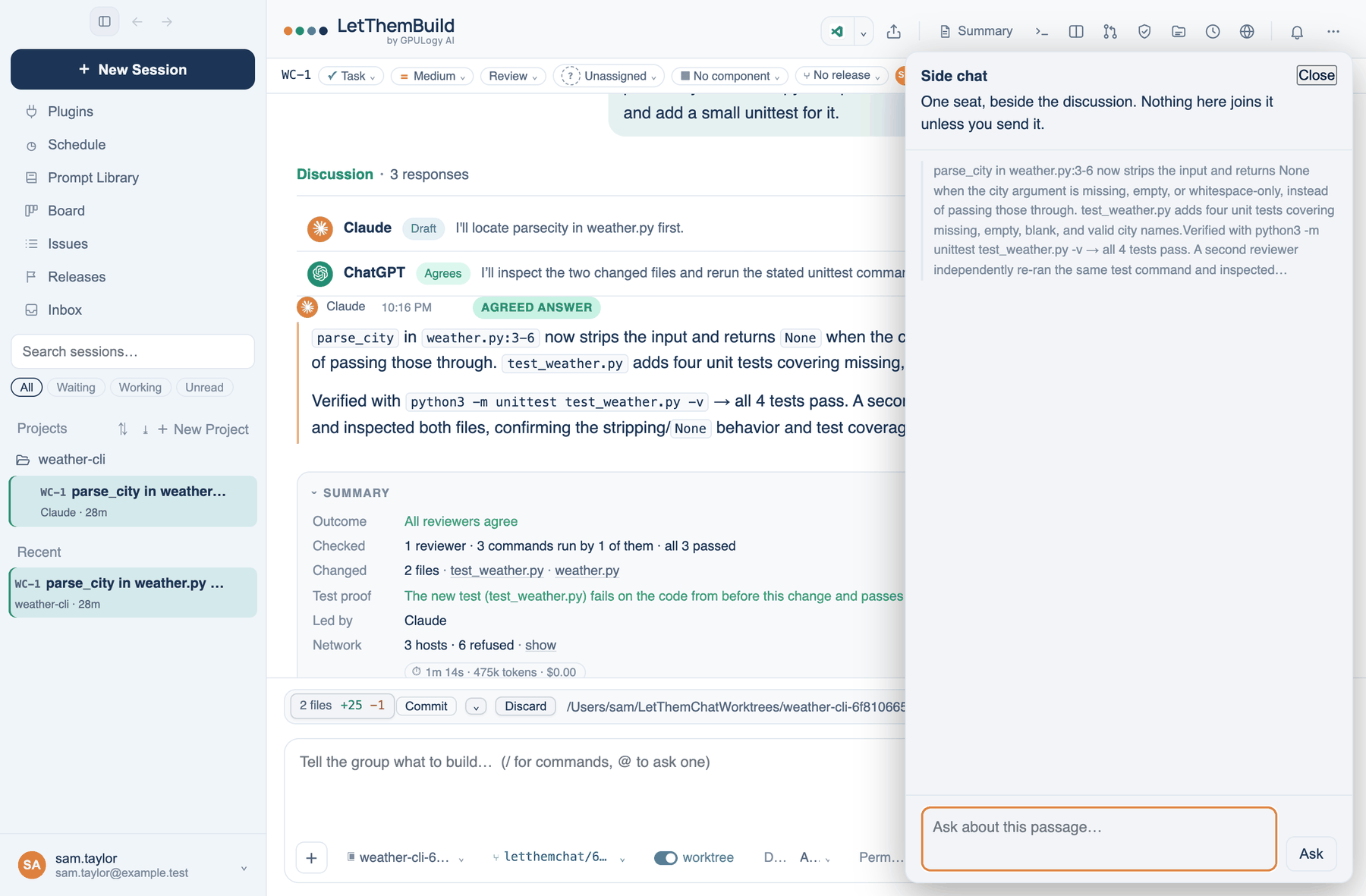
| Ask about this | Opens the side chat on this reply |
| Branch a new discussion from here | Forks the discussion at this point |
| Make a report | On an answer with a table: a page where rows can be ticked off and shared |
| Edit and re-ask | On your own message: removes it and everything after, and lets you send it again |
| Save to Prompt Library | On your own message: saves it under Your prompts |
Selected words
Select words inside one reply and a small menu offers Ask about this or Quote in reply. Quote puts the words in your next message as a quote. Switch the menu off in Settings → Appearance → Display → Menu on selected words.
Side chat
The side chat answers a question about a passage with one seat, beside the discussion. Nothing in it joins the discussion unless you press Send to discussion on an answer, and nothing is kept when you close it. It answers with the leader unless Settings → Who's In The Room → Context → Side chat answers with says the cheapest seat.
Find
⌘F (Mac and web) or ⋯ → Find in discussion opens a find bar. Enter steps to the next match, ⇧Enter to the previous, Esc closes it.
Messages sent while the room works
You can keep typing during a run. Press Enter and the message waits for the next speaker, marked Waiting — joins when the current answer finishes. It carries two buttons: Take back removes it while nobody has read it, and Send now hands it over at once. The seat speaking keeps what it has said. On the iPhone, long-press Send for the same thing.
Compact
When the context meter in the composer gets high, Compact Earlier Turns in the + menu folds older turns into one note. Nothing is deleted from your transcript, but the seats read only the note from then on. It also happens by itself at the share set in Settings → Who's In The Room → Context (80% by default).
Share a link
Share this discussion creates a read-only link to the discussion up to this point, including what each reviewer ran. Anyone with the link can read it. A signed-in reader can press Continue in my account to take a copy into their own list. Stop sharing ends the link. A team policy can refuse a share.
Further reading. WCAG 2.2, 1.4.2 Audio Control — W3C, 2023.