Review requirements
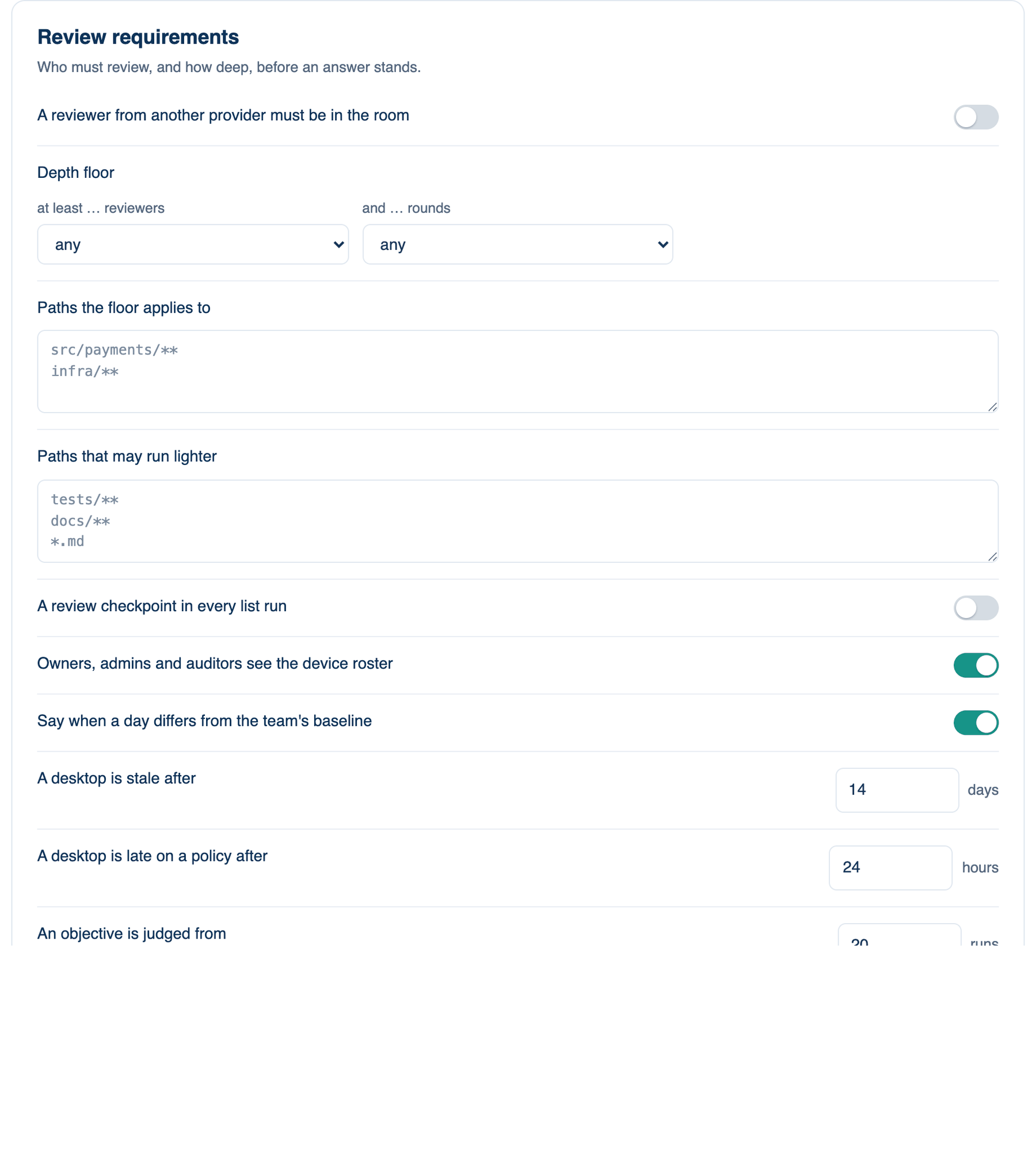
The second card of part 3. It says who must review and how deep before an answer stands, and it holds the settings for the device roster and the team's objectives.
Where to find it. Mac: Settings → Account → Governance → 3 · Sharing, Review & Evidence. Web: Settings → Governance (part 3). iPhone: Settings → Governance → Rules → 3 of 3. Owner or admin edits.
The policies, top to bottom
| Policy | Default | What it does | When to turn it on |
|---|---|---|---|
| A reviewer from another provider must be in the room | off | A room whose lead and reviewers all come from one provider is refused. The receipt names the independent reviewer. | When one vendor checking itself is not enough. |
| Depth floor | any reviewers, any rounds | At least 1, 2 or 3 reviewers and 1, 2 or 3 rounds, under the presets and the router. The receipt says when it raised a run. | For code that pays out money or touches production. |
| Paths the floor applies to | every run | Patterns, one per line. A run that reaches one of these files part-way gets the floor from there. On the server a pull-request review matches its changed files. | When the floor should cover payments, not docs. |
| Paths that may run lighter | none | Patterns for tests, docs and boilerplate. A Mac run that touches only these starts with one reviewer and one round under auto depth, never below the floor. Members may switch it off on their Mac. | When small doc edits cost too much. |
| A review checkpoint in every list run | off | When a Mac works through a list unattended, each agreed item goes back with what reviewers left standing, is fixed and reviewed again, up to three passes. Off, each member's switch decides. | When list runs go out without anyone reading them. |
| Owners, admins and auditors see the device roster | on | Each member's desktop with its app version, policy version and last sync. Nothing about what ran. Off hides Show devices on the Team page. | Leave on. |
| Say when a day differs from the team's baseline | on | Daily, compares today with the last 28 days: run hours, origins, people, hosts and devices. Owners and admins hear what differed. A notice only. | Leave on. |
| A desktop is stale after | 14 days | Days unseen before the roster marks a machine stale, 1 to 365. | Shorten it for a small, busy team. |
| A desktop is late on a policy after | 24 hours | Hours after a change before a desktop on the old version counts as late, 1 to 720. | When policy changes must land within a working day. |
| An objective is judged from | 20 runs | Runs this month before an objective counts as met or missed, 1 to 1000. | Raise it for a large team. |
| Objectives on the room's rates | none | One per line: a rate from Results, a comparison, a number, then ask, warden or reviewer as the consequence for a month that misses it. The consequence lifts itself when the rate recovers. | When you want the policy to respond to results. |
When not to use it. A depth floor of three reviewers and three rounds on every path multiplies the cost of a one-line question. Scope it with paths.
Further reading. NIST AI RMF 1.0, NIST, 2023, the Measure and Manage functions.