Memory is a short list of facts the room reads into every seat's brief, so four models stop re-learning how you work and you stop paying for them to. "Wants commit messages in the imperative." "Uses pnpm, not npm." It is not an archive of transcripts. Each entry is at most 400 characters and the list holds up to 200; when it is full, the oldest entry you have not kept is pushed out first.
Learning
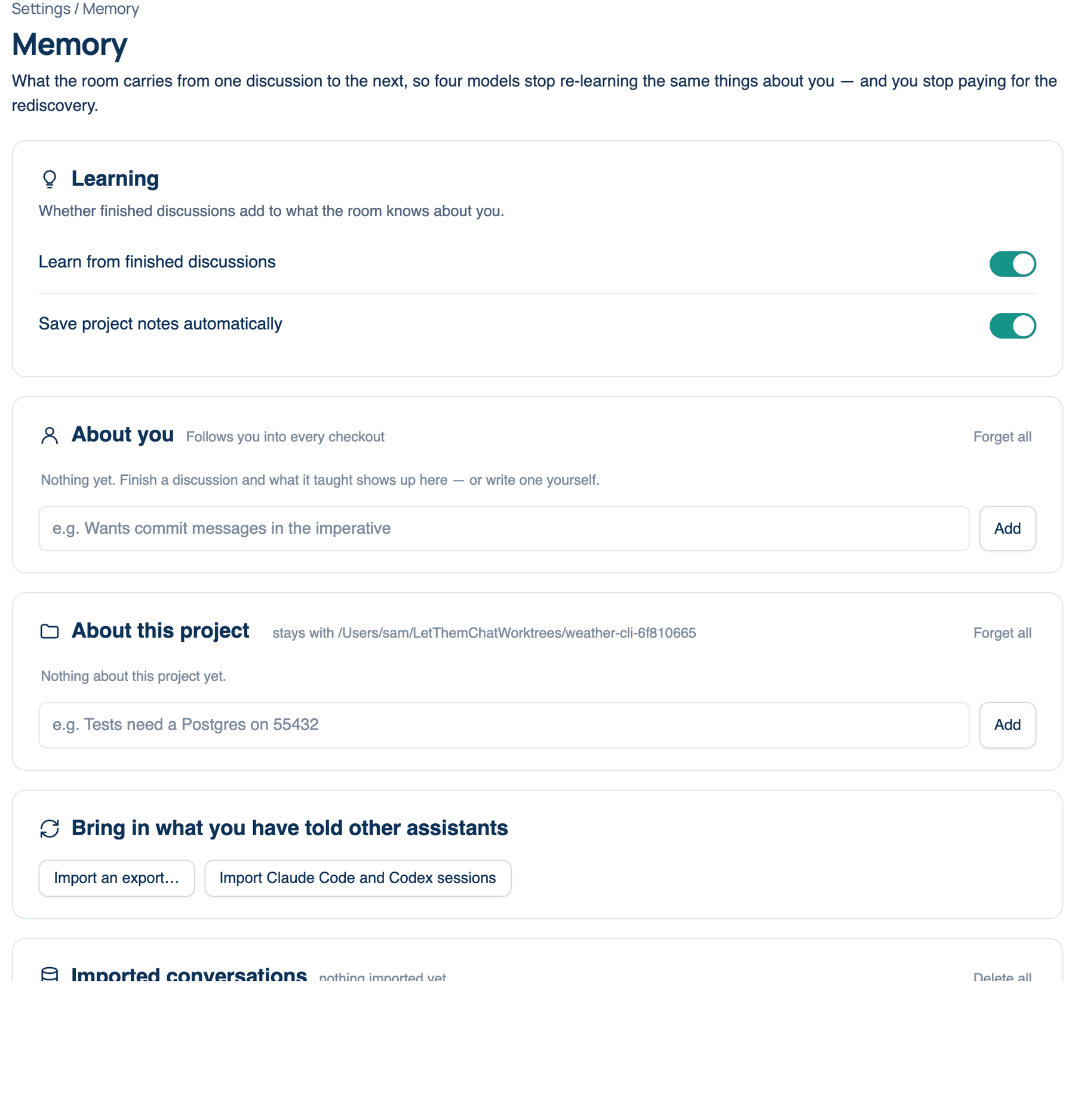
Where to find it. Mac: Settings → The room → Memory → Learning. Web: Settings → Memory → Learning. iPhone: Settings → The Room → Memory → Learning.
| Setting | Default | What it does | Change it when |
|---|---|---|---|
| Learn from finished discussions | On (Mac, web, iPhone) | When a discussion ends, the transcript is read once for facts that will still be true next month: how you like work done, what you use. Never what was decided that day, never a credential. Off, nothing new is written down; what is already listed is still used. | You are working on something you would rather not have summarised, or the learned entries are mostly noise. |
| Save project notes automatically | On (Mac only) | As a run in a repository ends, up to three notes about that repository are saved to its project memory and listed in the run's Summary, each with an Undo. Off, the Summary suggests them and you save the ones you want. | You want to approve every note before it is kept. See the project notes page. |
The read that learns from a finished discussion is one extra model call, so it costs a little each time. If you want memory without that, turn learning off and write the entries yourself.
About you
The list every seat reads, on every device you sign in to. Each entry says where it came from (learned, added by you, or from an import) and "kept" marks one you pinned.
How to use it.
- Type a fact in the box under the list (iPhone: Something the room should know) and press Add. Entries you add by hand are kept automatically.
- To reword one, press Edit, change it and press Enter. Esc cancels.
- Press Keep on an entry that must never be pushed out. Unkeep lets it age out again.
- Forget removes one entry. Forget all (iPhone: Forget everything) clears the list after you confirm, and the next discussion starts cold.
On the Mac, an entry nobody has looked at yet is marked "new" and has an Accept button. On the iPhone, swipe right on an entry to pin or reword it and swipe left to forget it.
When to use it. Preferences and facts that hold in every project: your languages, your house style, the tools you do and do not use.
When not to use it. Standing instructions to a role belong in the Model Prompt Editor. Facts about one repository belong in About this project on the Mac, so they do not leak into unrelated work. Text that looks like a credential or personal data is refused rather than stored.
What changes. Every entry is part of each seat's brief on each turn. A long list is paid for on every round, so prune it now and then.
Why a short list
Models use the start and end of a long prompt more reliably than the middle, and every token in the brief is paid for once per seat per round. A tight list of facts that stay true is cheaper and better read than a growing log.
Further reading. MemGPT: Towards LLMs as Operating Systems — Packer et al., 2023. Lost in the Middle: How Language Models Use Long Contexts — Liu et al., 2023 (TACL).