Brakes
Brakes stop a discussion before it costs more than you meant. They are checked before a run and between rounds, never mid-answer. A turn a CLI seat takes on your own subscription is not counted against any ceiling, because nobody here is billed for it.
Where to find it. Mac: Settings → Billing → Spending → Brakes. Web: Settings → Spending, card Brakes. iPhone: Settings → Spending → Brakes. Also from the account menu → Spending.
Stop a discussion after it has spent
A dollar ceiling for one discussion across every question in it. The room finishes its turn and stops; nothing is lost. It is also the brake behind "Until they agree", which has no round limit of its own, so the app asks for a ceiling when you choose it; on the web and iPhone you cannot clear the ceiling while it is chosen.
How to use it.
- Type a dollar figure and press Save. Empty means no limit.
- When a discussion reaches it, the stop says so and offers Keep going — allow another one ceiling's worth for this discussion.
What changes. On: the discussion stops at the figure. Off: nothing stops it but the team's ceiling or your credit. Default: no limit. Shared across the Mac, web and iPhone.
Stop one turn after it has spent
The discussion ceiling fires once the money is spent; this one stops the question spending it. After a stop, send another message to carry on. Default: no limit.
Keep going
On a stop at your own discussion ceiling, Keep going allows one more ceiling's worth for that discussion only, each time you press it, and says how much is allowed and spent. It never lifts a team ceiling or an automation's cap.
Which ceiling applies
The smallest of the three: an automation's own cap for one firing, your discussion ceiling, and the team's ceiling set in Governance → Projects & spending. On the Mac a line under the field says when the team's is lower. A team stop names the team's owner as the one who can raise it.
Ask when a discussion costs more than usual
A notice while the run is spending, with Stop and Keep going. "Usual" is the middle cost of your last 40 priced discussions. It asks once per discussion, only past 25 cents, and only while you are there. Choose at 2×, 3× or 5× usual. Default: on, at 3×. Applies to discussions run on your Mac. Mac: Settings → This Mac → Appearance → Notifications. Web and iPhone: on the Spending page.
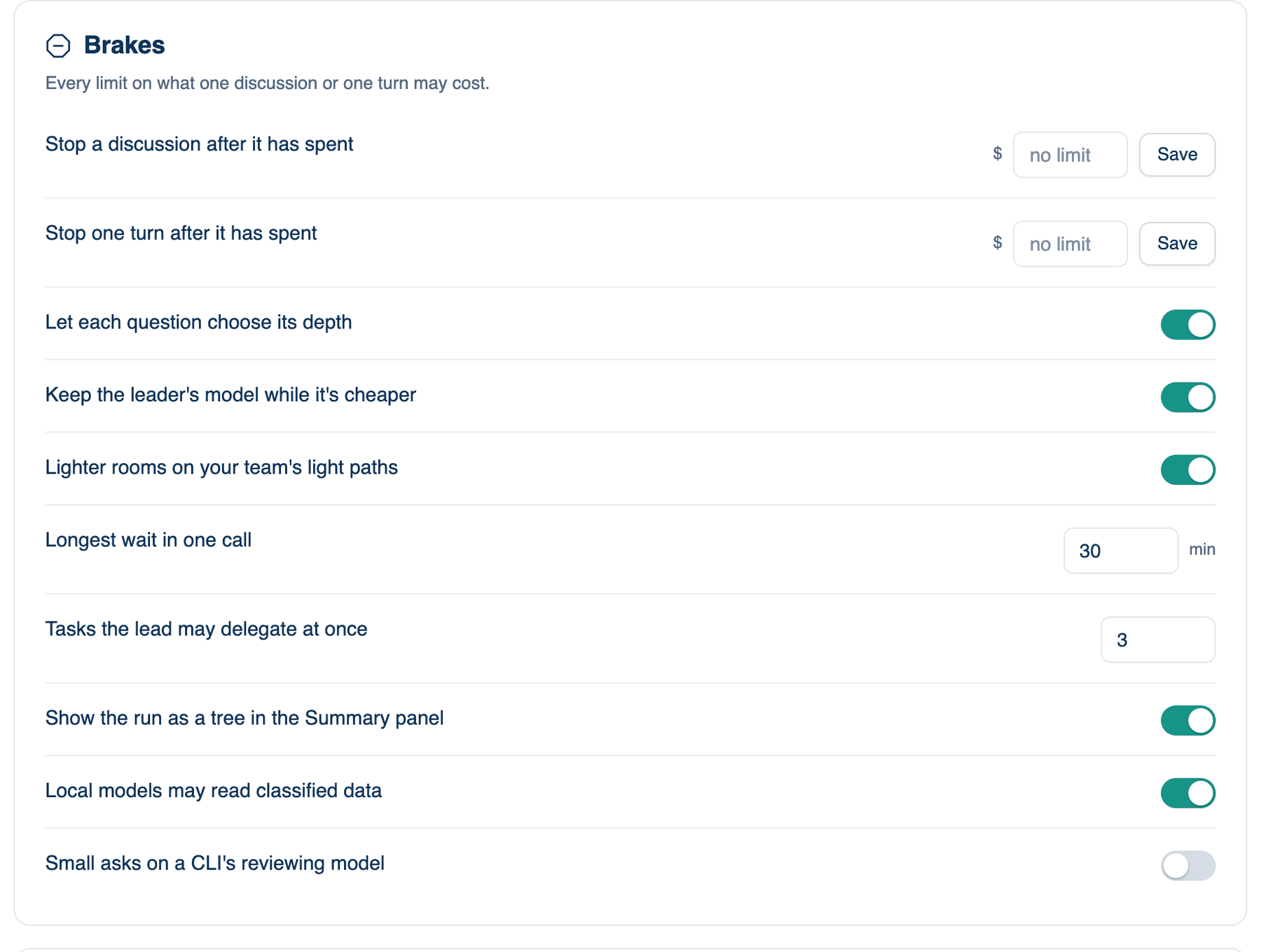
The other brakes on the Mac
| Setting | Default | What it does | Change it when |
|---|---|---|---|
| Let each question choose its depth | on | A question that only needs an answer gets the lead alone. | You want every question reviewed. |
| Keep the leader's model while it's cheaper | on | Stays on the leader's cached model when that is cheaper. Web and iPhone: Who's In The Room → Context. | Rarely. |
| Lighter rooms on your team's light paths | on | Uses the team's light paths. Mac only. | You want full rooms on docs. |
| Longest wait in one call | 30 min | The most a wait may last, up to 240; 0 turns waiting off. | Builds take longer. |
| Tasks the lead may delegate at once | 3 | 1 to 6 discussions at once. | Big surveys. |
| Show the run as a tree in the Summary panel | on | The run's turns and tool calls as a folded tree. | You prefer a short Summary. |
| Local models may read classified data | on | Lets an Ollama model read classified files. | Nothing should read them. |
| Small asks on a CLI's reviewing model | off | Short questions go to the seat's reviewing model. | Your CLI plan limit runs out. |
Further reading. FinOps Framework, FinOps Foundation.