Settings → This Mac → General starts with Workspace & Tools. Everything on the General pane stays on this Mac. None of it travels with your account, so a second Mac, the web app and your iPhone each start from their own defaults.
Default workspace
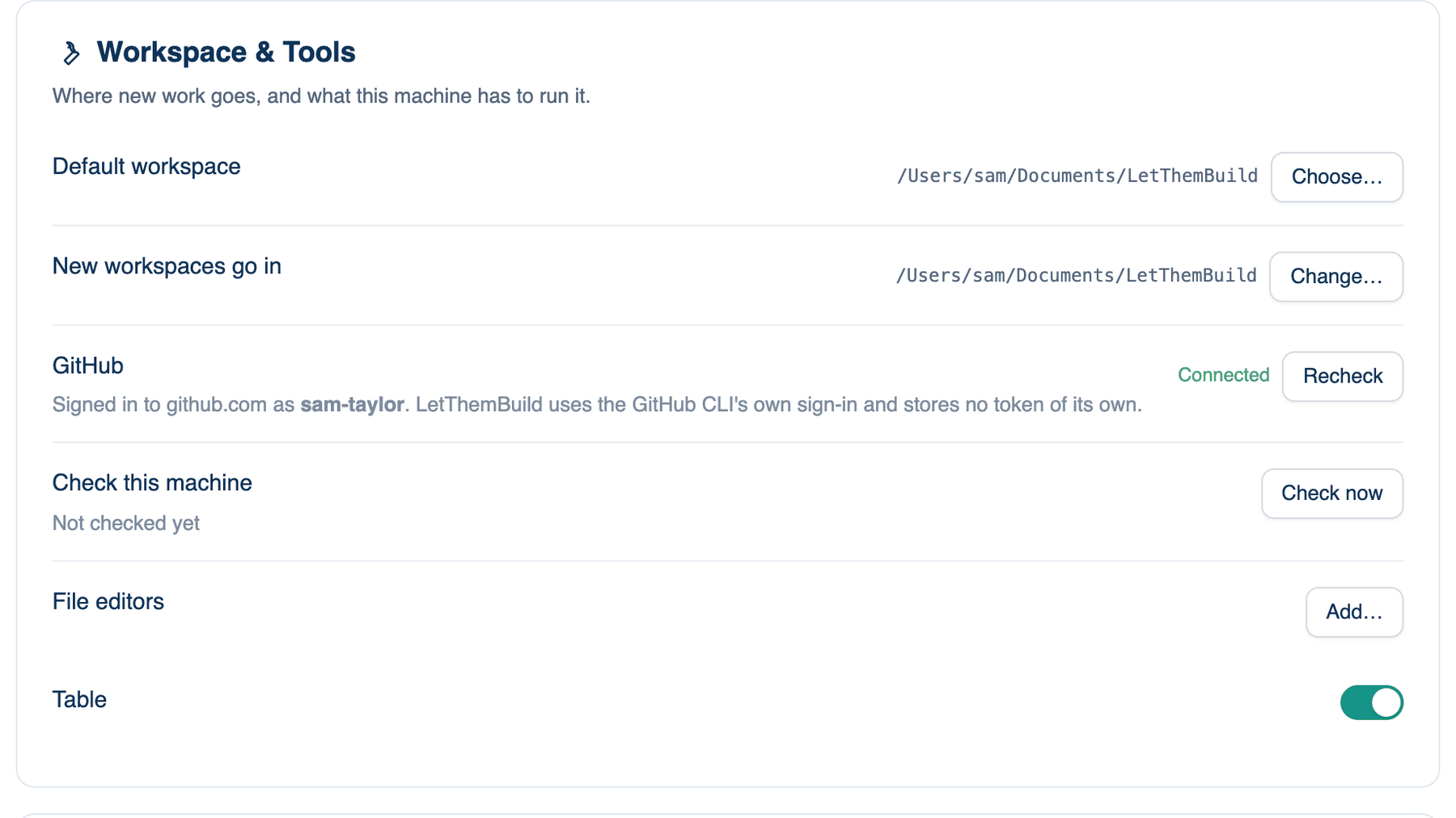
The folder a new discussion starts in when it names no folder: the sidebar's +, the launcher bar and the first session after you install.
Where to find it. Mac only: Settings → This Mac → General → Workspace & Tools. Default: ~/Documents/LetThemBuild.
How to use it.
- Click Choose… beside Default workspace and pick a folder.
- The path shows in the row, and a Reset button appears to put the default back.
When to use it. You keep code on an external disk or under ~/code, and want new work to start there.
When not to use it. To move one discussion. Switching a discussion to another folder never changes this setting, and this setting never moves a discussion you already have.
New workspaces go in
When a discussion starts without a folder, the app makes one for it here and names it from your first message: "Fix the login timeout" becomes a folder called Fix The Login Timeout. Existing sessions keep the folder they already have. Default: ~/Documents/LetThemBuild. Change… picks another parent folder; Reset goes back.
GitHub and Check this machine
| Setting | Default | What it does | Change it when |
|---|---|---|---|
| GitHub | read-only | Says whether the GitHub CLI is installed and signed in. Recheck looks again. | You have just installed or signed in to gh. |
| Check this machine | not run | Check now lists what would stop the room and is not its fault: a proxy the seats do not know about, a missing certificate bundle, a signed-out CLI, a download still in quarantine, a full disk, an account with no credit. It also lists the tools present (git, gh, Xcode, Node) and what a missing one would unlock. It changes nothing. Copy puts the report on the clipboard for a support message. | A run fails with an error that does not explain itself. |
The same check runs from a terminal as ltb doctor.
File editors
Small pages that show a kind of file in the Files pane as something other than text, such as a CSV as a table. Each is a folder with an editor.json that names it and the file types it opens. An editor is handed the text of the file and hands edits back; the pane still saves, keeps drafts and asks about conflicts. An editor cannot reach the network or other files.
Where to find it. Mac only: Settings → This Mac → General → Workspace & Tools → File editors. Default: the app's own editors on; one you add, or one a project carries in .letthemchat/editors, off.
How to use it.
- Open a workspace, so its editors are listed.
- Click Add… and choose a folder with an editor.json in it. The app copies it and lists it, switched off.
- Turn its switch on. Remove deletes an editor you added.
What changes. An editor goes off again by itself if its files change, so a project cannot swap in new code behind a switch you already turned on.