The Model Prompt Editor holds your house rules: standing instructions the room reads on every turn, so you stop typing "don't add a dependency" into every question. There is one set per role a seat can play. A seat reads its built-in brief first and your rules after it, and where the two disagree, yours win. The one part your rules cannot override is the room's own protocol: how seats signal agreement and objections, and that nobody claims to have run something that was not run.
The shipped brief is not shown or editable here. What changed in it, and when, is on the brief's changelog page.
Your Instructions
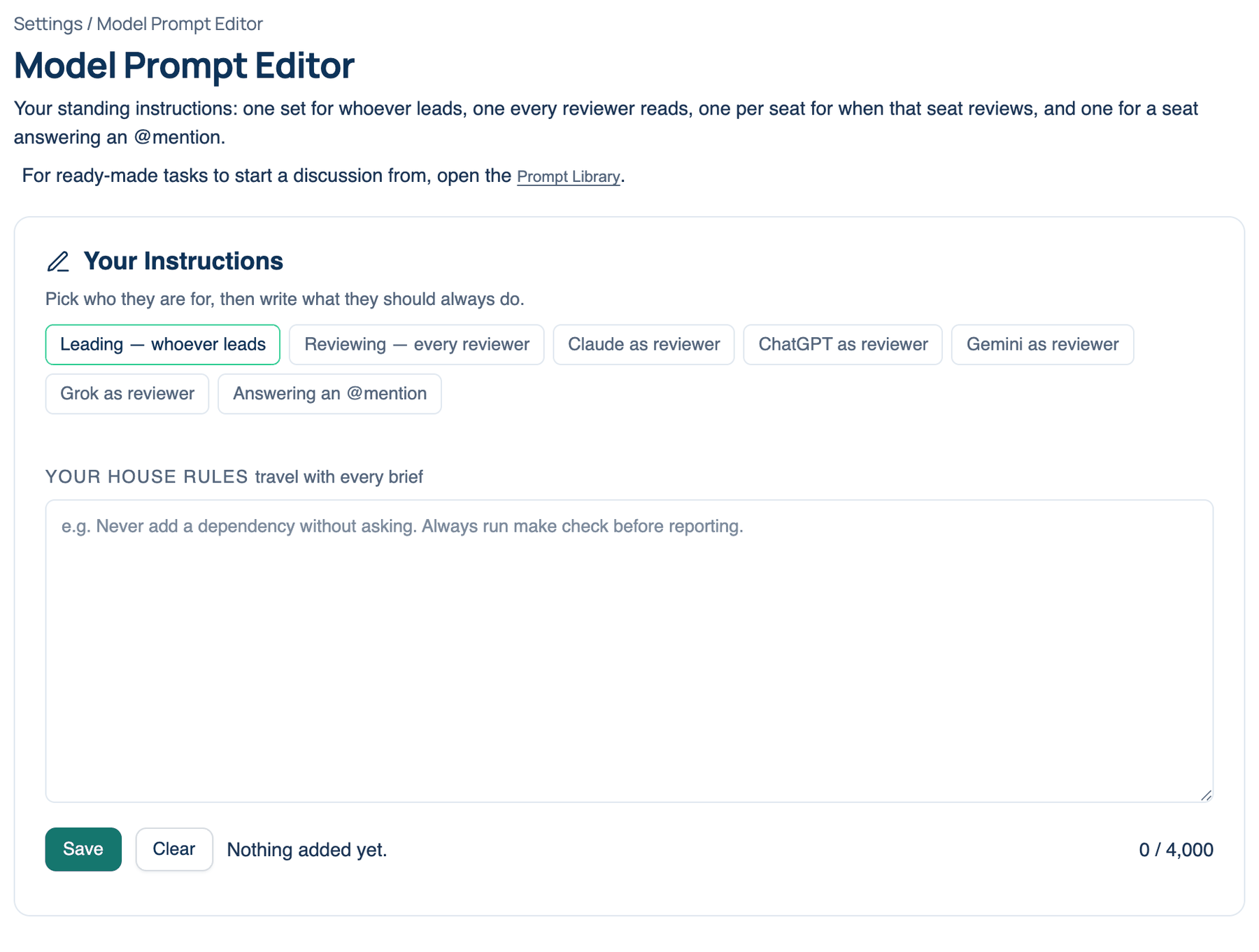
Where to find it. Mac: Settings → The room → Model Prompt Editor → Your Instructions. Web: Settings → Model Prompt Editor. iPhone: Settings → The Room → Model Prompt Editor. Default: every role empty. The rules belong to your account, so the Mac, the web and the iPhone use the same ones.
| Tab | Who reads it |
|---|---|
| Leading — whoever leads | The seat that answers first and sets the position |
| Reviewing — every reviewer | Every seat while it reviews |
| Claude as reviewer | That seat, only while it reviews |
| ChatGPT as reviewer | That seat, only while it reviews |
| Gemini as reviewer | That seat, only while it reviews |
| Grok as reviewer | That seat, only while it reviews |
| Answering an @mention | A seat you address directly with @name |
A dot on a tab means it holds text. On the iPhone the tabs are a Role menu, with a line under it saying what that role does.
How to use it.
- Pick a tab.
- Type into Your house rules. The counter shows how much of the 4,000-character limit you have used.
- Press Save. On the Mac this saves the tab you are on; on the web it saves every tab at once. The note under the box confirms the rules now travel with every turn.
- To empty one role, pick it and press Clear. On the Mac, Clear asks, then removes the rules for that role straight away. On the web, Clear empties the box and you press Save to keep the change. On the iPhone, Clear this role asks first, then you press Save.
When to use it. Rules that hold in every project: "Run the type check before you report." Give each reviewer its own beat: Gemini on security, ChatGPT on performance, Grok on whether there is a simpler answer. Four reviewers looking for different things catch more than four reviewers looking for the same thing.
When not to use it. Facts about you or a codebase belong in Memory, where the room can add and prune them. A task you repeat belongs in the Prompt Library or a skill. Rules here are sent on every turn to every seat they apply to, so a long set costs input tokens on every round of every discussion.
What changes. With text saved, each matching seat's instructions carry it from the next turn, on Mac, web and iPhone runs alike. Empty, the seats run on the built-in brief alone.
Writing rules that hold up
Write each rule as one plain instruction, with its reason when the reason is not obvious. "Never add a dependency without asking, because every package is audited" is followed more reliably than a paragraph of preferences. Put the rule that matters most first. Say what to do rather than listing what to avoid. When two rules pull against each other the seat has to guess, so read the whole set again after each edit, and check the next few discussions to see whether the rule changed anything.
Further reading. Prompt Engineering Guide — DAIR.AI, open source. A Systematic Survey of Prompt Engineering in Large Language Models — Sahoo et al., 2024.